XABCD TRADING

XABCD ATM Pack
Installation
To install our software you'll first have to download it from your account. Unzip it and run the installer which will ask for your license. It's that simple but we also have a video walk through if you wnat some more details.
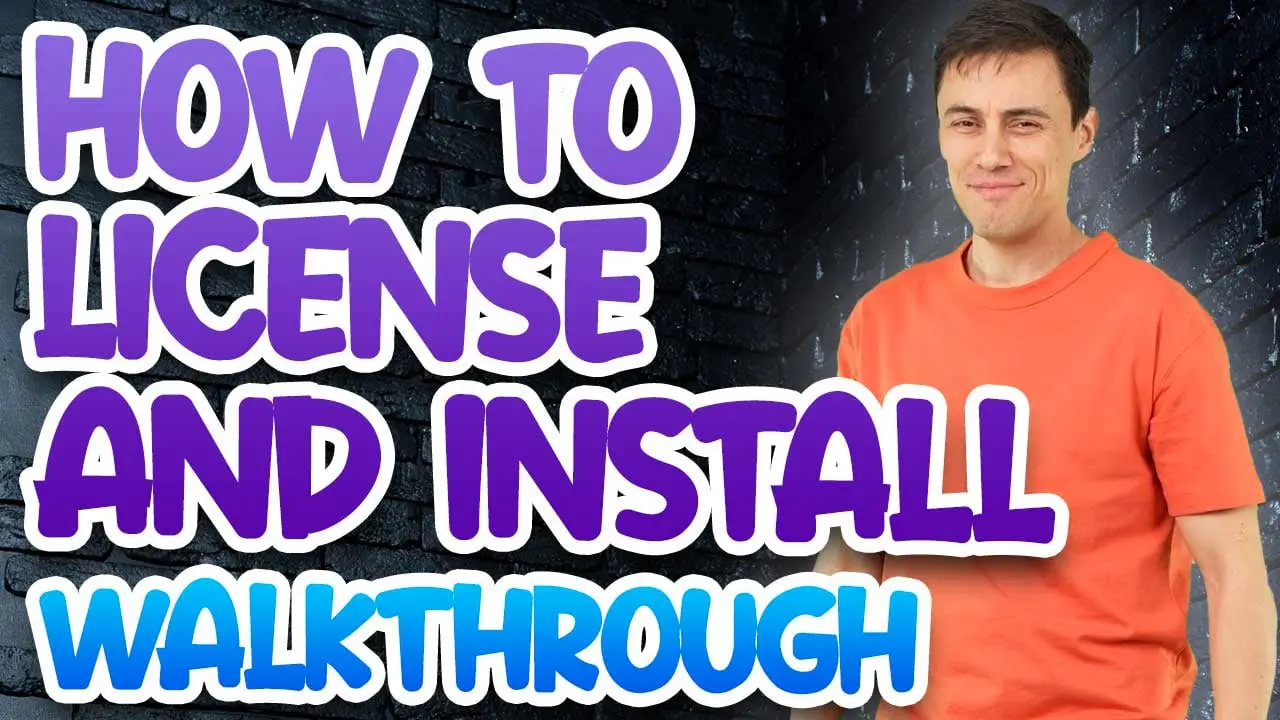
Table of Contents
- Introduction
- Installing and Updating
- What's New in 1.7.0.0
- Words and Conventions
- Getting Started
- The ATM Strategy Templates
- The Stop Strategy Templates
- Alongside the Rest of XABCD
- Troubleshooting
Introduction
The XABCD ATM Pack is a set of ready-made NinjaTrader templates: 23 ATM strategy templates and 18 stop strategy templates, 41 in all, written for crypto, futures and forex. An ATM strategy template is a saved stop loss, profit target and quantity that NinjaTrader's Advanced Trade Management (ATM) applies to a trade as soon as your entry fills. A stop strategy template is a saved break-even and trailing rule for that stop. Choose them by name in NinjaTrader, and the same management is applied the same way to every trade you take.
Plain files, nothing to run. The pack is 41 small files that NinjaTrader reads from its own template folders. It adds no indicator, window or program to NinjaTrader. See What the ATM Pack Is Not.
What the ATM Pack Is
- A starting set of ATM strategy templates. Each one fixes a stop, a target and a quantity, in percent, ticks or pips, with one, two or three brackets so a trade can take profit in stages. Some reverse the position at the stop or at the target. Every one is listed, with its numbers, in The ATM Strategy Templates.
- A starting set of stop strategy templates. Break-even moves and trailing stops, from a single 10 tick trail to a three-step trail. Every one is listed, with its numbers, in The Stop Strategy Templates.
- Named for what they do. A name begins with the market it was written for (
CRYPTO,FUTorFX) and then says the distances, soFX-10pipStop-20pipTargetis a 10 pip stop with a 20 pip target. See When a Template's Name and Its Contents Differ for the few where the name and the contents say different things. - Yours to change. A template is the same kind of file NinjaTrader saves when you make your own, so you can open one, change it and save it under a name of your own. See Changing a Template Without Losing the Original.
What the ATM Pack Is Not
- It is not an indicator or a program. Every file in the download is a plain XML template file. There is no program file in it, nothing is added to a chart, and nothing runs inside NinjaTrader.
- It does not size a trade to your account. The quantity is written into each template and does not change with your balance. The word
Riskin a template's name is the distance of the stop (for example1percentRiskis a stop of 1 percent), not a share of your account. - It does not tie a template to an instrument. Nothing in a file names an instrument or a market.
CRYPTO,FUTandFXsay what a template was written for, and nothing in a file stops you using any of them on any instrument, so check that the quantity and the distances make sense for the instrument in front of you. - It does not give signals or advice. It says where a stop and a target sit and how a stop moves after the trade is in profit. When to enter is yours.
- The XABCD Position Tool does not use it. The Position Tool places and manages its own stop and targets and does not read these templates. See The Position Tool.
Requirements
- NinjaTrader 8, with a window that offers an ATM strategy list, such as Chart Trader or the SuperDOM.
- An account to trade on. A template does nothing until you place an entry order with it chosen. Try each one on a simulated account first and check where the stop and target land.
- A way to unzip the download and copy files into your NinjaTrader 8 folder.
There is no key to enter and nothing to activate: the files do not check a license.
Installing and Updating
The pack is installed by copying its files into two folders inside your NinjaTrader 8 documents folder. NinjaTrader then offers the templates by name in the same lists as the ATM strategies and stop strategies you save yourself.
What Is in the Download
The download unzips to a folder named ATM-Bundles, holding:
| In the folder | What it holds |
|---|---|
ATM Strategies | 23 ATM strategy template files: 12 written for crypto, 5 for futures and 6 for forex (one of the six is written for forex or futures). |
Stop Strategies | 18 stop strategy template files: 6 written for crypto, 5 for futures and 7 for forex (one of the seven is written for forex or futures). |
readme.txt | A short text list of the templates. This guide is the full description; where the two differ, this guide is the one that was checked against the template files. |
Each template file is named for the template it holds, with .xml on the end.
Installing the Pack
- Unzip the download anywhere you like.
- Close NinjaTrader. Copying template files in while it is closed means it reads them fresh the next time it starts.
- Open your NinjaTrader 8 documents folder, which is normally Documents\NinjaTrader 8, and then its templates folder.
- Copy the 23 files in
ATM Strategiesinto templates\AtmStrategy. - Copy the 18 files in
Stop Strategiesinto templates\StopStrategy. - Start NinjaTrader. The templates are now in the lists. See Checking That It Worked.
- Copy the files, not the folders. Put the .xml files directly inside AtmStrategy and StopStrategy, not inside another folder within them.
- If AtmStrategy or StopStrategy is missing, create it inside templates with exactly that spelling.
- A template with the same name as one you already have replaces it when you confirm the copy. See Updating the Pack before you overwrite a template you have changed.
- Your own ATM strategies and stop strategies are not touched, because they have names of their own.
Checking That It Worked
- Open a window with an ATM strategy list, such as Chart Trader or a SuperDOM.
- Open the list. The pack's ATM templates are the names that start with
CRYPTO-,FUT-andFX-, and there are 23 of them. - For the stop strategies, see Adding a Stop Strategy: the 18 names appear in that list.
If a name is missing, see A Template Does Not Appear in the List.
Updating the Pack
Download the newer pack, close NinjaTrader and copy the files in again, as in Installing the Pack. A template that has the same name is replaced by the new one, and a template the new pack adds is simply new.
- A template you changed under one of the pack's names is overwritten. If you want to keep your version, save it under a name of your own first. See Changing a Template Without Losing the Original.
- Templates you saved under your own names are not touched.
- Read What's New first. It says which templates a release adds or changes: see What's New in 1.7.0.0.
Removing Templates or Moving to Another Computer
To remove a template, close NinjaTrader and delete its file from templates\AtmStrategy or templates\StopStrategy. To remove the whole pack, delete the 23 and the 18 files by name and leave anything of your own.
To move to another computer, copy the files you want from those two folders to the same two folders on the other computer, with NinjaTrader closed there as well. Your own templates travel the same way.
Which Version You Have
The templates are plain files and carry no version number of their own. This documentation describes version 1.7.0.0, the first release, published October 13, 2026; see What's New in 1.7.0.0. To check that you have all of it, count: 23 files in ATM Strategies and 18 in Stop Strategies in the download, and the same 23 and 18 names in NinjaTrader's lists.
What's New in 1.7.0.0
The XABCD ATM Pack 1.7.0.0 is the first release. This guide describes 1.7.0.0 throughout; this is the short version of what it holds, and each item links to the section that covers it.
- 23 ATM strategy templates: 12 for crypto, 5 for futures and 6 for forex. See The ATM Strategy Templates.
- 18 stop strategy templates: 6 for crypto, 5 for futures and 7 for forex. See The Stop Strategy Templates.
- Stops and targets in percent, ticks or pips, 16 of the ATM templates in percent, 5 in pips and 2 in ticks. See Percent, Tick and Pip Distances.
- One, two or three brackets, so a trade can take profit in stages: 7 templates have one, 15 have two and 1 has three. See One, Two and Three Brackets.
- Two templates that reverse at the stop and two that reverse at the target. See Reverse at Stop and Reverse at Target.
- Break-even moves and trailing stops from one to three steps: 7 break-even only, 8 trailing only and 3 that do both. See What a Stop Strategy Does.
- Every template described in this guide, with the numbers each one holds, so you can see what a name means before you use it. See Reading the Tables and Reading the Tables.
Words and Conventions
A few words mean something exact in the ATM Pack, and this guide uses them the way NinjaTrader and the template files do. Anything written in code type is a template name or a word exactly as it appears on screen or in the tables.
| Term | Meaning |
|---|---|
| ATM strategy template | A saved stop loss, profit target and quantity that NinjaTrader applies to a trade when your entry fills. The pack has 23. |
| Stop strategy template | A saved break-even and trailing rule that moves the stop after the trade is in profit. It is added to an ATM strategy, and does nothing alone. The pack has 18. |
| Entry quantity | How many units the template orders. It is fixed in the file and does not change with your account. |
| Bracket | One stop and target pair covering part of the entry quantity. A template has one, two or three, and their quantities add up to the entry quantity. |
| Stop | How far the protective stop sits from the entry, in the template's unit. |
| Target | How far the profit target sits from the entry, in the template's unit. |
| Unit | What the stop and target numbers are measured in: Percent, Ticks or Pips. See Percent, Tick and Pip Distances. |
| Time in force | How long the stop and target orders stay working: GTC (good till canceled) until they fill or you cancel them, or Day for the trading day. See Time in Force: GTC and Day. |
| Reverse at stop | When the stop fills, NinjaTrader enters a position in the opposite direction. Two templates have it. See Reverse at Stop and Reverse at Target. |
| Reverse at target | When the target fills, NinjaTrader enters a position in the opposite direction. Two templates have it. |
| Break-even trigger | In a stop strategy, the profit at which the stop moves to your entry price. Off in the tables means the stop strategy has no break-even rule. |
| Plus | In a stop strategy, how far past your entry price, in your favor, the break-even move puts the stop. 0 puts it exactly at the entry. |
| Trail step | In a stop strategy, one stage of a trailing stop, with the profit it starts at (from), how far the stop sits from the price (stop) and how often it moves (every). A stop strategy has up to three. |
| CRYPTO, FUT, FX | The first word of a template's name: the market it was written for. FX-FUT and FXorFut mean forex or futures. See What the ATM Pack Is Not. |
Getting Started
The quickest route is four steps: pick a template, use it on a simulated account, look at where the stop and target land, and add a stop strategy or make your own copy once you know what you want to change.
Choosing a Template
- Start from the name's first word.
CRYPTO-,FUT-andFX-templates were written for those markets, in the quantities and units that suit them. Five of the six forex templates order between 10,000 and 100,000 units, a crypto template orders 1 or 2; check the quantity against your instrument. - Choose the unit. A
Percenttemplate keeps the same proportional distance as the price changes; aTicksorPipstemplate keeps the same distance in price steps. See Percent, Tick and Pip Distances. - Choose the shape. One bracket takes the whole position off at one target. Two or three brackets take profit in stages at different targets. See One, Two and Three Brackets.
- Check for reversing. Four templates open the opposite position when the stop or the target fills. If you do not want that, avoid them: see Reverse at Stop and Reverse at Target.
- Read the row, not just the name. The tables in The ATM Strategy Templates hold the numbers each file contains.
Using an ATM Strategy Template
- Open a window that offers an ATM strategy list, such as Chart Trader or a SuperDOM, on a simulated account.
- Choose the template by name from the list.
- Place an entry order. When it fills, NinjaTrader places the stop and target the template describes.
- Look at where they landed on the chart, and compare them with the template's row in the tables. Check the quantity, the stop, the target and, for a template with more than one bracket, that each bracket is there.
Only when the result is what you expect should you use the template on a live account.
Adding a Stop Strategy
A stop strategy is added to an ATM strategy, not used on its own. In NinjaTrader, open the ATM strategy's parameters, choose one of the pack's stop strategies from its stop strategy list, and save the result under a name of your own so that the pack's templates stay as they were.
- The ATM strategy's stop is where the trade starts; the stop strategy moves it after the trade is in profit. A break-even rule moves it once. A trail moves it along behind price.
- Pair the units. A stop strategy file holds numbers and no unit: its name says which unit they were written for (
Ticks,pipsorPercent). Use it with an ATM strategy in the same unit. See Which Unit a Stop Strategy Is Written In. - No ATM template in the pack has a stop strategy attached. Every one of the 23 starts with a stop and a target only.
Changing a Template Without Losing the Original
- Choose the template, and open its parameters in NinjaTrader.
- Change what you want: the stop, the target, a quantity, a bracket, the time in force.
- Save it under a new name, not the pack's. A name the pack uses is replaced when you next update.
The ATM Strategy Templates
All 23 ATM strategy templates, with the numbers in each file. The three families below follow the first word of the name.
What Every ATM Template Shares
- The brackets' quantities add up to the entry quantity, in every template.
- A stop and a target on every bracket. The distances are in the template's unit.
- Chasing is off, and so are stop-limit stops and market-if-touched targets, in all 23.
- No stop strategy is attached. See Adding a Stop Strategy.
- The unit, time in force and reversing vary: they are columns in the tables.
Reading the Tables
| Column | What it says |
|---|---|
Template | The template's name, exactly as NinjaTrader lists it. |
Unit | Percent, Ticks or Pips: what every stop and target number in the row is measured in. |
Entry quantity | How many units the template orders. |
Brackets | One line for each bracket: its quantity, then its stop and its target. 1: stop 2, target 5 is a bracket of 1 with a stop of 2 and a target of 5 in the row's unit. |
Time in force | GTC or Day. See Time in Force: GTC and Day. |
Reverses | No, At stop or At target. See Reverse at Stop and Reverse at Target. |
Crypto ATM Templates
Twelve templates, all in percent, all GTC, none reversing.
| Template | Unit | Entry quantity | Brackets | Time in force | Reverses |
|---|---|---|---|---|---|
CRYPTO-1percentRisk-1percentTarget-ScaleIn | Percent | 1 | 1: stop 1, target 1 0: stop 1, target 1 | GTC | No |
CRYPTO-1percentRisk-1percentTarget | Percent | 2 | 1: stop 1, target 1 1: stop 1, target 1 | GTC | No |
CRYPTO-1percentRisk-2percentTarget | Percent | 2 | 1: stop 1, target 2 1: stop 1, target 2 | GTC | No |
CRYPTO-1percentRisk-3percentTarget | Percent | 2 | 1: stop 1, target 3 1: stop 1, target 3 | GTC | No |
CRYPTO-2percentRisk-2and5percentTargets | Percent | 2 | 1: stop 2, target 2 1: stop 2, target 5 | GTC | No |
CRYPTO-2percentRisk-2percentTarget | Percent | 2 | 1: stop 2, target 2 1: stop 2, target 2 | GTC | No |
CRYPTO-2percentRisk-4percentTarget | Percent | 2 | 1: stop 2, target 4 1: stop 2, target 4 | GTC | No |
CRYPTO-3percentRisk-1percentTarget | Percent | 2 | 1: stop 3, target 1 1: stop 3, target 1 | GTC | No |
CRYPTO-3percentRisk-6percentTarget | Percent | 2 | 1: stop 3, target 6 1: stop 3, target 6 | GTC | No |
CRYPTO-5percentRisk-10percentTarget | Percent | 2 | 1: stop 5, target 10 1: stop 5, target 10 | GTC | No |
CRYPTO-Overnight-1percentRisk-2percentTarget | Percent | 2 | 1: stop 1, target 2 1: stop 1, target 2 | GTC | No |
CRYPTO-SplitTargets-1percentRisk-2and4percentTargets | Percent | 2 | 1: stop 1, target 2 1: stop 1, target 4 | GTC | No |
- Eleven order a quantity of 2 as two brackets of 1. In nine of them both brackets have the same stop and target. The two that differ are
CRYPTO-2percentRisk-2and5percentTargets(targets of 2 and 5, stop 2) andCRYPTO-SplitTargets-1percentRisk-2and4percentTargets(targets of 2 and 4, stop 1), which take half off at the nearer target and leave half to the farther. CRYPTO-1percentRisk-1percentTarget-ScaleInorders a quantity of 1. Its first bracket is 1 with a stop of 1 and a target of 1, and a second bracket with the same stop and target is stored with a quantity of 0.CRYPTO-Overnight-1percentRisk-2percentTargetholds the same numbers asCRYPTO-1percentRisk-2percentTarget: two brackets of 1, stop 1, target 2. Its name says how it is meant to be used.- The stop and target pairs run from 1 and 1 up to 5 and 10 (
CRYPTO-5percentRisk-10percentTarget), and include a stop wider than the target: 3 and 1 (CRYPTO-3percentRisk-1percentTarget).
Futures ATM Templates
Five templates, in a mix of units: two in ticks, one in pips and two in percent.
| Template | Unit | Entry quantity | Brackets | Time in force | Reverses |
|---|---|---|---|---|---|
FUT-10tickSop-20tickTarget | Ticks | 2 | 2: stop 10, target 20 | GTC | No |
FUT-10tickstop-25tickStop-reverse on stop | Ticks | 1 | 1: stop 10, target 15 | GTC | At stop |
FUT-1perRisk-2perReward-1perRisk-3perTarget-1perRisk-4perTarget | Percent | 3 | 1: stop 1, target 2 1: stop 1, target 3 1: stop 1, target 4 | GTC | No |
FUT-1percentRisk-2percentTarget-1percentRisk-3percentTarget | Percent | 2 | 1: stop 1, target 2 1: stop 1, target 3 | GTC | No |
FUT-20tickRisk-20tickTarget-Reverse-on-Target | Pips | 1 | 1: stop 30, target 60 | Day | At target |
FUT-10tickSop-20tickTargetorders 2 with a single bracket of 2, a stop of 10 ticks and a target of 20 ticks. (Sopin the name is how it is spelled in the file.)FUT-10tickstop-25tickStop-reverse on stoporders 1 with a stop of 10 ticks and a target of 15 ticks, and reverses at the stop.FUT-1percentRisk-2percentTarget-1percentRisk-3percentTargetorders 2 as two brackets of 1 with a stop of 1 percent and targets of 2 and 3 percent.FUT-1perRisk-2perReward-1perRisk-3perTarget-1perRisk-4perTargetis the only template with three brackets: 3 as three brackets of 1, each with a stop of 1 percent, and targets of 2, 3 and 4 percent.FUT-20tickRisk-20tickTarget-Reverse-on-Targetorders 1, measured in pips, with a stop of 30 and a target of 60, as a Day order, and reverses at the target. See When a Template's Name and Its Contents Differ.
Forex ATM Templates
Six templates: four in pips and two in percent. Five order between 10000 and 100000 units; the sixth, written for forex or futures, orders 1.
| Template | Unit | Entry quantity | Brackets | Time in force | Reverses |
|---|---|---|---|---|---|
FX-10pipStop-20pipTarget | Pips | 100000 | 100000: stop 10, target 20 | GTC | No |
FX-1percentRisk-2percentTarget-1percentRisk-3percentTarget | Percent | 100000 | 50000: stop 1, target 2 50000: stop 1, target 3 | GTC | No |
FX-20pipStop-40pipTarget-and-20-pipStop-60pipTarget | Pips | 50000 | 25000: stop 20, target 40 25000: stop 20, target 60 | GTC | No |
FX-25pipstop-50pipgain-reverse on stop | Pips | 10000 | 10000: stop 25, target 50 | GTC | At stop |
FX-30pipRisk-60pipTarget-Reverse-on-Target | Pips | 100000 | 100000: stop 30, target 60 | Day | At target |
FX-FUT-1percentRisk-2percentTarget | Percent | 1 | 1: stop 1, target 2 | GTC | No |
FX-10pipStop-20pipTargetorders 100000 as one bracket, a stop of 10 pips and a target of 20 pips.FX-1percentRisk-2percentTarget-1percentRisk-3percentTargetorders 100000 as two brackets of 50000, with a stop of 1 percent and targets of 2 and 3 percent.FX-20pipStop-40pipTarget-and-20-pipStop-60pipTargetorders 50000 as two brackets of 25000, each with a stop of 20 pips, and targets of 40 and 60 pips.FX-25pipstop-50pipgain-reverse on stoporders 10000 with a stop of 25 pips and a target of 50 pips, and reverses at the stop.FX-30pipRisk-60pipTarget-Reverse-on-Targetorders 100000 with a stop of 30 pips and a target of 60 pips, as a Day order, and reverses at the target.FX-FUT-1percentRisk-2percentTargetorders 1 with a stop of 1 percent and a target of 2 percent, written to be used on forex or futures.
Percent, Tick and Pip Distances
| Unit | Templates | What it means |
|---|---|---|
Percent | 16: all 12 crypto, 2 futures and 2 forex | The stop and target are percentages. A percent distance grows and shrinks with the price, so the same template reaches further on a higher-priced instrument. It is a distance from the price, not a share of your account. |
Ticks | 2, both futures | The stop and target are counted in the instrument's smallest price steps. The same number is a different distance in price on instruments with different tick sizes. |
Pips | 5: 4 forex and 1 futures | The stop and target are counted in pips, the unit of forex quotes. The one futures template written in pips is FUT-20tickRisk-20tickTarget-Reverse-on-Target. |
One, Two and Three Brackets
A bracket is one stop and target pair for part of the quantity. With more than one, each part can have its own target, so a trade can take some profit near and let the rest run to a farther target.
| Brackets | Templates |
|---|---|
| One | 7: FUT-10tickSop-20tickTarget, FUT-10tickstop-25tickStop-reverse on stop, FUT-20tickRisk-20tickTarget-Reverse-on-Target, FX-10pipStop-20pipTarget, FX-25pipstop-50pipgain-reverse on stop, FX-30pipRisk-60pipTarget-Reverse-on-Target and FX-FUT-1percentRisk-2percentTarget |
| Two | 15: all twelve crypto templates, FUT-1percentRisk-2percentTarget-1percentRisk-3percentTarget, FX-1percentRisk-2percentTarget-1percentRisk-3percentTarget and FX-20pipStop-40pipTarget-and-20-pipStop-60pipTarget |
| Three | 1: FUT-1perRisk-2perReward-1perRisk-3perTarget-1perRisk-4perTarget |
One of the twelve crypto templates, CRYPTO-1percentRisk-1percentTarget-ScaleIn, stores its second bracket at a quantity of 0, so as written it orders a single unit under the first bracket.
Reverse at Stop and Reverse at Target
Four templates reverse: when the stop or the target fills, NinjaTrader enters a position the other way. Think carefully before you use one, because a stopped trade does not end flat.
| Reverses | Templates |
|---|---|
At stop | FUT-10tickstop-25tickStop-reverse on stop and FX-25pipstop-50pipgain-reverse on stop |
At target | FUT-20tickRisk-20tickTarget-Reverse-on-Target and FX-30pipRisk-60pipTarget-Reverse-on-Target |
The other 19 never reverse.
Time in Force: GTC and Day
Time in force is how long the stop and target orders stay working. GTC (good till canceled) keeps them until they fill or are canceled. Day keeps them for the trading day. Twenty-one templates are GTC. Two are Day: FUT-20tickRisk-20tickTarget-Reverse-on-Target and FX-30pipRisk-60pipTarget-Reverse-on-Target, the two that reverse at the target.
When a Template's Name and Its Contents Differ
The numbers in this guide were read from the template files, and those are what NinjaTrader uses. A name is a label. For these templates the label and the stored numbers say different things, so go by the row in the tables and check the template in NinjaTrader before you trade with it.
| Template | The name says | The file holds |
|---|---|---|
FUT-10tickstop-25tickStop-reverse on stop | A 10 tick stop and a 25 tick stop, reversing on the stop. | One bracket of 1 with a stop of 10 ticks and a target of 15 ticks, reversing at the stop. Nothing in the file is 25. |
FUT-20tickRisk-20tickTarget-Reverse-on-Target | A 20 tick stop and a 20 tick target, reversing on the target. | One bracket of 1 in pips, with a stop of 30 and a target of 60, as a Day order, reversing at the target. |
FUT-10tickSop-20tickTarget | A 10 tick stop and a 20 tick target. | As named, with a quantity of 2. Sop is how the name is spelled. |
CRYPTO-Overnight-1percentRisk-2percentTarget | A template for overnight positions. | The same numbers as CRYPTO-1percentRisk-2percentTarget. Nothing in the file is specific to the overnight session. |
CRYPTO-1percentRisk-1percentTarget-ScaleIn | Scaling in. | A quantity of 1, with a second bracket at a quantity of 0. |
The Stop Strategy Templates
All 18 stop strategy templates, with the numbers in each file. They are grouped by the first word of the name, as the ATM templates are.
What a Stop Strategy Does
A stop strategy moves the stop after the trade is in profit. It has two kinds of rule, and a template can have either or both:
- A break-even move. Once the trade is in profit by the break-even trigger, the stop moves to your average entry price, plus the Plus distance in your favor. With a Plus of 0 the stop sits exactly at the entry.
- A trail, of up to three steps. From each step's from profit, the stop is placed stop away from the price, and then follows the price in your favor in steps of every.
| Kind | Templates |
|---|---|
| Break-even only | 7: CRYPTO-FixedBEProfit15, CRYPTO-StopStrategyBEat10Ticks, FUT-StopStrategyBEat10tics, FX-Stop-StrategyBEat15pips, FX-Stop-StrategyBEat25pips, FX-StopStrategyBEat10pips and FXorFut-BEat1Percent |
| Trail only | 8: CRYPTO-Trail10Ticks, FUT-Trail10Ticks, FUT-Trail5-Ticks, FUT-Trail5-Trail10-Ticks, FUT-Trail5-Trail10-Trail15-Ticks, FX-Trail10-Trail15-Ticks-Trail20-Ticks, FX-Trail10-Trail15-Ticks and FX-Trail10Ticks |
| Both | 3: CRYPTO-DynamicTrail20Ticks, CRYPTO-MultiTierTrailing and CRYPTO-StepTrail5-15 |
What Every Stop Strategy Shares
- No unit is stored. A file holds numbers only. See Which Unit a Stop Strategy Is Written In.
- The simulated stop is off and the volume trigger is 0, in all 18.
- They do nothing alone. A stop strategy works only when it is added to an ATM strategy: see Adding a Stop Strategy.
Reading the Tables
| Column | What it says |
|---|---|
Template | The template's name. |
Break-even trigger | The profit at which the stop moves to the entry. Off if the stop strategy has no break-even rule. |
Plus | How far past the entry the break-even move puts the stop. A dash when there is no break-even rule. |
Trail steps | One line for each step: from, the profit it starts at; stop, how far the stop sits from the price; every, how far the price moves before the stop moves again. None if the stop strategy has no trail. |
Crypto Stop Strategies
| Template | Break-even trigger | Plus | Trail steps |
|---|---|---|---|
CRYPTO-DynamicTrail20Ticks | 20 | 2 | Step 1: from 20, stop 5, every 1 |
CRYPTO-FixedBEProfit15 | 15 | 0 | None |
CRYPTO-MultiTierTrailing | 25 | 5 | Step 1: from 10, stop 20, every 2 Step 2: from 20, stop 15, every 1 |
CRYPTO-StepTrail5-15 | 5 | 0 | Step 1: from 5, stop 15, every 1 Step 2: from 10, stop 10, every 1 |
CRYPTO-StopStrategyBEat10Ticks | 10 | 0 | None |
CRYPTO-Trail10Ticks | Off | - | Step 1: from 1, stop 10, every 1 |
CRYPTO-DynamicTrail20Ticksmoves the stop to the entry plus 2 at a profit of 20, and trails from 20 with the stop 5 from the price. The 20 in its name is where it starts, not the distance of the stop.CRYPTO-FixedBEProfit15moves the stop to the entry (a Plus of 0) once the profit reaches 15. It moves the stop to the entry, not to a profit of 15.CRYPTO-MultiTierTrailingmoves the stop to the entry plus 5 at a profit of 25. Its trail has two steps: from 10 the stop sits 20 from the price and moves every 2, and from 20 it sits 15 from the price and moves every 1.CRYPTO-StepTrail5-15moves the stop to the entry at a profit of 5, with a trail of two steps: from 5 the stop sits 15 from the price, and from 10 it sits 10 from the price, each moving every 1.CRYPTO-StopStrategyBEat10Ticksmoves the stop to the entry at a profit of 10.CRYPTO-Trail10Tickstrails from a profit of 1 with the stop 10 from the price, moving every 1.
Futures Stop Strategies
| Template | Break-even trigger | Plus | Trail steps |
|---|---|---|---|
FUT-StopStrategyBEat10tics | 10 | 0 | None |
FUT-Trail10Ticks | Off | - | Step 1: from 1, stop 10, every 1 |
FUT-Trail5-Ticks | Off | - | Step 1: from 1, stop 5, every 1 |
FUT-Trail5-Trail10-Ticks | Off | - | Step 1: from 1, stop 5, every 1 Step 2: from 5, stop 10, every 1 |
FUT-Trail5-Trail10-Trail15-Ticks | Off | - | Step 1: from 1, stop 5, every 1 Step 2: from 5, stop 10, every 1 Step 3: from 10, stop 15, every 1 |
FUT-StopStrategyBEat10ticsmoves the stop to the entry at a profit of 10. (ticsis how the name is spelled.)FUT-Trail10TicksandFUT-Trail5-Tickstrail from a profit of 1, with the stop 10 and 5 from the price, moving every 1.FUT-Trail5-Trail10-Ticksstarts with the stop 5 from the price from a profit of 1, and from 5 puts it 10 from the price.FUT-Trail5-Trail10-Trail15-Ticksadds a third step: from a profit of 10 the stop sits 15 from the price.
Forex Stop Strategies
Seven stop strategies: six written for forex and FXorFut-BEat1Percent, written for forex or futures.
| Template | Break-even trigger | Plus | Trail steps |
|---|---|---|---|
FX-Stop-StrategyBEat15pips | 15 | 0 | None |
FX-Stop-StrategyBEat25pips | 25 | 0 | None |
FX-StopStrategyBEat10pips | 10 | 0 | None |
FX-Trail10-Trail15-Ticks-Trail20-Ticks | Off | - | Step 1: from 1, stop 10, every 1 Step 2: from 10, stop 15, every 1 Step 3: from 15, stop 20, every 0.1 |
FX-Trail10-Trail15-Ticks | Off | - | Step 1: from 1, stop 10, every 1 Step 2: from 10, stop 15, every 1 |
FX-Trail10Ticks | Off | - | Step 1: from 1, stop 10, every 1 |
FXorFut-BEat1Percent | 1 | 0 | None |
FX-StopStrategyBEat10pips,FX-Stop-StrategyBEat15pipsandFX-Stop-StrategyBEat25pipsmove the stop to the entry at a profit of 10, 15 and 25.FX-Trail10Tickstrails from a profit of 1 with the stop 10 from the price.FX-Trail10-Trail15-Ticksadds a second step from 10 with the stop 15 from the price, andFX-Trail10-Trail15-Ticks-Trail20-Ticksa third from 15 with the stop 20 from the price. That third step is stored with aneveryof 0.1.FXorFut-BEat1Percentmoves the stop to the entry at a profit of 1. Its name says the number is a percent.
Which Unit a Stop Strategy Is Written In
A stop strategy file holds numbers and no unit, so the unit is in the name. Use a stop strategy with an ATM strategy that measures in the same unit, so the numbers mean what the name says.
| The name says | Templates | Use with |
|---|---|---|
Ticks (or tics) | The 8 trail-only templates, CRYPTO-DynamicTrail20Ticks, CRYPTO-StopStrategyBEat10Ticks and FUT-StopStrategyBEat10tics | An ATM template in Ticks |
pips | FX-StopStrategyBEat10pips, FX-Stop-StrategyBEat15pips and FX-Stop-StrategyBEat25pips | An ATM template in Pips |
Percent | FXorFut-BEat1Percent | An ATM template in Percent |
| No unit | CRYPTO-FixedBEProfit15, CRYPTO-MultiTierTrailing and CRYPTO-StepTrail5-15 | Check what the numbers do on your chart before you rely on them |
If you change an ATM template's unit when you make your own copy, check that the stop strategy still makes sense with it.
Alongside the Rest of XABCD
The ATM Pack is a set of NinjaTrader's own templates, so the XABCD products treat it as they treat any ATM strategy of yours.
The Position Tool
The XABCD Position Tool does its own sizing and places and manages its own stop and targets, including break-even and trailing. It does not read these templates, and a trade placed through the Position Tool does not use one. Choose between them for each trade: an ATM template for a trade you place through NinjaTrader's own ATM controls, or the Position Tool for one you place with it.
The Stream Deck Select ATM Key
The Stream Deck plugin that comes with XABCD Hotkeys has a Select ATM key that changes the ATM strategy chosen in Chart Trader or the SuperDOM. Its ATM Template list is filled from the ATM strategies Chart Trader is offering, and, when those cannot be read, from the AtmStrategy folder. Once the pack is installed its 23 templates are in that list. Press Refresh in the key's settings after you copy new templates in.
Troubleshooting
Most problems with the pack are a file in the wrong place, or a template that is not what its name suggests.
A Template Does Not Appear in the List
- Check the folder. The ATM templates belong in Documents\NinjaTrader 8\templates\AtmStrategy, and the stop strategies in Documents\NinjaTrader 8\templates\StopStrategy. They should be the .xml files themselves, directly in those folders. See Installing the Pack.
- Check the file is whole. The extension is .xml, and the file was unzipped rather than opened from inside the zip.
- Restart NinjaTrader after copying, and open a new Chart Trader or SuperDOM window.
- Check you used the right NinjaTrader 8 folder. If your Documents folder has been moved, for example into a cloud-synced folder, copy the files into the NinjaTrader 8 folder that NinjaTrader is actually using.
The Stop or Target Is Not Where I Expected
- Check the unit. A
Percenttemplate is a percentage of the price, aTickstemplate counts the instrument's price steps and aPipstemplate counts pips. The same number reaches very different distances in each. See Percent, Tick and Pip Distances. - Check the quantity. It is fixed in the template. Most forex templates order between 10000 and 100000 units; a crypto template orders 1 or 2.
- Check the template's row, not just its name. See When a Template's Name and Its Contents Differ.
- Check for a stop strategy. If you added one, it moves the stop once the trade is in profit by its trigger. The ATM strategy's own stop is where the trade starts. See What a Stop Strategy Does.
- Check the bracket. With more than one, each part of the quantity has its own stop and target.
My Changes Disappeared After an Update
Copying a newer pack in replaces the templates that have the same names, including any you changed under those names. Save your changes under a name of your own and they are not touched. See Updating the Pack and Changing a Template Without Losing the Original.
Contacting Support
Write to support@xabcdtrading.com and tell us:
- The template's name, exactly as NinjaTrader lists it.
- The window you used it in, such as Chart Trader or the SuperDOM, and the instrument.
- What you expected and what happened, with a screenshot of the ATM strategy's parameters and of the orders on the chart.
XABCD Trading • ATM Pack Documentation • Version 1.7.0.0
For support and updates, visit XABCDTrading.com