XABCD TRADING

NinjaTrader Risk Per Trade: Risk $500 on Every Trade
Subscribe
to get alerts to our next blog post!
NinjaTrader Risk Per Trade: How to Risk the Same $500 Every Trade
One of the easiest mistakes to make in futures trading is assuming that trading the same number of contracts means taking the same amount of risk.
It doesn't.
If you trade two ES contracts with a 5-point stop on one trade and the same two contracts with a 10-point stop on the next, you've doubled the amount of money at risk—even though your position size looks identical.
A better approach is to decide how many dollars you're willing to risk first, then allow your position size to change based on where the trade logically requires the stop to be placed.
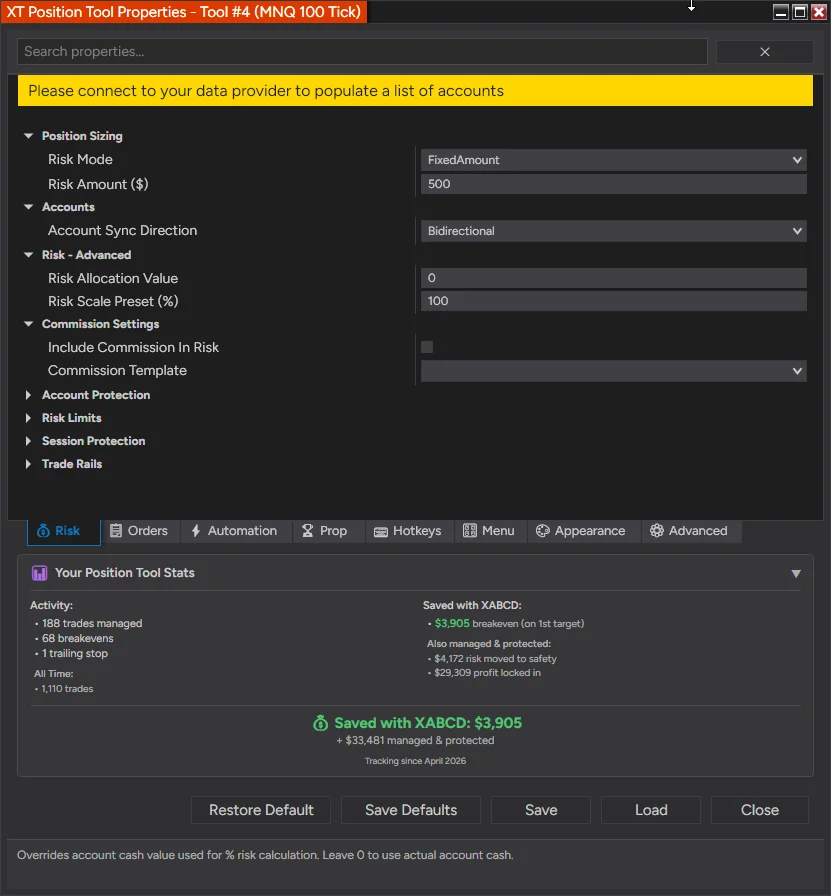
For example:
"I want to risk approximately $500 on every trade."
With this approach, your stop can be 2 points away, 5 points away, or 10 points away. Instead of forcing every trade into the same contract quantity, you adjust the number of contracts so the planned dollar risk stays near $500.
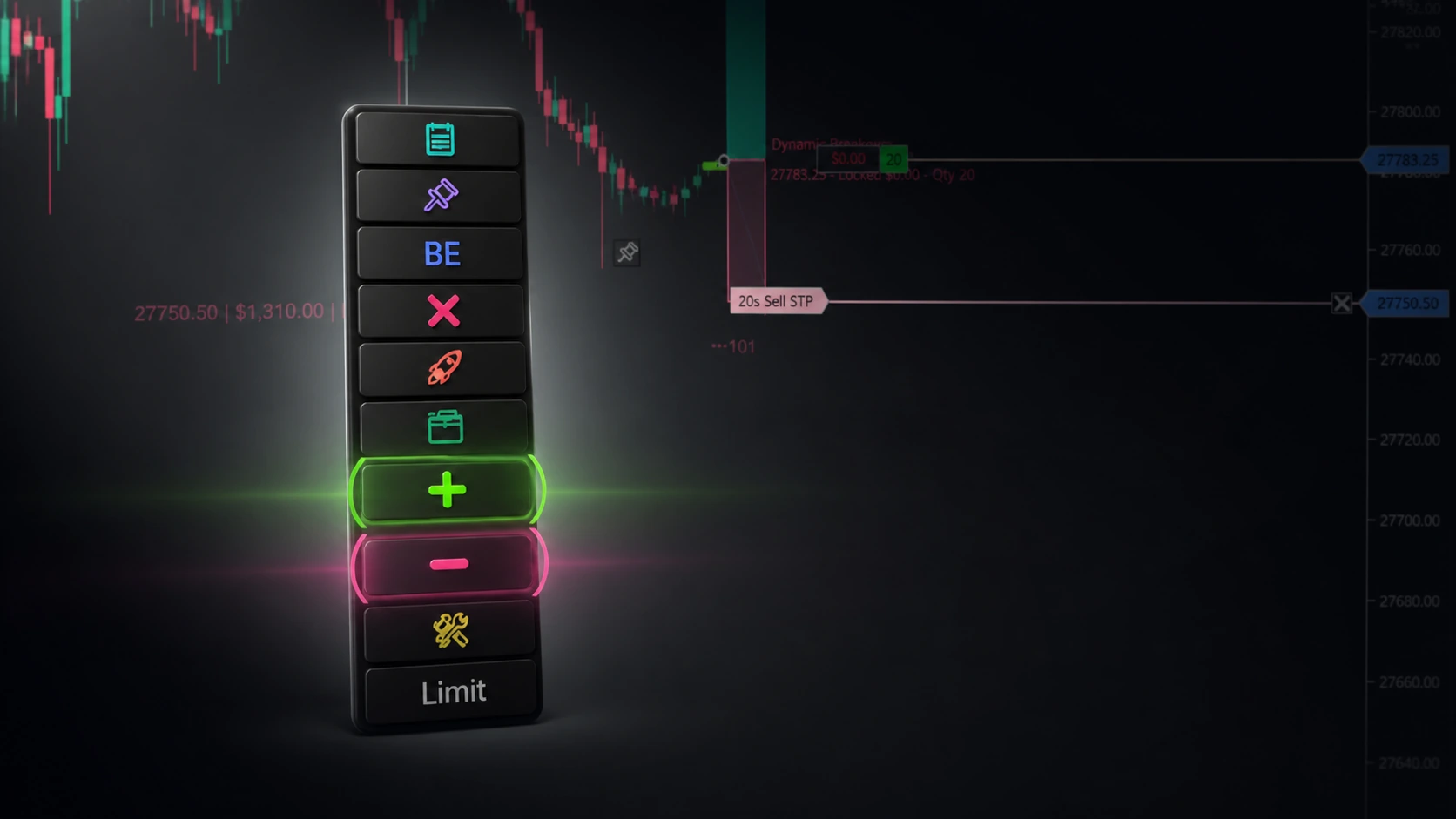
The XABCD Position Tool for NinjaTrader 8 automates this calculation and can recalculate your position size live as you move your stop.
Why Fixed Contract Quantity Does Not Mean Fixed Risk
Suppose you're trading E-mini S&P 500 futures (ES).
ES has a contract value of $50 per index point, with a minimum 0.25-point tick worth $12.50.
That makes the math straightforward.
If your stop is 2 points away:
2 points × $50 = $100 risk per contract
If your stop is 5 points away:
5 points × $50 = $250 risk per contract
If your stop is 10 points away:
10 points × $50 = $500 risk per contract
Now imagine using five contracts for all three trades. Your planned stop risk would be $500, $1,250, and $2,500 respectively.
Same number of contracts. Completely different risk.
This is why position sizing and stop placement need to work together.
Start With Your Dollar Risk, Not Your Contract Quantity
Instead of asking:
"How many contracts should I trade?"
Start with:
"How much am I willing to risk if this trade is wrong?"
Let's use $500.
Once you know your maximum planned risk and where your stop belongs, the basic calculation becomes:
Position Quantity = Dollar Risk ÷ Risk Per Contract
The risk per contract depends on the distance between your entry and stop and the value of each price movement for that instrument. Point value matters for every chart you watch, so if you track the ninjatrader 8 dollar index, check its data costs and cheaper alternatives first.
For futures, the basic concept is:
Risk Per Contract = Stop Distance × Contract Point Value
The XABCD Position Tool performs this calculation automatically using the instrument's tick size and point value. It measures the distance between your entry and stop, converts that distance into dollar risk per contract, and determines how many whole contracts fit inside your configured risk budget.
That means you can focus on where the stop should logically go instead of choosing an arbitrary stop distance just because you want to trade a certain number of contracts.
How to Risk $500 Per Trade in NinjaTrader 8
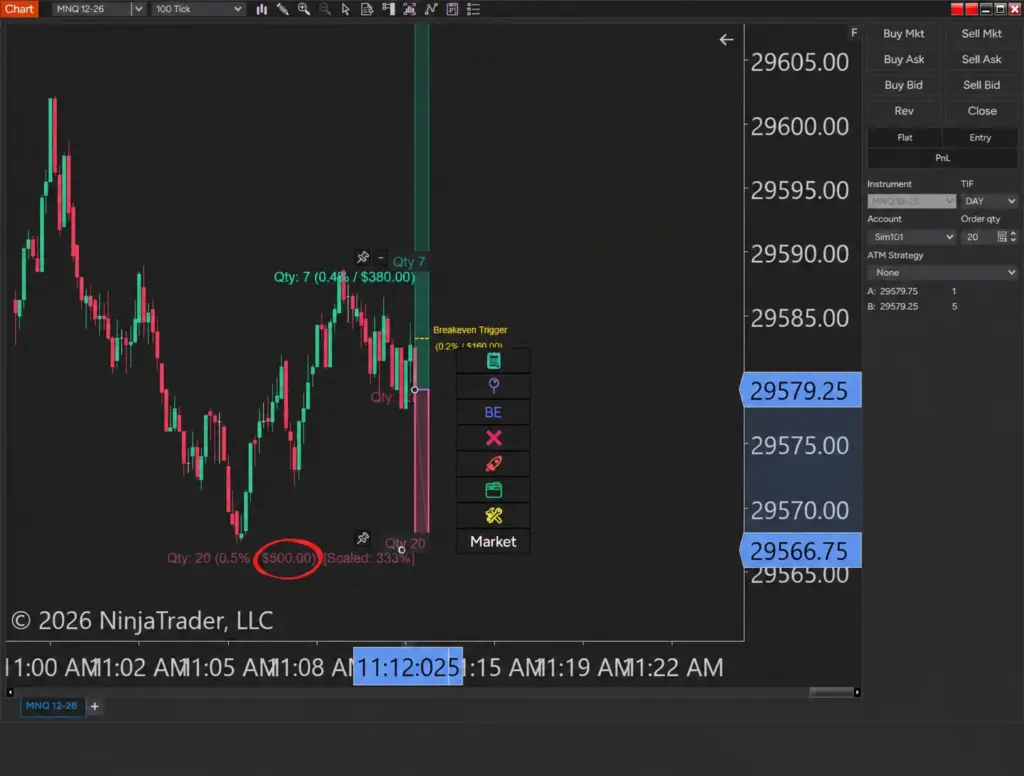
In the XABCD Position Tool properties, open the 💰 Risk tab and find Position Sizing.
Set:
Risk Mode: Fixed Dollar Amount
Risk Amount ($): 500
In fact, $500 is the default value for the Fixed Dollar Amount field in the XABCD Position Tool.
Now the tool has one objective:
Size the position around a $500 planned risk budget.
You establish your entry and stop visually on the NinjaTrader chart. The Position Tool knows the price distance between them, reads the instrument specifications, calculates the risk of one contract, and determines how many contracts fit within the $500 budget.
Move the stop and the calculation changes.
The $500 risk setting doesn't.
Example: A $500 Risk Budget on ES
Here's where the concept becomes much easier to see.
With ES, one tick is 0.25 points and is worth $12.50.
Using the Position Tool's default conservative Floor quantity rounding and excluding commissions for these simple examples:
| ES Stop Distance | Risk Per Contract | Contracts | Planned Risk |
|---|---|---|---|
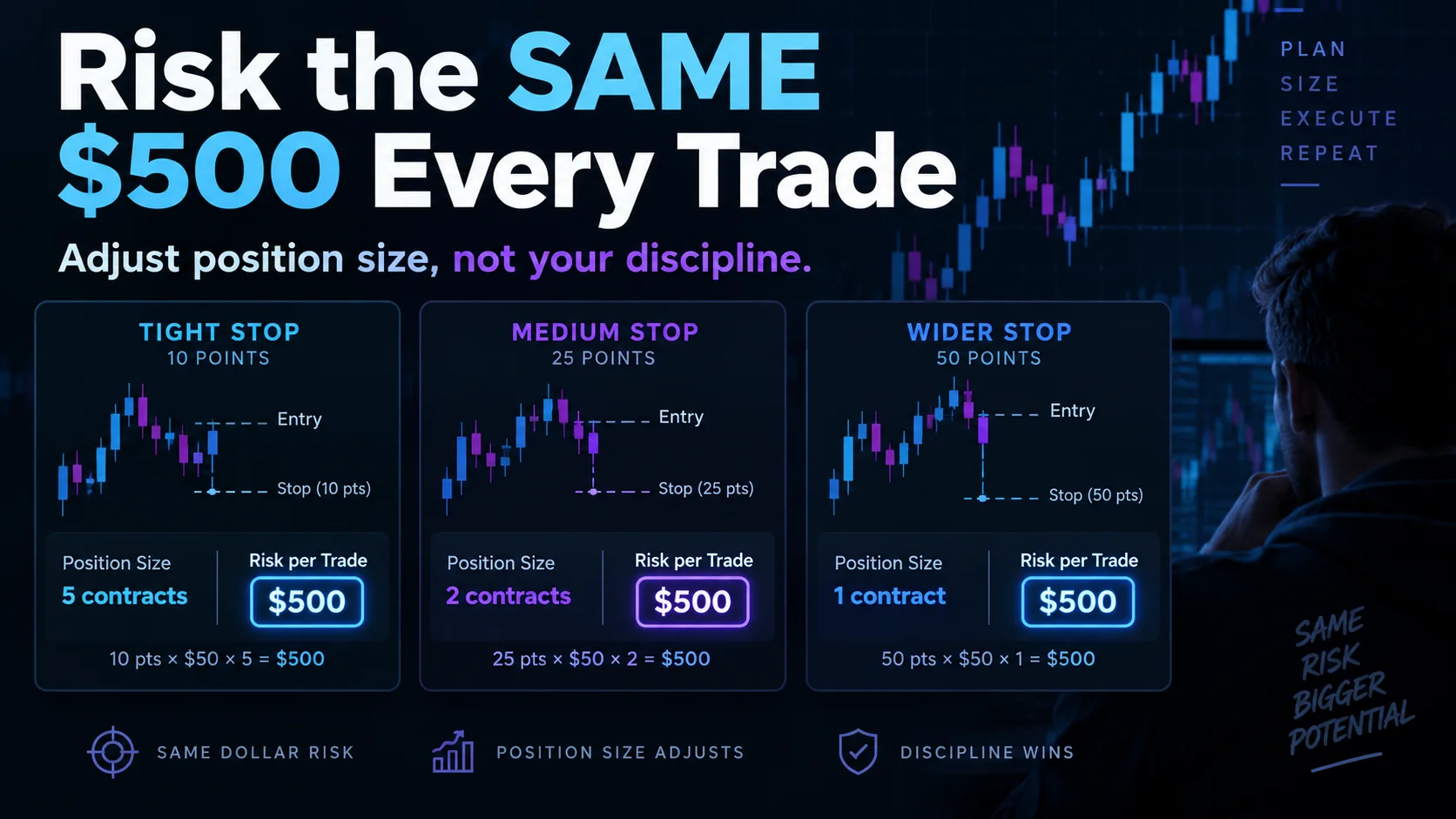
| 2 points / 8 ticks | $100 | 5 | $500 |
| 5 points / 20 ticks | $250 | 2 | $500 |
| 10 points / 40 ticks | $500 | 1 | $500 |
| 12.5 points / 50 ticks | $625 | 0 | Exceeds $500 budget |
Notice what's happening.
At a 2-point stop, the position can be 5 contracts.
Move the stop out to 5 points, and the position drops to 2 contracts.
Move the stop to 10 points, and the position drops to 1 contract.
The market setup determines the stop distance. The Position Tool adjusts the quantity to keep the planned risk within the same $500 budget.
And once the stop becomes so wide that even one contract would exceed your risk limit, the correct quantity isn't one.
It's zero.
What Happens If Even One Contract Risks More Than $500?
This is an important part of position sizing that simple calculators can overlook.
Consider that final ES example.
A 12.5-point stop represents:
12.5 × $50 = $625 risk per ES contract
You told the Position Tool that your risk budget is $500.
There is no mathematically valid whole-contract position that respects both requirements. You can't trade 0.8 ES contracts.
The Position Tool therefore calculates zero contracts and provides a warning explaining that a single contract exceeds your configured risk budget.
The warning can even calculate the fractional amount your budget would cover so you can see why the trade cannot be sized within your specified risk.
That's preferable to silently rounding up to one contract and turning your $500 risk rule into a $625 trade.
Your Position Size Changes Live as You Move the Stop
This is where risk-based position sizing becomes substantially more useful on a chart.
You don't have to repeatedly enter numbers into a calculator.
When you drag the Position Tool's stop anchor, the tool recalculates position size during the drag. The contract quantity displayed on the chart changes as the distance between your entry and stop changes.
Imagine starting with:
$500 risk → 2-point ES stop → 5 contracts
Now drag your stop wider:
$500 risk → 5-point ES stop → 2 contracts
Drag it farther:
$500 risk → 10-point ES stop → 1 contract
Your risk rule isn't changing.
Your position size is adapting to the trade.
That's an important distinction. You're no longer moving the stop to accommodate your desired position size. You're placing the stop where your trade idea says it belongs and allowing the position size to adapt.
What If $500 Doesn't Divide Evenly?
Real trades won't always produce perfect numbers.
Consider E-mini Nasdaq-100 futures (NQ), where a 0.25-point tick is worth $5.
With a 15-tick stop:
15 ticks × $5 = $75 risk per contract
Your budget is $500.
$500 ÷ $75 = 6.67 contracts
Obviously, you can't trade 6.67 futures contracts.
By default, the Position Tool uses Floor quantity rounding. That means it rounds down to six contracts:
6 × $75 = $450 planned risk
Instead of rounding to seven contracts and risking $525, it leaves $50 of your budget unused.
The Position Tool also offers Round and Ceiling modes, but Floor is the default and is specifically designed as the conservative option that does not intentionally size above the calculated risk budget.
So "risk $500" is better understood as:
Risk up to approximately $500 based on the available whole-contract position sizes.
Micro Futures Make Risk Sizing Even More Flexible
Micro contracts give traders much finer control over position sizing.
For example, Micro E-mini S&P 500 (MES) is $5 per point, or $1.25 per 0.25-point tick.
With MES and a $500 risk budget:
| MES Stop Distance | Risk Per Contract | Contracts | Planned Risk |
|---|---|---|---|
| 2 points | $10 | 50 | $500 |
| 10 points | $50 | 10 | $500 |
| 25 points | $125 | 4 | $500 |
Again, the quantity changes dramatically while the dollar-risk objective remains the same.
This is also why memorizing something like "my normal size is five contracts" isn't a particularly useful risk rule when moving among instruments. Different futures contracts have different dollar values.
The Position Tool retrieves the relevant instrument information and performs the sizing calculation from the actual instrument being traded rather than relying on one fixed quantity.
You Can Include Commissions in the $500 Risk Budget
There is another consideration: transaction costs.
The Position Tool has an optional setting called Include Commission In Risk.
When enabled, estimated commissions from the selected NinjaTrader commission template are incorporated into the risk calculation rather than simply being added on top of your configured risk budget.
The sizing engine effectively checks:
Stop Risk + Estimated Commission ≤ Risk Budget
It can then adjust the whole-contract quantity accordingly.
This feature is optional and disabled by default, but it gives traders who want a more conservative calculation another level of control over their NinjaTrader risk per trade.
The Calculated Quantity Can Also Update Chart Trader
The Position Tool doesn't have to keep the calculated quantity isolated inside the drawing.
With Update Chart Trader qty enabled, which is the default, the calculated position size can be written directly into NinjaTrader's Chart Trader quantity control.
As the Position Tool recalculates the appropriate position size, the Chart Trader quantity can update with it.
This means you could move your stop farther away, watch your calculated quantity decrease, and have that new quantity reflected in Chart Trader as part of the same workflow.
There are safeguards here as well. Once live orders or a live position exist, the Position Tool stops overwriting the Chart Trader quantity. This allows you to manually enter a different quantity for actions such as a partial close without having the risk calculation immediately replace it.
Fixed-Dollar Risk Is Only One Position-Sizing Mode
Not every trader wants exactly the same dollar risk on every trade.
That's why Fixed Dollar Amount is just one of the XABCD Position Tool's available risk modes.
The tool also supports position sizing based on:
- Percent of Account Value
- Fixed Dollar Amount
- Percent of Buying Power
- Percent of Cash Balance
- Percent of Net Liquidation
- Percent of Available Margin
- Percent of Trailing Equity Floor
- Percent of Daily Loss Budget
- Fixed Quantity Override
- Chart Trader Quantity
But fixed-dollar risk is one of the easiest methods to understand.
If your rule is:
"I will risk up to $500 on this trade."
Then the software has a clear constraint from which it can calculate your position size.
Risk Controls Can Go Beyond Position Sizing
Consistent position sizing is only one component of risk management.
The Position Tool also includes additional controls that can complement fixed-dollar sizing.
Maximum Quantity Limits
You can establish a maximum unit quantity so that a calculation doesn't result in a position larger than the limit you're comfortable trading.
The Position Tool can also take an existing live position into account. If your maximum allowed position were five contracts and you already held three, the available room could be limited to two additional contracts.
Minimum and Maximum Stop Distance
Trade Rails can establish minimum and maximum stop distances.
If a stop is too close, the tool can move it to the configured minimum distance and then recalculate the position size using that new distance.
This is important because simply moving a stop without resizing the position would change your dollar risk.
Maximum Daily Loss
The Position Tool also contains Maximum Daily Loss controls that can prevent new order submission once a configured daily-loss threshold has been reached.
There is even a separate Percent of Daily Loss Budget sizing mode for traders who want position risk to adjust according to how much of their daily loss allowance remains.
Your $500 Is Planned Risk, Not a Guaranteed Maximum Loss
There is one distinction every trader should understand.
A $500 risk setting does not guarantee your realized loss can never exceed $500.
The calculation determines position size from the distance between the planned entry and stop. Real-world executions can be affected by slippage, gaps, commissions, liquidity, and other market conditions.
A stop order defines where an exit is triggered. It cannot guarantee the exact price at which that order will ultimately be filled.
So think of fixed-dollar position sizing as controlling your planned stop-based risk, not guaranteeing an absolute maximum realized loss under every market condition.
That's an important difference when thinking about NinjaTrader risk management.
Stop Choosing Your Risk Accidentally
Position sizing shouldn't be an afterthought.
If you choose your contract quantity first and your stop second, seemingly small differences in stop distance can produce dramatically different dollar risk from one trade to the next.
Reverse the process.
First, decide how much you're prepared to risk.
Second, place the stop where the trade setup says the idea is invalid.
Third, calculate the position size that fits those two decisions.
With the XABCD Position Tool, that calculation can happen automatically.
Set Risk Mode to Fixed Dollar Amount, enter $500, and the Position Tool can continuously recalculate your contract quantity as the distance between your entry and stop changes.
Wider stop? Fewer contracts.
Tighter stop? More contracts.
Same planned risk budget.
That is what consistent NinjaTrader risk per trade can look like: not forcing every trade into the same position size, but allowing position size to adapt to the risk you actually intend to take.
How do I set risk per trade in NinjaTrader?
The most reliable way to set risk per trade in NinjaTrader is to decide your dollar risk first, then let your stop distance determine your position size, rather than the other way around. The XABCD Position Tool builds this in directly: set a Risk Amount ($) under Fixed Dollar Amount mode, then draw your entry and stop on the chart the way you normally would. The tool reads your stop distance and the instrument's tick value and works out the exact contract count for you, live, while you're still dragging the stop into place. No separate calculation, no second window.
What is a good risk per trade percentage for futures trading on NinjaTrader?
Most professional traders keep risk between 1% and 2% of account balance per trade, and consistency matters more than the exact number you pick. The hard part is enforcing that number on every trade without redoing the math by hand each time your stop distance changes. The XABCD Position Tool handles it either way: choose Percent of Account Value if you want risk to scale with your balance, or Fixed Dollar Amount if you'd rather risk the same number of dollars every time regardless of account size. Either way, position size is calculated and applied automatically as you draw the trade, so your risk percentage never drifts because of a stop you eyeballed.
Does NinjaTrader have a built-in risk management tool?
Risk management on any platform comes down to controlling how much you can lose on one trade and how much you can lose in one day, and doing both consistently. The XABCD Position Tool is built specifically around that: Fixed Dollar Amount and Percent of Account Value modes control your per-trade risk automatically, while a dedicated Risk Limits section adds a hard daily loss cutoff, a maximum contract count, and stop-distance guardrails that widen a too-tight stop instead of letting you take on more risk than you intended. It's one dedicated risk layer that lives on the chart with you, not something you configure once and hope holds up under pressure.
How do I calculate position size based on risk in NinjaTrader?
The math itself is simple: divide your dollar risk by the dollar value of your stop-loss distance. Risk $500 with a 20 tick stop on the ES (worth $12.50 per tick, or $250 total) and that's $500 divided by $250, or 2 contracts. Working that out by hand on every trade, on every instrument, is exactly the friction that leads people to skip it. The XABCD Position Tool does this calculation for you in real time: set your Risk Amount ($), draw your stop, and your contract count appears on the chart already calculated and rounded down so you never risk more than you planned, whether you're trading ES, MNQ, or anything else.
Can I set a maximum daily loss limit in NinjaTrader?
Yes, and it's worth setting at more than one level. Beyond any platform-wide daily loss settings, the XABCD Position Tool has its own Max Daily Loss control, set as a dollar amount or a percentage, right on the tool you're already trading with. Once your losses for the day hit that number, the tool blocks new entries outright rather than just warning you, so a bad morning can't turn into a bad day. There's also a Percent of Daily Loss Budget sizing mode that goes a step further, automatically shrinking your position size as the day's losses eat into your limit, so your risk per trade gets more conservative exactly when it should.
New NinjaTrader Articles Delivered First
 (opens in a new tab)
Easy Order Tool
The Strategy


Scanning & Alerting

NinjaTrader Release
XABCD News (Free Version)
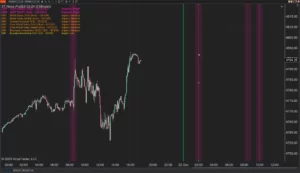
XABCD News (Community Edition) is the best free Indicator for NinjaTrader 8. Don't let news sneak up on you again. Puts economic news events on your charts so you can stay informed and move around positions/stops before the news is released. Works in any market.
XABCD Priceline (Free)
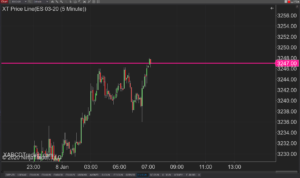
XABCD Price Line tool for NinjaTrader 8 will draw a line at current price and move every time the market changes price. This is useful because it will allow you to easily identify where price is at all times and the exact quoted price.
Trade NQ, Copy MNQ: Copy NQ Trades to MNQ in NinjaTrader 8
NinjaTrader Data Feed Not Updating? Quick Fixes
NinjaTrader Risk Per Trade: Risk $500 on Every Trade
NinjaTrader 8.1.8 Review: Should You Upgrade or Wait?
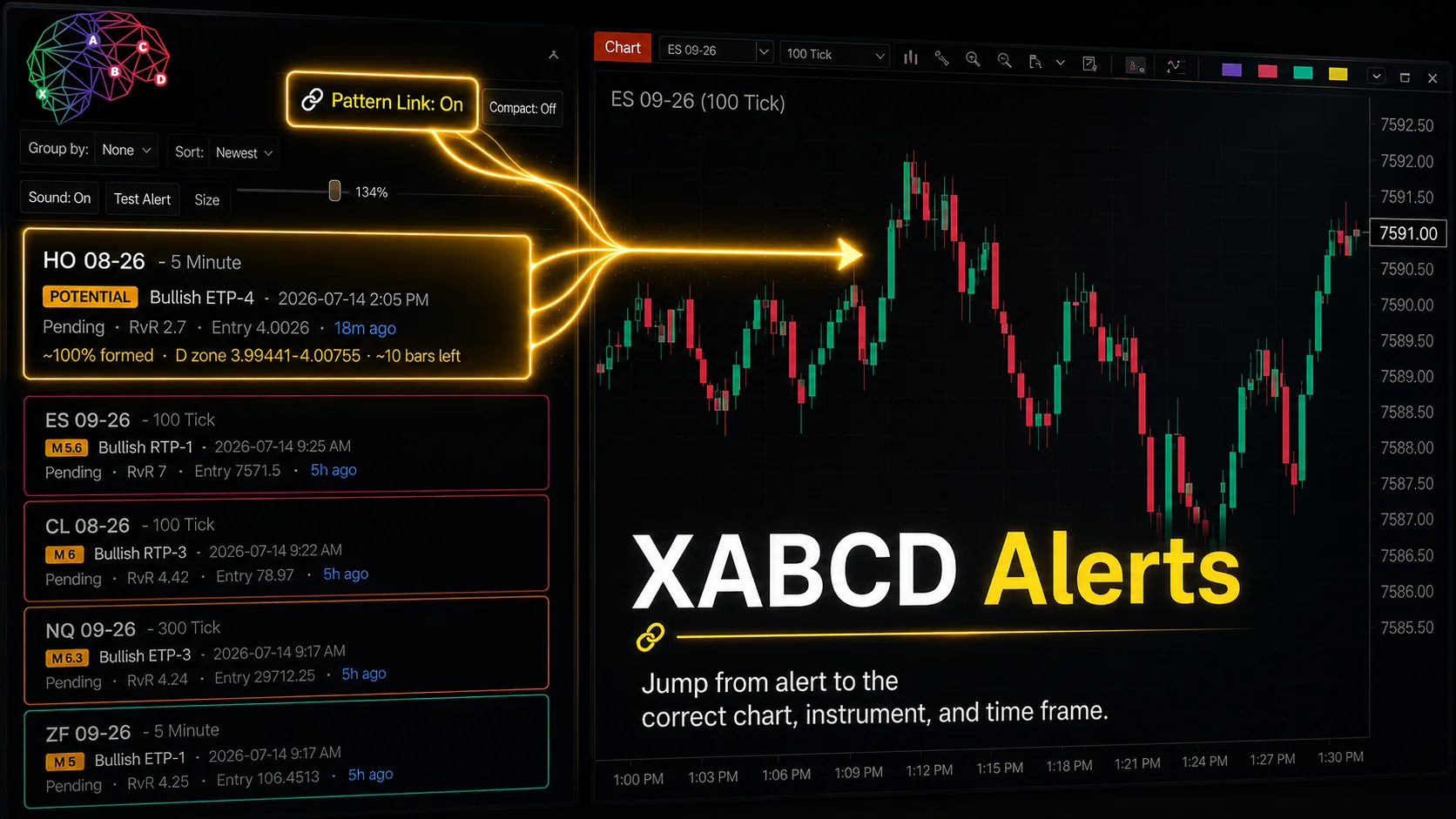
XABCD Pattern Alerts: The Complete Guide for Traders
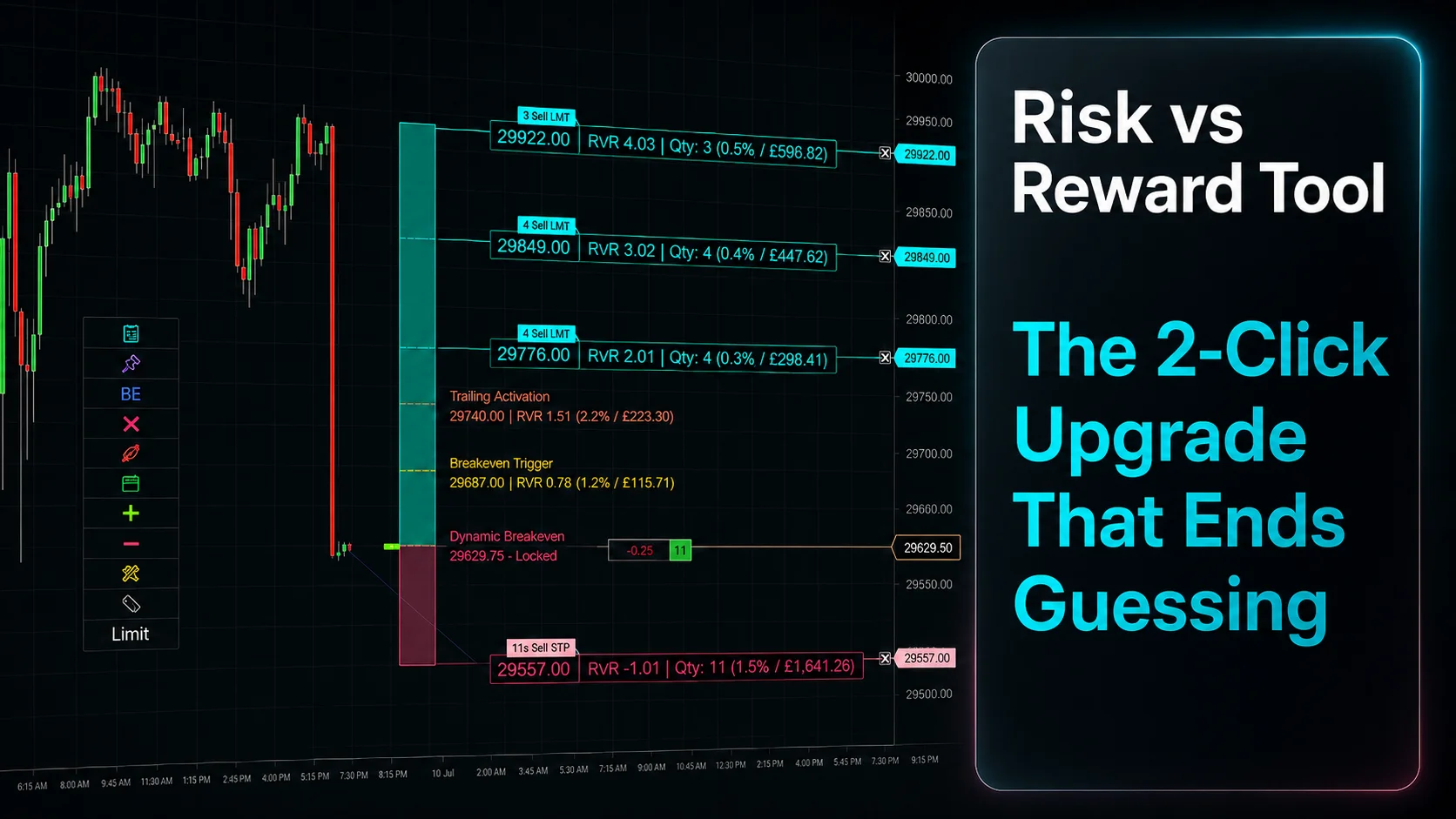
Risk vs Reward Tool: The 2-Click Upgrade That Ends Guessing
NinjaTrader Faster Last Price Updates on Charts Explained
NinjaTrader 8 Hotkeys: Best Shortcuts for Faster Trading
NinjaTrader Position Sizing Tool: 64 Features Stock NT8 Does Not Include