XABCD TRADING

NinjaTrader Prop: The Ultimate Guide to Prop Firm Trading
If you've been exploring the world of futures trading, you've almost certainly stumbled across the concept of a NinjaTrader prop firm account. Maybe a friend told you about it. Maybe you saw an ad on YouTube. Either way, the idea is pretty compelling — trade with someone else's capital, keep a chunk of the profits, and limit your personal financial risk. Sounds great, right?
Well, it is great, but there's a lot more to it than just signing up and clicking buy. Prop firms have rules. Lots of them. Trailing drawdowns, daily loss limits, consistency rules, contract caps, end-of-day flat requirements — the list goes on. And if you break those rules, you're done. Your account gets pulled, and you start over.
That's why having the right tools matters so much. In this guide, we're going to walk through everything you need to know about trading a NinjaTrader prop account. We'll cover which firms are supported, what rules you need to follow, how to automate rule enforcement, and how to give yourself the best shot at passing evaluations and keeping your funded account. Let's dive in.
What Exactly Is a NinjaTrader Prop Firm Account?
A prop firm — short for proprietary trading firm — gives you access to a funded trading account. You don't put up the full capital yourself. Instead, you pay a fee to enter an evaluation, prove you can trade profitably within certain risk parameters, and then receive a funded account to trade with real money.
Most futures prop firms use NinjaTrader as their primary platform. Therefore, when people talk about a NinjaTrader prop setup, they're referring to trading futures through one of these firms on the NinjaTrader 8 platform. It's become the industry standard for a reason — the platform is powerful, customizable, and supports the data feeds these firms rely on.
Here's the typical path:
- Sign up with a prop firm and choose an account size (e.g., 50K, 100K, 150K).
- Pass the evaluation by hitting a profit target without breaking any rules.
- Receive a funded account where you trade with the firm's capital.
- Split profits with the firm — usually keeping 80% to 90%.
Simple in concept. Harder in execution. The rules are where things get tricky, and that's where proper tooling becomes essential.
Supported Prop Firms for NinjaTrader Prop Trading
Not all prop firms are created equal. Each one has slightly different rules, fee structures, and account options. The good news is that the ecosystem has matured significantly. There are now 9 major firms offering over 60 account types that work seamlessly with NinjaTrader.
Here's a quick breakdown of the supported firms:
- Apex Trader Funding — 8 evaluation accounts (25K–300K) plus 3 funded performance accounts. Uses trailing end-of-day drawdown.
- Topstep — 3 Trading Combine accounts (50K–150K) plus 3 Live Funded accounts. Features a 50% consistency rule on Combine.
- Earn2Trade — 3 Gauntlet Mini accounts (25K–100K) plus 1 funded account. Requires end-of-day flat.
- Bulenox — 5 qualification accounts (25K–250K) plus 1 Master account. Uses trailing intraday drawdown exclusively.
- My Funded Futures — 6 accounts across Starter and Expert tiers (50K–150K) plus 1 funded account. Consistency rules vary by tier.
- Leeloo Trading — 5 evaluation accounts (25K–250K) plus 1 performance account.
- TradeDay — 4 evaluation accounts (50K–150K) including a static drawdown option, plus 1 funded account. Has a tight 30% consistency rule.
- Take Profit Trader — 5 test accounts (25K–150K) plus 2 PRO funded accounts. PRO accounts require news blackout compliance.
- The Trading Pit — 3 Prime accounts (100K–150K) plus 1 funded account. Daily loss limit pauses trading rather than failing the account.
Each of these firms integrates with NinjaTrader 8. However, their rules vary quite a bit. That's why understanding the specific rules for your account is so important.
Understanding Prop Firm Rules for Your NinjaTrader Prop Account
Rules are the backbone of prop trading. Break them, and you lose your account. It's that simple. So let's go through the key rules you'll encounter across virtually every NinjaTrader prop firm.
Max Drawdown
This is the big one. Every prop firm sets a maximum drawdown — the most your account can lose from its peak equity. Drawdowns typically range from $625 on smaller accounts up to $10,500 on larger ones.
But here's where it gets nuanced. There are three types of drawdown:
- Trailing End-of-Day (trailing-eod) — The drawdown only updates at the close of each trading day. Your intraday equity swings don't move the floor. Apex uses this model.
- Trailing Intraday (trailing-intraday) — The drawdown updates in real time, tick by tick. If your account peaks at $53,000 during the day and then drops, the floor has already moved up. Bulenox uses this exclusively.
- Static — The drawdown floor is fixed at a set level and never moves. TradeDay offers a static option, though with a very tight $750 limit.
Understanding which type your account uses is critical. A trailing intraday drawdown is far more punishing than a trailing end-of-day one. You need to plan your trades accordingly.
Daily Loss Limit
Many firms cap how much you can lose in a single trading session. This ranges from $500 to $4,500 depending on the account. Some firms, like Topstep, suspend your trading for the day rather than failing your entire account. Others are less forgiving.
Consequently, knowing your daily loss limit and tracking it in real time is essential. You don't want to find out you've hit your limit after the fact.
Max Contracts
Every account has a maximum position size. This could be anywhere from 2 contracts on a small evaluation to 35 on a large one. But there's a subtlety here — does "4 contracts" mean 4 ES contracts or 4 MES contracts?
Since ES is worth 10 times more than MES per point, the distinction matters enormously. We'll dig deeper into how contract scaling works in a later section.
Profit Target
During evaluation phases, you need to hit a specific profit target to pass. These range from $1,500 on smaller accounts up to $20,000 on large ones. Funded accounts typically don't have profit targets — you just trade and withdraw profits.
Minimum Trading Days
Some firms require you to trade a minimum number of days before you can pass or withdraw. This ranges from 0 to 30 days. It's designed to prevent people from passing on a single lucky trade.
Consistency Rule
This is a newer rule that some firms have adopted. It caps how much of your total profit can come from a single day. For example, Topstep's 50% consistency rule means no single day can represent more than half your total profits.
In practice, if your profit target is $3,000, no single day can account for more than $1,500. TradeDay takes it even further with a 30% rule. My Funded Futures sits at 40% for Starter and 50% for Expert accounts.
End-of-Day Flat Requirement
Some firms require you to close all positions before the end of the trading session. Earn2Trade enforces this. Holding overnight is simply not allowed.
News Blackout
Certain firms — Take Profit Trader PRO accounts in particular — require you to be flat around major economic events like FOMC announcements and NFP releases. The blackout window is typically 1 minute before and after the event.
Why You Need Dedicated Tools for NinjaTrader Prop Trading
Here's the reality: tracking all these rules manually is a recipe for disaster. You're watching charts, managing positions, reading price action — and simultaneously trying to remember whether your trailing drawdown is intraday or end-of-day? Whether you've hit 80% of your daily loss limit? Whether you're within your consistency threshold?
That's where dedicated NinjaTrader trade management tools come in. The right tool can automate rule enforcement, so you can focus on what matters — trading well.
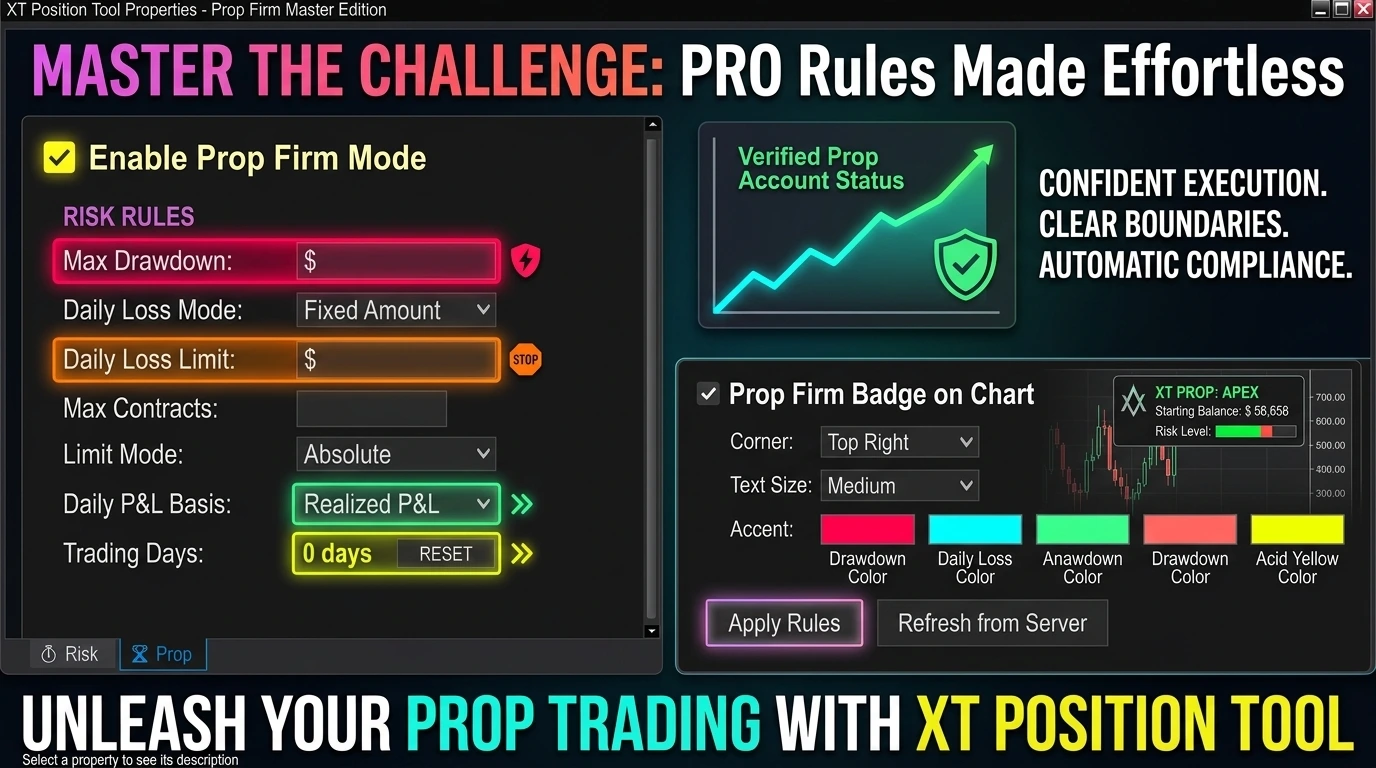
For instance, the XT Position Tool by XABCD Trading includes a full Prop Firm Mode built specifically for this purpose. It supports all 9 firms and 60+ accounts we listed above. When you enable it, the tool auto-loads your firm's rules, enforces them in real time, and displays your progress directly on your chart.
Let's look at how that works in detail.
How Prop Firm Mode Works Inside the XABCD Position Tool
Prop Firm Mode is a built-in feature of the XABCD Position Tool for NinjaTrader. It helps futures traders configure and follow prop firm account rules directly inside the same position sizing and trade management tool they already use on their charts.
Instead of using separate spreadsheets, manual calculations, or external reminders, traders can enable Prop Firm Mode inside the XABCD Position Tool to apply firm-specific settings like drawdown rules, daily loss limits, contract caps, funded account restrictions, and account-specific protections.
Prop Firm Mode is not a separate product — it is a built-in feature of the XABCD Position Tool for NinjaTrader.
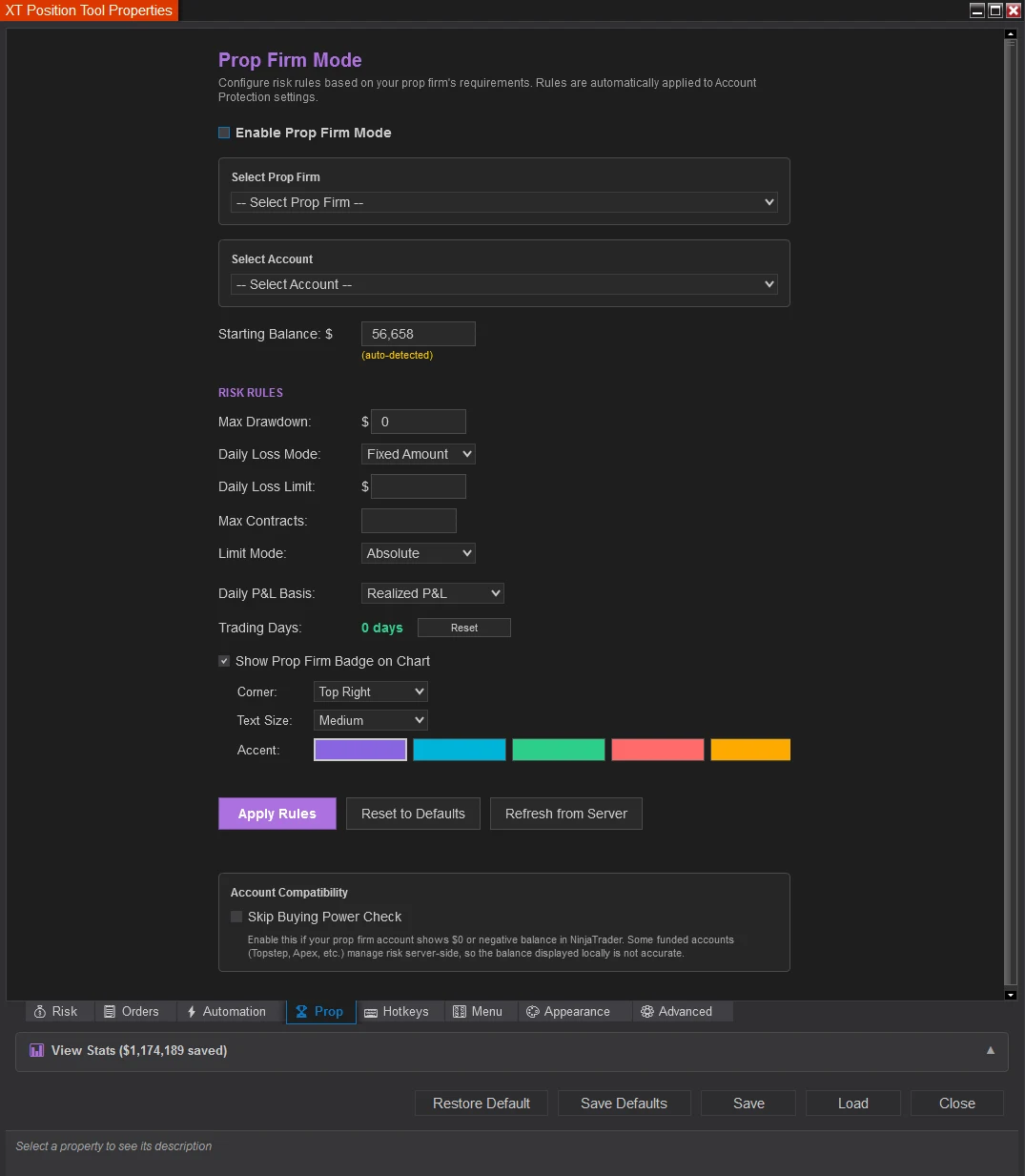
Setting Up Prop Firm Mode for Your NinjaTrader Prop Account
Getting started with Prop Firm Mode in the XABCD Position Tool is straightforward. Here's the step-by-step process:
- Open the XABCD Position Tool's Properties and click the "Prop" tab (look for the trophy icon).
- Check "Enable Prop Firm Mode" — this is the master toggle.
- Select your firm from the dropdown (e.g., "Apex").
- Select your specific account (e.g., "100K Evaluation").
- Watch as the rules auto-populate: max drawdown, daily loss limit, max contracts, starting balance, drawdown type, and more.
- Review the values and customize if needed — everything is editable.
- Click Apply.
That's it. Behind the scenes, the XABCD Position Tool does several things automatically. It stores your previous settings so they can be restored later. It configures the EvalGuard (Account Floor Guard) to match your firm's drawdown rules. Daily loss limits, max contracts, and contract scaling modes are all applied. And the on-chart prop badge appears showing your live progress.
When you disable Prop Firm Mode later, the XABCD Position Tool restores your previous settings exactly as they were. Nothing is lost.
The EvalGuard System: Automated Drawdown Protection
At the heart of Prop Firm Mode inside the XABCD Position Tool is EvalGuard — the Account Floor Guard system. This is what actually enforces your drawdown rules in real time.
Here's how the mapping works between your prop firm's rules and EvalGuard's settings:
- If your firm uses trailing intraday drawdown, EvalGuard tracks unrealized P&L and updates on every tick. This gives you real-time protection.
- If your firm uses trailing end-of-day drawdown, EvalGuard tracks closed-only P&L and updates on fills. The floor only moves at session close.
Inside the XABCD Position Tool, Prop Firm Mode tracks your high-water mark — the highest equity your account has reached. A floor is calculated as High Water Mark minus Max Drawdown. If your equity drops below that floor, the configured breach action triggers automatically.
Moreover, you get three enforcement levels for each rule:
- Track — Monitor the rule passively. No alerts or actions.
- Warn — Show visual alerts when you're approaching or exceeding limits, but don't prevent trading.
- Block — Automatically flatten positions or reject orders when limits are breached.
For example, you might set drawdown enforcement to Block (auto-flatten if breached) while keeping max contracts on Track (just monitoring). It's fully customizable to your comfort level.
The On-Chart Prop Badge: Live Progress at a Glance
One of the most useful features for NinjaTrader prop traders inside the XABCD Position Tool is the on-chart prop badge. It's a DPI-aware overlay rendered directly on your chart using SharpDX graphics. No separate window to manage — it's right there on your chart.
Here's what the badge shows you:
- Firm name with trophy icon — so you always know which account you're trading.
- Account name — e.g., "100K Evaluation."
- Max Drawdown progress bar — shows how much of your drawdown you've used. Green when under 50%, orange/yellow between 50–80%, and red when over 80%.
- Daily Loss Limit progress bar — same color coding, only appears if your account has a daily limit.
- Trading Days counter — shows progress toward minimum trading day requirements. Turns green when met.
You can also customize the badge's position (any corner), text size (small, medium, large), accent color (five theme options), and text color. The entire badge scales proportionally when you change the font size, so it always looks sharp.
Handling the Zero-Balance Problem in NinjaTrader Funded Accounts
Here's a technical headache that every NinjaTrader prop trader runs into: many funded accounts report $0 for their cash balance. Why? Because the account is hosted by the prop firm, not your broker. NinjaTrader sees no balance, so percent-based risk calculations break. One percent of $0 equals $0 risk, which means zero contracts. Not helpful.
The XABCD Position Tool handles this gracefully with a cascading fallback system:
- First, it checks if the account reports a positive balance. If yes, it uses that.
- If the balance is $0 or negative, it falls back to the PropStartingBalance you set in the Prop tab.
- If that's also empty, it uses the AccountSize from the firm's rule database (e.g., $100,000 for a 100K account).
A yellow indicator appears in the Prop tab when auto-detection is active. As a result, you never have to manually enter your starting balance unless you specifically want to override it.
In addition, the "Skip Buying Power Check" toggle is automatically enabled when you turn on Prop Firm Mode inside the XABCD Position Tool. This bypasses NinjaTrader's buying power validation entirely, since your funded account might report $0 buying power even though you absolutely can trade.
Contract Scaling: Absolute vs. Equivalent Mode
This is a detail that trips up a lot of NinjaTrader prop traders. Your firm says "max 4 contracts." But does that mean 4 ES contracts or 4 MES contracts? The difference in risk is massive — ES is 10 times the size of MES.
Absolute Mode
Simple and literal. If your limit is 4, you can trade 4 contracts of whatever instrument is on your chart. No scaling. Four MES means four MES. Four ES means four ES.
Equivalent Mode (Default)
This is the smart option inside the XABCD Position Tool. It scales your contract limit based on the instrument's size relative to the standard contract.
The XABCD Position Tool maintains a list of 13 known micro instruments:
- Equity Index: MES (Micro S&P), MNQ (Micro Nasdaq), MYM (Micro Dow), M2K (Micro Russell)
- Commodities: MCL (Micro Crude), MGC (Micro Gold), SIL (Micro Silver)
- Currencies: M6E (Micro EUR/USD), M6A (Micro AUD/USD), M6B (Micro GBP/USD), MJY (Micro JPY/USD), MCD (Micro CAD/USD), MSF (Micro CHF/USD)
When you're charting one of these micro instruments, the max contract limit is automatically multiplied by 10. So if your limit is 4 and you switch to an MES chart, you can trade up to 40 MES contracts — the same risk exposure as 4 ES contracts.
For instruments that aren't a standard 10:1 micro, you can set a custom Reference Point Value. The formula is straightforward: adjusted max equals max contracts times reference point value divided by the current instrument's point value. This gives you precise risk management for futures trading across any product.
Per-Instrument Limits for NinjaTrader Prop Accounts
Beyond the global max contracts setting, the XABCD Position Tool also lets you set explicit limits for specific instruments. This is useful when you trade multiple products and want different limits on each.
For instance, you might configure:
- NQ — 5 contracts max
- MNQ — 50 contracts max
- ES — 10 contracts max
- MES — 100 contracts max
The XABCD Position Tool checks per-instrument limits first. If the current chart instrument matches an entry in your list, that specific limit is used. Otherwise, it falls back to the global max with Equivalent mode scaling applied. These per-instrument limits save and restore with templates, so you set them once and forget about them.
Daily P&L Tracking and Enforcement
Different prop firms calculate daily P&L differently. Prop Firm Mode inside the XABCD Position Tool supports three modes:
- Realized — Only counts closed trade P&L. Good for firms that don't care about open positions.
- Unrealized — Only counts open position P&L. This is rare.
- Both (Max) — Takes the worse of realized plus unrealized. This is what most firms use, including Topstep and Apex.
The mode is set automatically based on your firm's rules, but you can override it in the Prop tab. This ensures your daily loss limit enforcement matches exactly how your firm calculates it.
Trading Days Tracker
Many evaluations require a minimum number of active trading days. The XABCD Position Tool tracks this automatically and persists the data to a local JSON file.
Days are recorded when you place trades. The count shows on the prop badge and displays progress like "7 / 10 days." It turns green when the requirement is met. Furthermore, data is stored per firm and account combo, so switching between accounts doesn't mix up your counts.
If you start a new evaluation, you can reset the counter via the Reset button in the Prop tab. Everything stays clean and organized.
News Blackout Integration for Prop Firm Trading
Some NinjaTrader prop accounts — particularly Take Profit Trader PRO accounts — require you to be flat around major economic events. FOMC announcements and NFP releases are the most common triggers.
When you have the XABCD News Pro indicator installed, the XABCD Position Tool can automatically enforce these blackout windows through Prop Firm Mode. It can block new entries, cancel pending orders, close open positions, or tighten stops to market. The blackout timing and events are pulled directly from the firm's rule database.
As a result, this means you don't need to set calendar reminders or manually flatten before news. The XABCD Position Tool handles it for you.
Prop Firm Rule Variations Worth Knowing
While the core concepts are similar across firms, there are important differences. Here are some firm-specific quirks that NinjaTrader prop traders should be aware of:
- Apex Trader Funding — Uses trailing end-of-day drawdown, which is more forgiving during the day. Performance accounts have safety net balances and contract scaling tiers.
- Topstep — Hitting your daily loss limit suspends trading for the day but doesn't fail your account. The 50% consistency rule on Combine accounts can be a hurdle.
- Earn2Trade — Requires you to be flat by end of day. Uses trailing intraday on funded accounts with a 3:50 PM CT reset.
- Bulenox — Uses trailing intraday drawdown exclusively, which is the most aggressive tracking method. No minimum trading days on evaluation.
- TradeDay — The 30% consistency rule is one of the tightest in the industry. Their static drawdown option has a very tight $750 limit.
- Take Profit Trader — PRO accounts are the only ones currently requiring news blackout compliance (1-minute window around FOMC/NFP).
- The Trading Pit — Daily loss limit pauses your trading until the next day rather than failing the account. There's also a 30-day time limit on evaluations.
Overall, knowing these differences helps you choose the right firm for your trading style. If you hold trades through the session, avoid firms that require end-of-day flat. If your strategy involves big winning days, be cautious with tight consistency rules.
Persistence, Recovery, and Reliability
Nothing is worse than losing your prop firm configuration mid-session. That's why the XABCD Position Tool saves your settings in three different ways:
- NinjaTrader Templates — All prop settings fully save and load with templates. Set it up once and apply it to any chart.
- Chart State — Prop settings persist through workspace saves (Ctrl+S). This serves as a safety net.
- Auto-Save JSON — Periodic crash recovery saves preserve your prop state even after unexpected platform closes.
When NinjaTrader restarts, the XABCD Position Tool restores your prop firm configuration automatically. It uses a two-phase restore — account-dependent data is deferred until the data connection is established. This means everything comes back cleanly, even if your broker connection takes a few seconds to initialize.
Tips for Passing Your NinjaTrader Prop Firm Evaluation
Having the right tools is half the battle. Here are some practical tips for actually passing your evaluation:
Tip 1: Know Your Rules Cold
Before you take a single trade, understand every rule your account has. What's the drawdown type? Is there a daily loss limit? A consistency rule? Do you need to be flat by end of day? Ignorance isn't an excuse — it's an account killer.
Tip 2: Use Block Enforcement on Drawdown
Set your max drawdown enforcement to Block inside the XABCD Position Tool. This automatically flattens your positions if you approach the limit. Yes, it might close a trade that could have come back. But it also prevents the catastrophic scenario where you blow through your drawdown in a moment of panic.
Tip 3: Trade Smaller Than You Think
Just because your NinjaTrader prop account allows 10 contracts doesn't mean you should trade 10. Start with 2 or 3. Build a cushion of profit first, then gradually increase size. This protects your drawdown and gives you room to survive losing streaks.
Tip 4: Respect the Consistency Rule
If your firm has a consistency rule, plan for it from day one. Don't swing for the fences on day one and make $2,500 when your target is $3,000 with a 50% rule. You'll spend the rest of the evaluation trying to earn enough on other days to dilute that one big winner.
Tip 5: Let the XABCD Position Tool Do the Heavy Lifting
Automate everything you can. Use the prop badge to monitor progress at a glance. Let EvalGuard enforce your drawdown. Let the daily loss limit block you before you dig a deeper hole. Your job is to find good trades — let the XABCD Position Tool handle the prop firm risk management workflow.
Frequently Asked Questions About NinjaTrader Prop Trading
Can I use the same NinjaTrader prop setup across multiple charts?
Yes. Once you configure Prop Firm Mode in the XABCD Position Tool and save it as a template, you can apply that template to any chart. As a result, all your prop settings — including firm, account, enforcement levels, and badge preferences — transfer automatically. In addition, per-instrument limits are also saved with templates.
What happens if my NinjaTrader prop account reports a $0 balance?
The XABCD Position Tool handles this automatically. Specifically, it detects the zero balance and then falls back to your PropStartingBalance or the account size from the firm’s rule database. In addition, the Skip Buying Power Check is enabled by default in Prop Firm Mode, so your orders will not get rejected because of a reported $0 buying power.
Which drawdown type is hardest to trade with?
Trailing intraday drawdown is generally the most challenging. This is because it updates tick by tick, so every new equity high raises your floor immediately. As a result, you cannot let winners run as freely because the drawdown floor follows your peaks in real time. By comparison, trailing end-of-day drawdown is more forgiving since the floor only updates at session close.
Do I need an internet connection for the prop firm rules to work?
Not necessarily. The rules are pulled from a cloud-hosted database and cached locally for 24 hours. Therefore, if the server is unreachable, the XABCD Position Tool falls back to the local cache. Because of this, your rules remain available even if your internet connection briefly drops during the session.
Can I customize the enforcement level for each rule independently?
Absolutely. Each rule — including max drawdown, daily loss limit, max contracts, and end-of-day flat — has its own enforcement level inside Prop Firm Mode. That means you can mix and match Track, Warn, and Block settings based on your own preferences. For example, many traders use Block for drawdown while using Warn for max contracts.
Conclusion: Prop Firm Protection Built Into the XABCD Position Tool
Trading a NinjaTrader prop account comes with strict rules, technical quirks, and very little room for error. That's why Prop Firm Mode is built directly into the XABCD Position Tool — so traders can manage position sizing, order planning, and prop firm rule enforcement from one place on the chart.
Rather than using a separate app or manual process, the XABCD Position Tool combines prop account protection with the same workflow traders already use for entries, stops, targets, and risk calculations. With support for multiple firms and account types, live badge tracking, EvalGuard automation, and rule-based enforcement, Prop Firm Mode extends the XABCD Position Tool into a more complete prop trading workflow for NinjaTrader.
Whether you're just starting your first evaluation or managing a funded account, having the right setup makes all the difference. Take the time to configure your tools properly, respect the rules, trade with discipline, and give yourself the best possible shot at long-term profitability.
Good luck out there. The markets aren't going anywhere — and with the right approach, neither is your funded account.
NinjaTrader Prop: The Ultimate Guide to Prop Firm Trading
If you’ve been exploring the world of futures trading, you’ve almost certainly stumbled across the concept of a NinjaTrader prop…
Chris
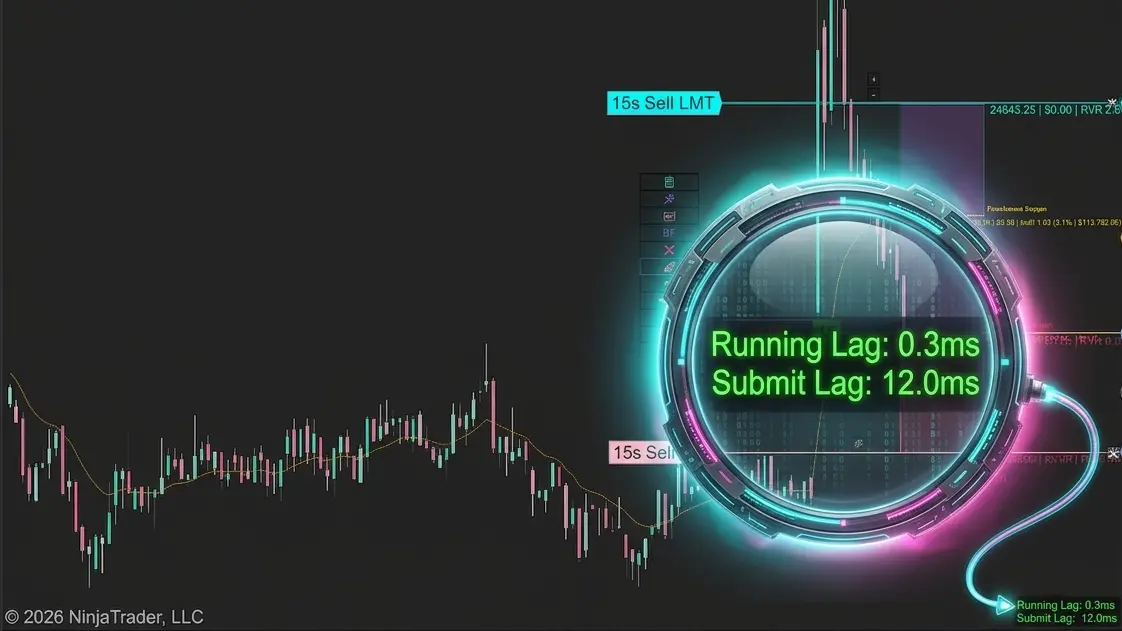
Does the XABCD Position Tool Lag?
Built You a Way to See It for YourselfWill the XABCD position tool lag used on fast-moving instruments or lower…
Chris
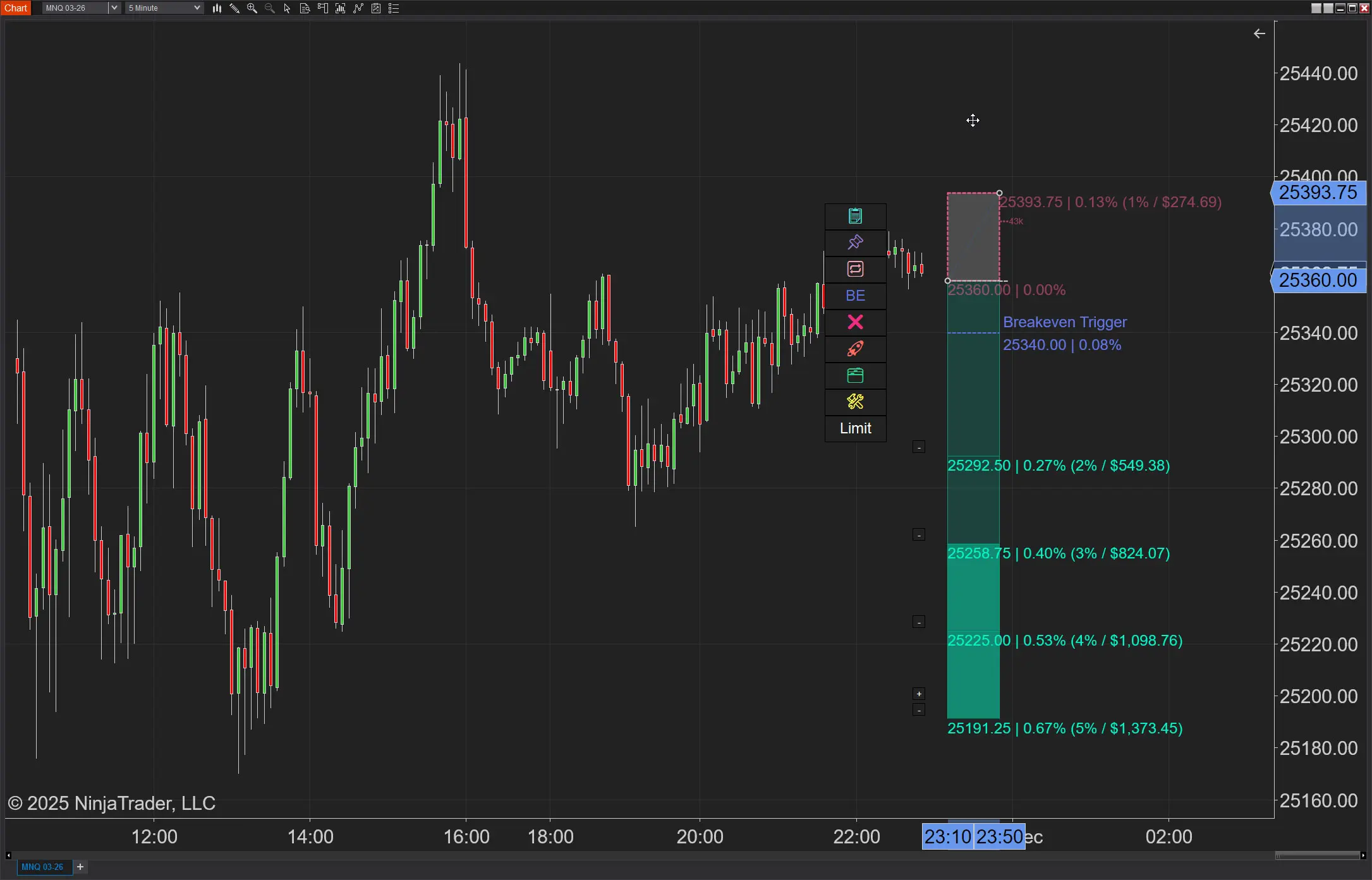
NinjaTrader Position Sizing: What the XABCD Position Tool Can Do That ATM’s Can’t
NinjaTrader position sizing is possible, but not through ATMs. Furthermore, no longer will you need to build NinjaTrader bracket orders…
Chris
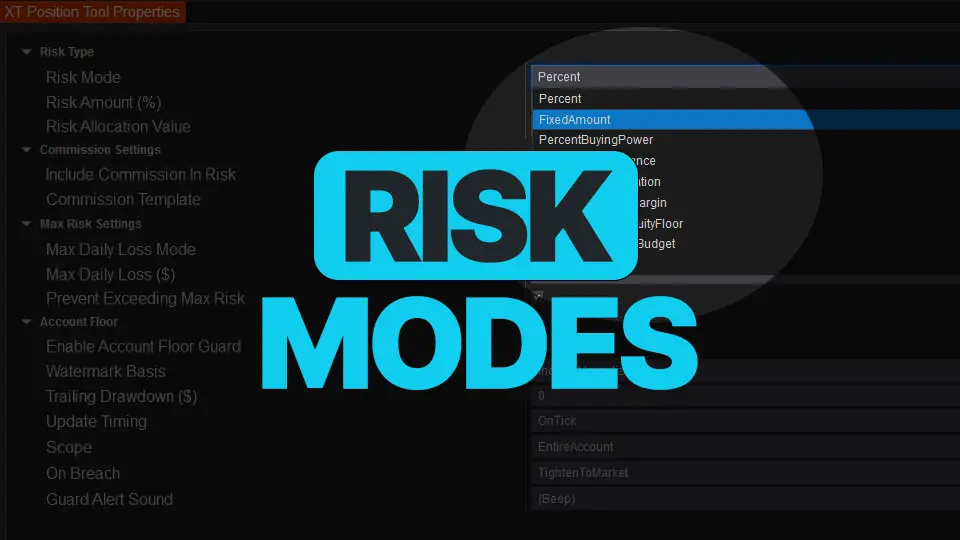
NinjaTrader Risk Management That Actually Moves the Needle
Smart position sizing isn’t “set it and forget it.” Markets move, balances change, and your constraints (margin, daily loss, prop-style…
Carl
NinjaTrader 8.1.6 — The “No Fluff” Tour (Speed, Clarity, Fewer Clicks)
If you only have five minutes to figure out what changed in NinjaTrader, make it this update. NinjaTrader 8.1.6 quietly…
Chris
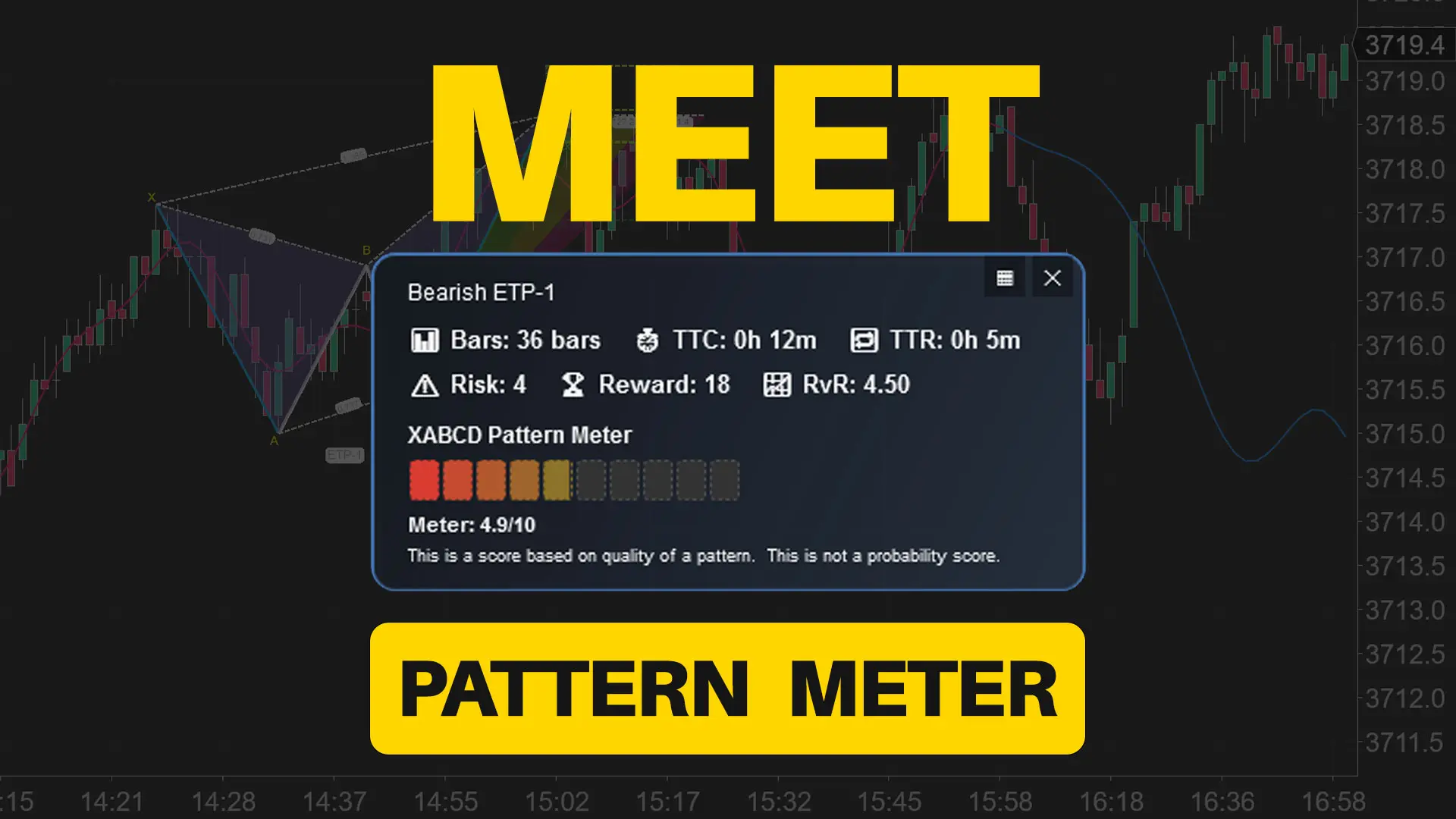
Meet the XABCD Pattern Meter (Real-Time Clarity)
The XABCD Pattern Meter packs the objective checks you would normally do by hand into one weighted score for quick…
Carl

Easy Order Tool
The Strategy

Scanning & Alerting
NinjaTrader Release
XABCD News (Free Version)
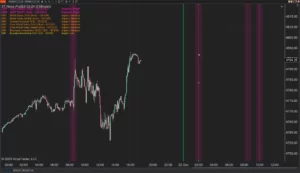
XABCD News (Community Edition) is the best free Indicator for NinjaTrader 8. Don't let news sneak up on you again. Puts economic news events on your charts so you can stay informed and move around positions/stops before the news is released. Works in any market.
XABCD Priceline (Free)
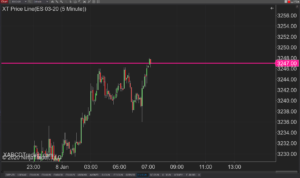
XABCD Price Line tool for NinjaTrader 8 will draw a line at current price and move every time the market changes price. This is useful because it will allow you to easily identify where price is at all times and the exact quoted price.
