XABCD TRADING

NinjaTrader Position Sizing Tool: 64 Features Stock NT8 Does Not Include
Subscribe
to get alerts to our next blog post!
NinjaTrader is a powerful trading platform, but stock NT8 still leaves a lot of execution, risk, and trade management work up to the trader.
- You can place orders.
- You can build ATM strategies.
- You can manually adjust stops and targets.
But if you want true risk-based position sizing, one-click OCO bracket placement, prop firm risk protection, automatic breakeven logic, DCA scale-ins, news-event protection, and advanced stop control directly from the chart, stock NinjaTrader does not provide that as one complete workflow. You need a NinjaTrader position sizing tool.
That is where the XABCD Position Tool is different.
The XABCD Position Tool is not just a basic NinjaTrader position sizing calculator. It is a full chart-based trade execution and risk management tool built for traders who want to draw the trade, size the position, submit the order, and manage the full trade lifecycle from one visual interface.
Based on the current feature audit, the XABCD Position Tool includes 64 uniquely valuable features that stock NinjaTrader does not offer natively without custom NinjaScript development.
Why NinjaTrader Traders Need More Than Basic Position Sizing
Most traders do not lose money because they forgot how to click buy or sell.
They lose control because the trade setup, stop distance, contract size, account risk, commission cost, target placement, and prop firm limits are all being managed separately.
That creates problems:
- The stop distance changes, but the order size does not.
- The trader risks more than intended because commission was not included.
- A prop firm daily loss limit is reached before the trader realizes it.
- A partial fill leaves the stop quantity wrong.
- A news event hits while pending orders are still sitting on the chart.
- A stop is moved by mistake.
- A bracket is deleted or adjusted at the wrong time.
A proper NinjaTrader position sizing tool should do more than calculate quantity. It should connect position sizing, order placement, stop management, target planning, and account protection into one workflow.
That is the main purpose of the XABCD Position Tool.
Risk-Based NinjaTrader Position Sizing
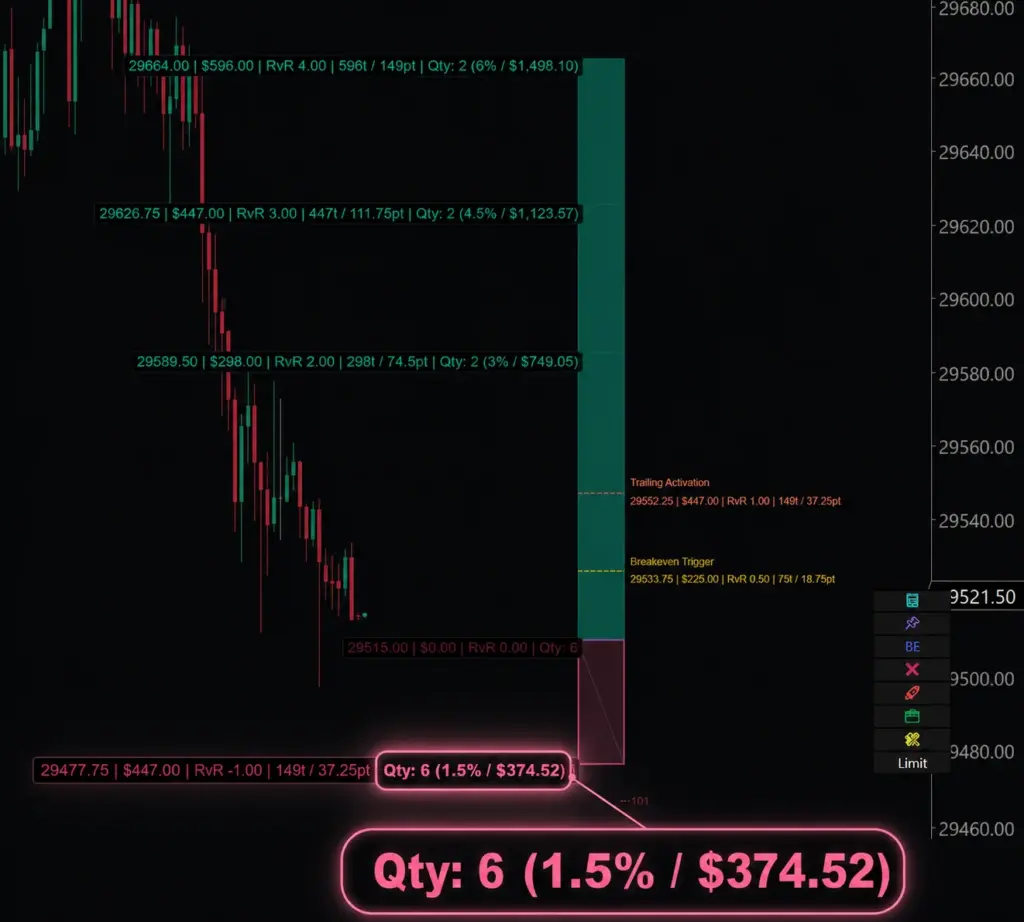
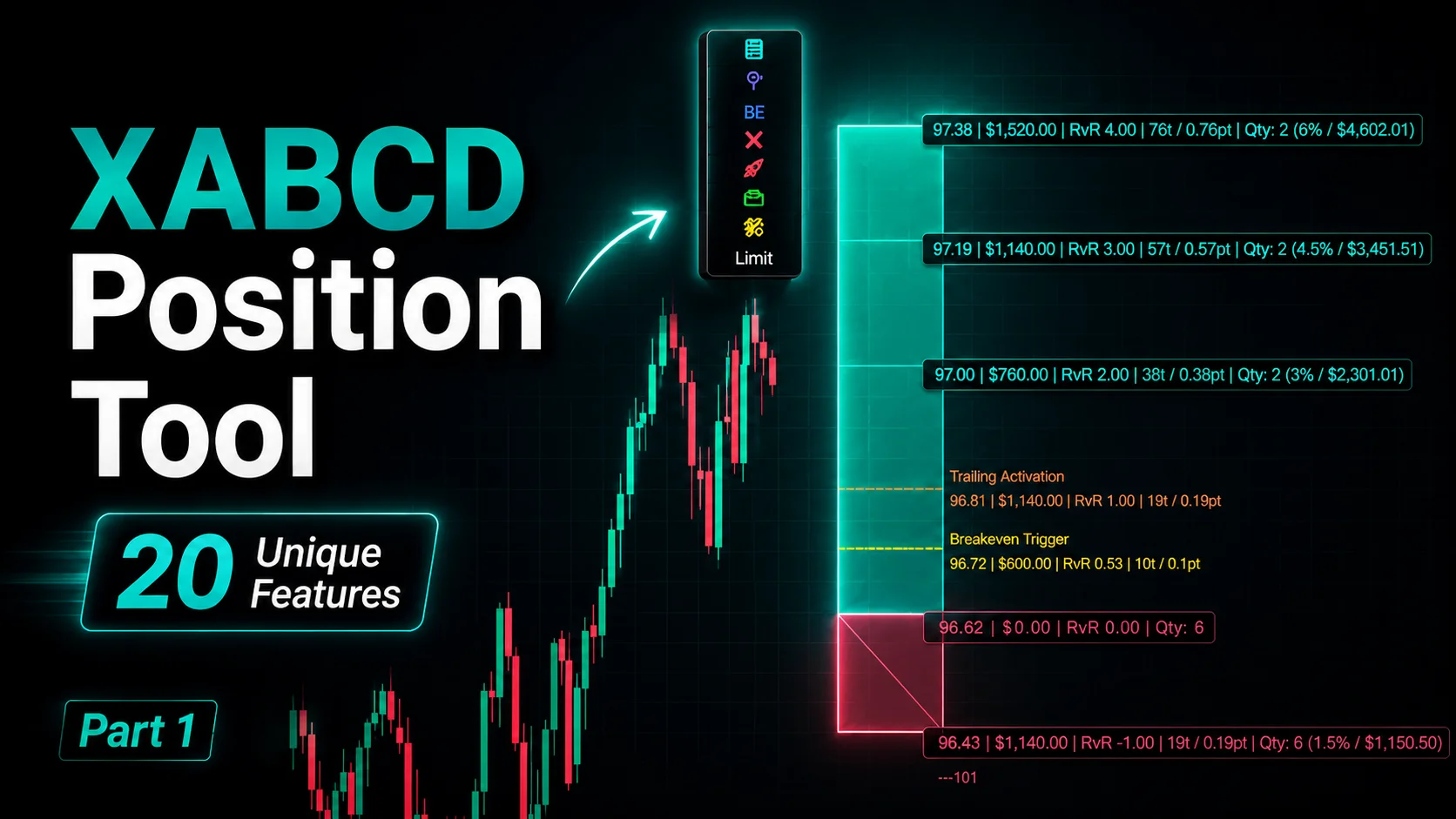
The first major advantage is risk-based sizing directly on the chart.
Instead of manually calculating how many contracts to trade, the Position Tool can size the trade based on your chosen risk amount, stop distance, account value, and instrument settings.
This helps answer the question every futures trader should ask before entering:
If this trade hits the stop, how much am I actually risking?
The tool includes advanced risk features such as:
- Commission-inclusive risk
- Risk allocation override
- Risk scale presets
- Per-instrument contract limits
- Maximum risk clamps
- Maximum unit quantity clamps
This matters because position sizing is not just about choosing a contract number. The same number of contracts can create a completely different risk profile depending on the instrument, stop distance, account size, and commission cost.
For example, risking 5 contracts on MNQ is not the same as risking 5 contracts on NQ. A proper NinjaTrader risk management tool should understand those differences before the order is placed.
The XABCD Position Tool helps traders define risk first, then builds the trade around that risk.
Commission-Inclusive Risk
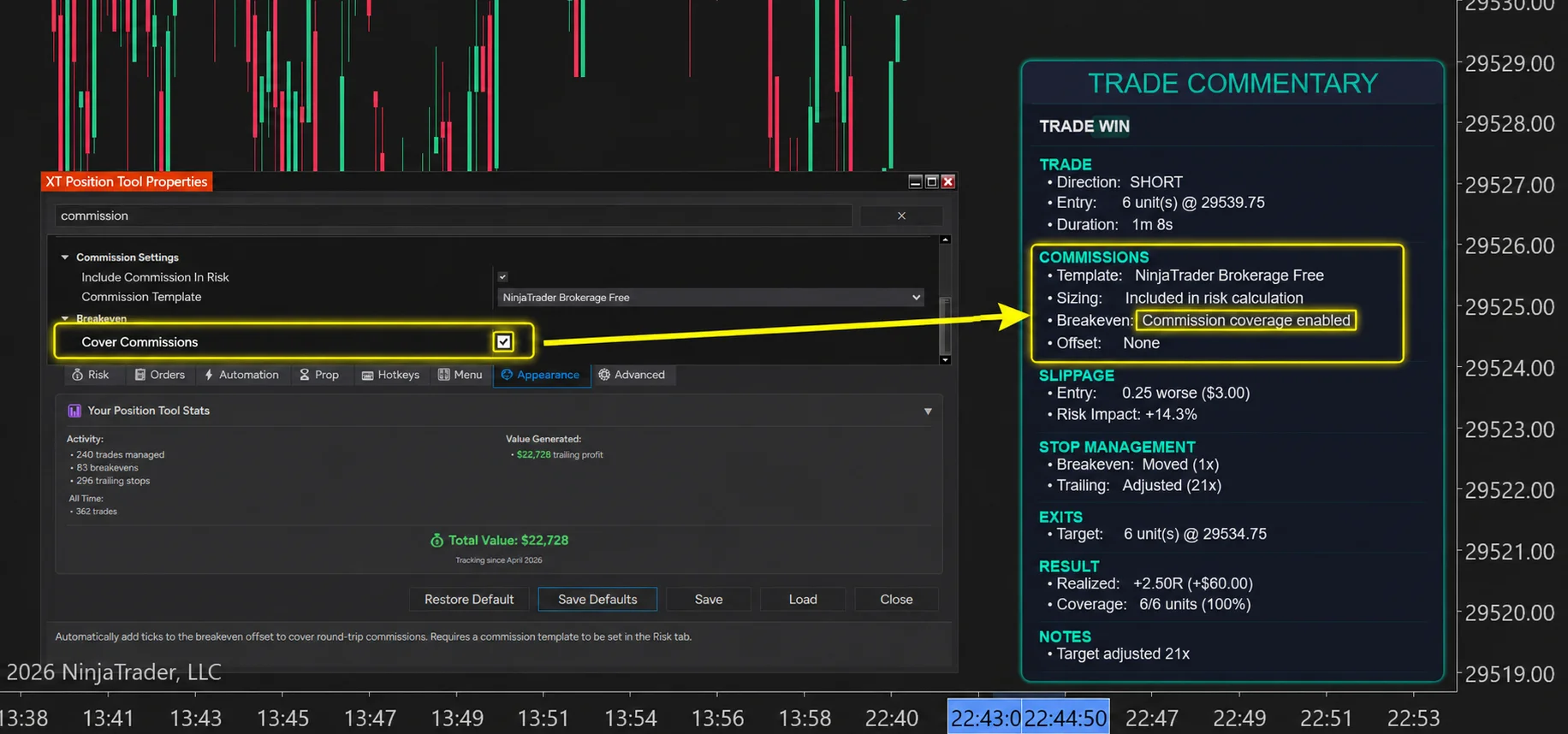
One of the most overlooked risk problems in trading is commission.
Many traders calculate risk based only on the distance between entry and stop. But the actual loss at the stop can be higher once round-trip commission is included.
The XABCD Position Tool can automatically deduct round-trip commission from the risk budget so the real loss-at-stop stays closer to the intended dollar or percentage risk.
That means if your plan is to risk $100, the tool can account for commission before deciding the final position size.
This is especially useful for:
- Futures traders
- Scalpers
- High-frequency discretionary traders
- Prop firm traders
- Anyone trading multiple contracts
A small commission difference can matter a lot when the stop is tight or the trade size is large.
Per-Instrument Contract Limits
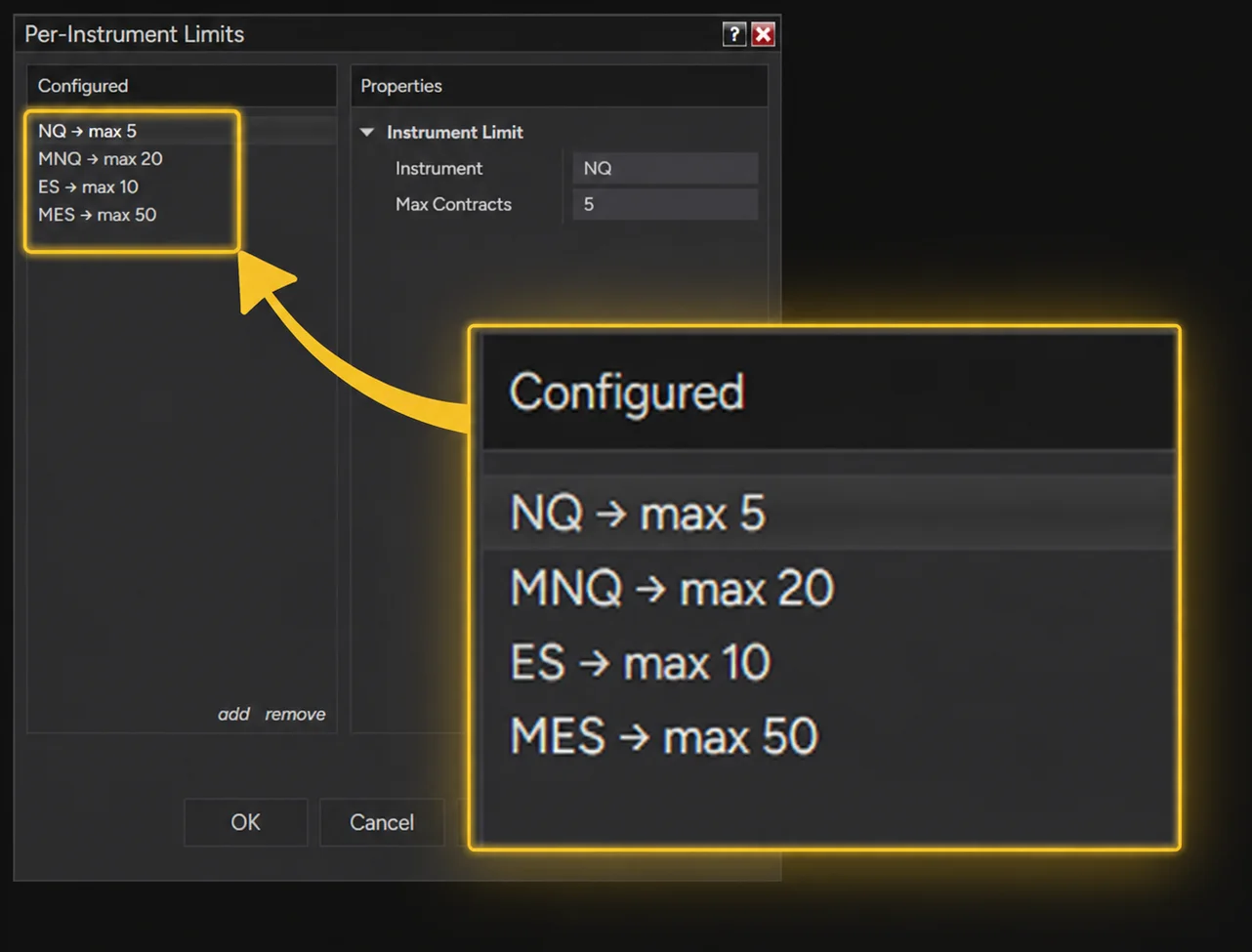
Different futures instruments require different contract limits.
A trader may be comfortable trading:
- 5 contracts on NQ
- 20 contracts on MNQ
- 10 contracts on ES
- 50 contracts on MES
Stock NinjaTrader does not automatically enforce those instrument-specific limits as part of a visual position sizing workflow.
The XABCD Position Tool can apply distinct max contract caps per instrument, with a global fallback setting. This helps prevent accidental oversizing when switching between markets.
This is one of those features that sounds small until it prevents a major mistake.
One-Click NinjaTrader OCO Orders From the Chart
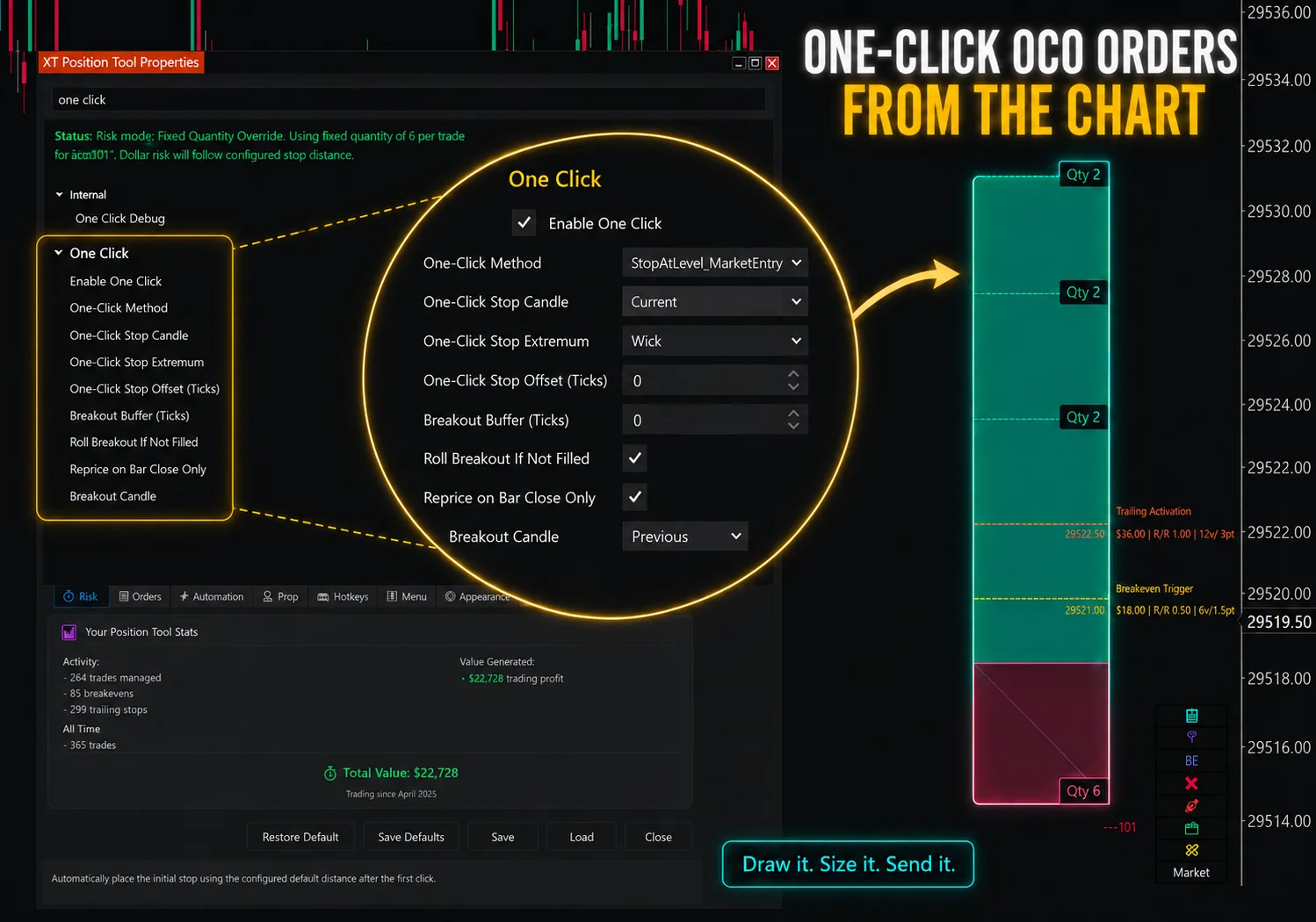
Another major feature group is one-click OCO order placement.
In stock NinjaTrader, traders can use Chart Trader and ATM strategies, but the workflow is still more manual than many active traders want. The XABCD Position Tool lets traders draw a bracket visually and submit the planned trade directly from the chart.
The tool supports multiple one-click drawing modes, including:
- Fixed distance
- Candle stop
- Rolling breakout
- Stop at level
This allows the trader to choose the type of setup first, then let the tool build the trade structure around it.
The result is a faster workflow:
Draw it. Size it. Send it.
Instead of calculating risk in one place, building orders somewhere else, and then managing the trade manually, the trader can work directly from the chart.
Auto-Attach to Market
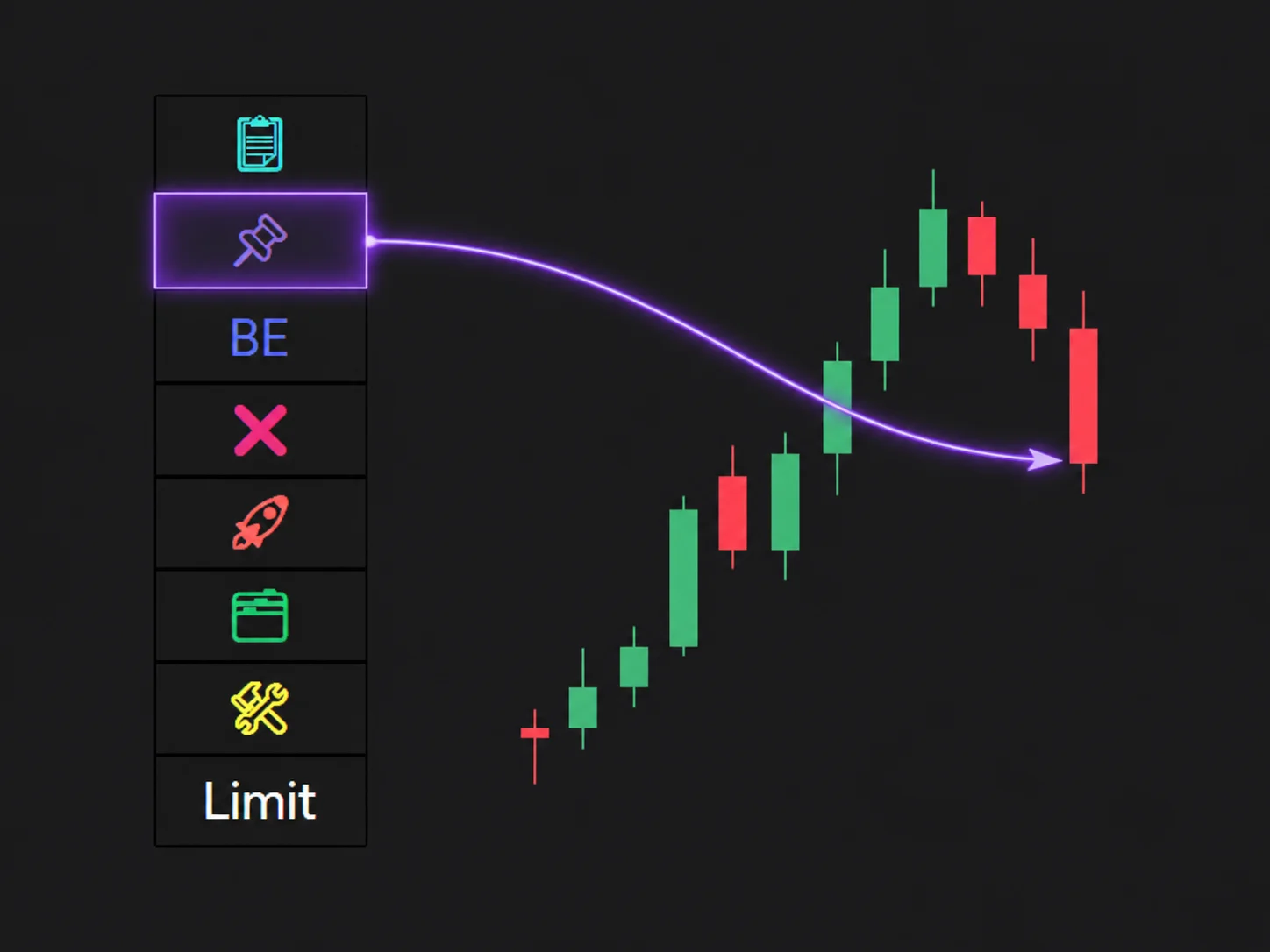
The Position Tool can also snap the entry to the current market price after drawing the trade.
This is useful when a trader wants to quickly build a market-based bracket without redrawing the entire setup.
Even better, the tool can preserve the original NinjaTrader OCO orders stop price when the entry snaps to market. That means the stop can stay at the structural level the trader intended, while the entry updates to the live market.
This is important because many traders define risk from a technical level, not from a fixed number of ticks.
For example:
- The stop belongs below a swing low.
- The entry should attach to current price.
- The risk should recalculate automatically.
- The contract quantity should update based on the new entry-to-stop distance.
That is the kind of workflow a dedicated NinjaTrader position sizing tool should support.
Ghost-Staged Orders
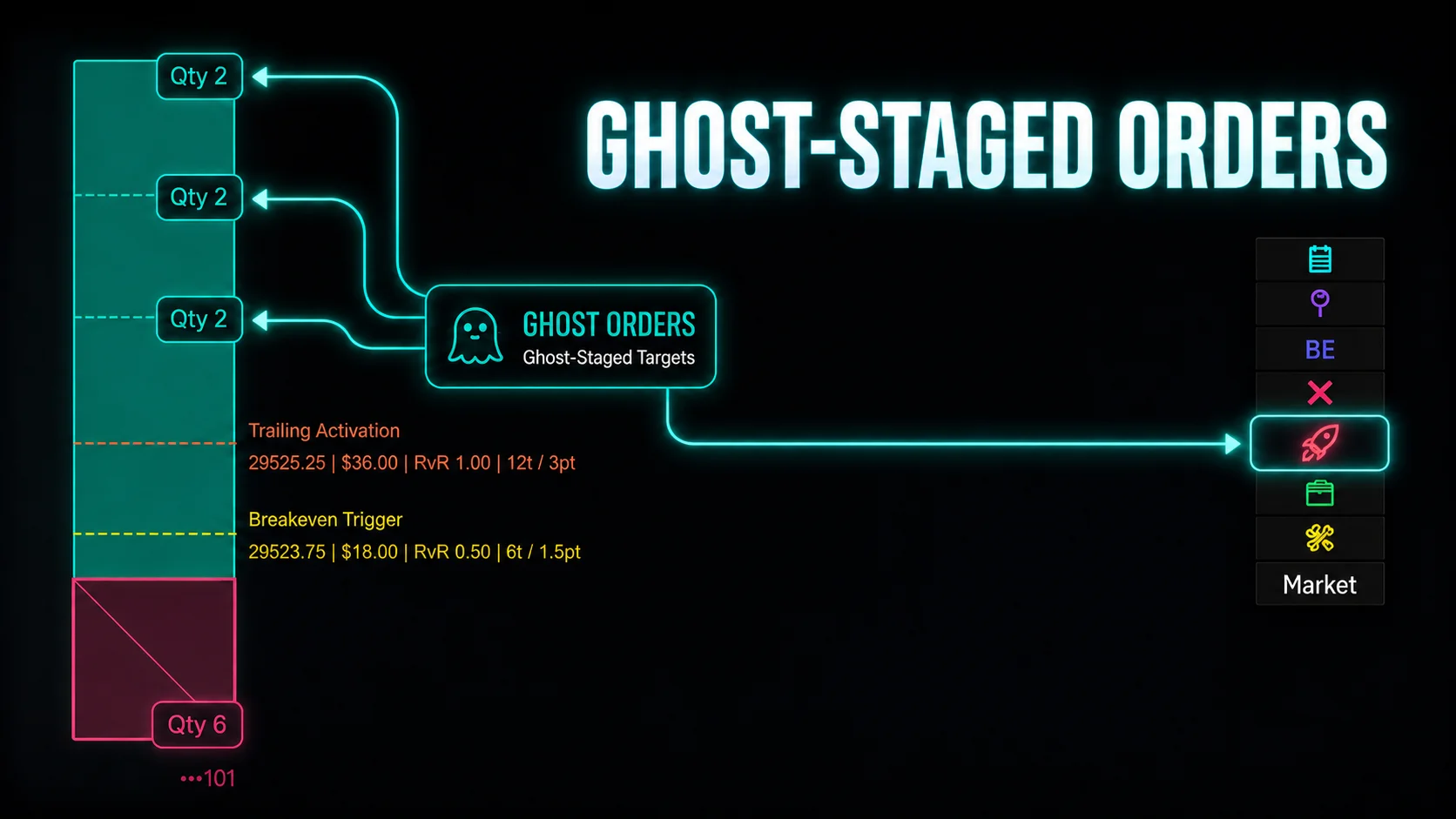
The XABCD Position Tool also supports different order submission modes.
One important workflow is ghost-staged orders.
Instead of immediately submitting every protective order, the tool can stage orders and wait until the entry fills before submitting the protective orders.
This can help avoid messy order behavior, especially around partial fills, entry adjustments, or pending orders that have not triggered yet.
For example, a trader may not want their stop or target orders sitting live before the entry has filled. Others may prefer to reduce visible order clutter, avoid unnecessary order changes, or prevent protective orders from being submitted too early around partial fills, adjusted entries, or pending orders.
Ghost-staged orders let the trader plan the full bracket setup ahead of time, but delay submitting certain NinjaTrader OCO orders until the right moment, such as after the entry fills.
This gives traders a cleaner way to prepare complex orders without exposing every order immediately.
Scale-In and DCA Order Control
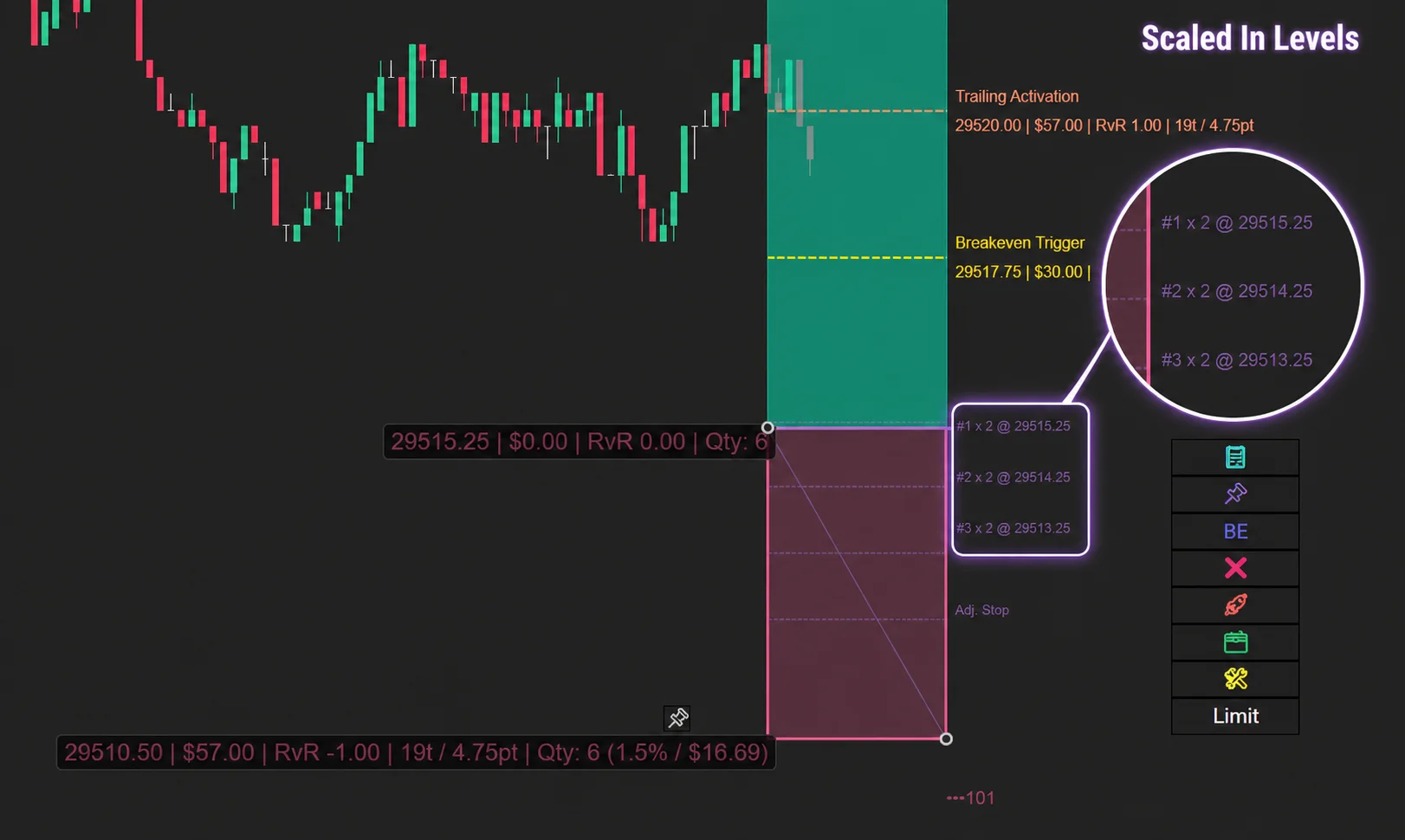
The Position Tool also includes advanced scale-in and DCA functionality.
Instead of placing one entry order at one price, traders can split the position across multiple price levels.
This can be useful for traders who want to build into a position gradually instead of entering the full size all at once.
The tool supports:
- Scaled limit orders
- Multiple tranche distributions
- Even distribution
- Front-heavy distribution
- Back-heavy distribution
- Fixed interval distribution
- Custom distribution
- DCA range percentage
- Alternate anchoring modes
This gives traders more control over how the entry is built.
For example, one trader may want equal-sized entries across the range. Another may want more size closer to the initial entry. Another may want more size deeper into the pullback.
Instead of manually placing and managing each order, the tool can handle the scale-in structure as part of the trade plan.
Advanced Stop Management
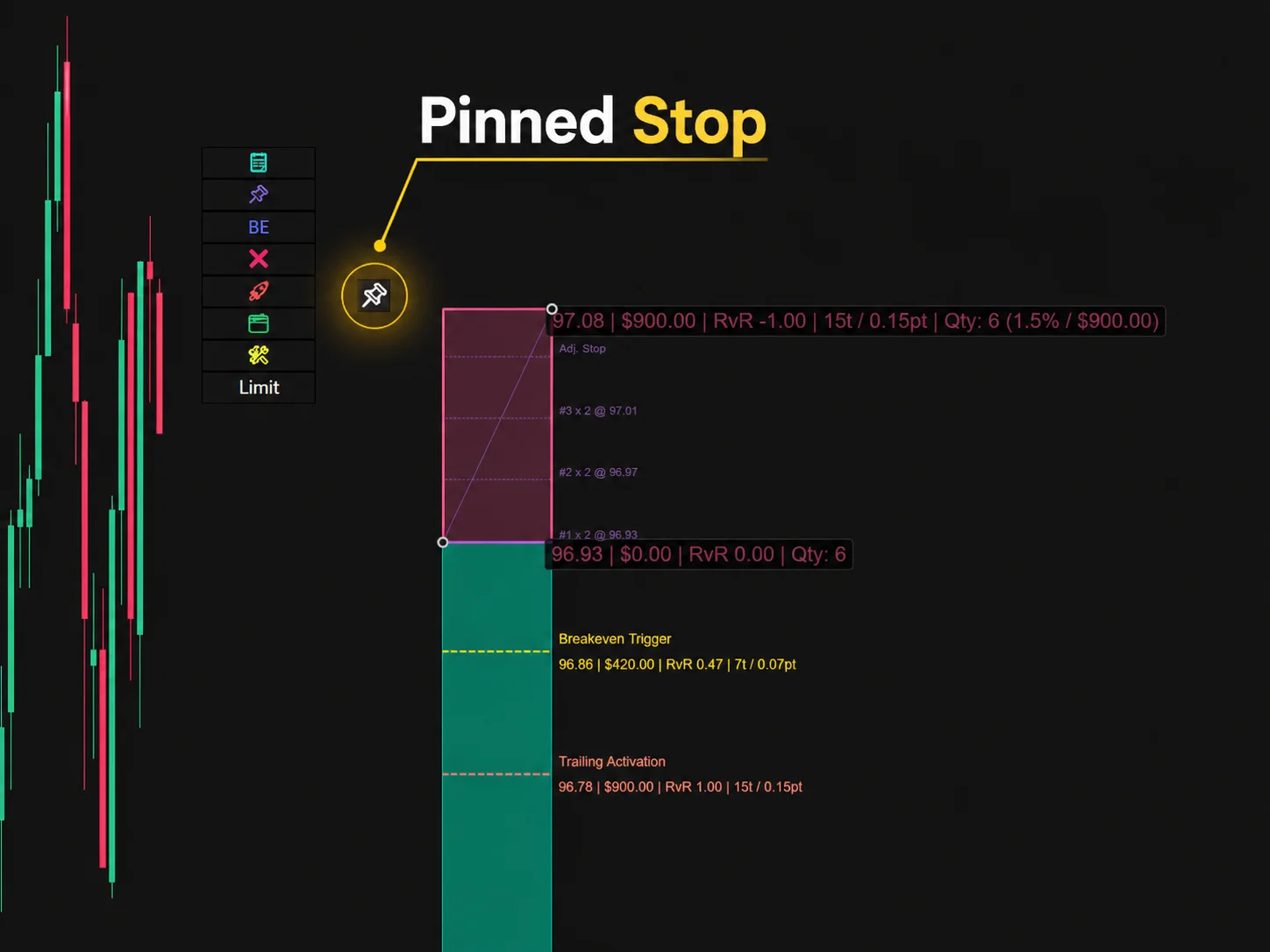
A strong NinjaTrader risk management tool should not stop working once the order is placed.
The XABCD Position Tool includes several stop-management features that help traders control risk after entry.
These include:
- Stop pinning
- Auto-pin stop on attach
- Live-sync stops to filled size
- Stage stops until entry fills
- Auto-flip direction on pinned stop breach
Stop pinning is especially useful because it helps prevent accidental stop movement.
Once a stop is pinned, it can be locked so it is not dragged or auto-adjusted unintentionally. This is valuable for traders who want to protect a structural stop level.
Live-sync stops to filled size is also important. If an entry partially fills, the stop quantity should match the actual filled position size. Otherwise, the trader may be over-protected, under-protected, or exposed to a mismatch.
This is exactly the kind of issue that can happen when order management is too manual.
R-Multiple Targets
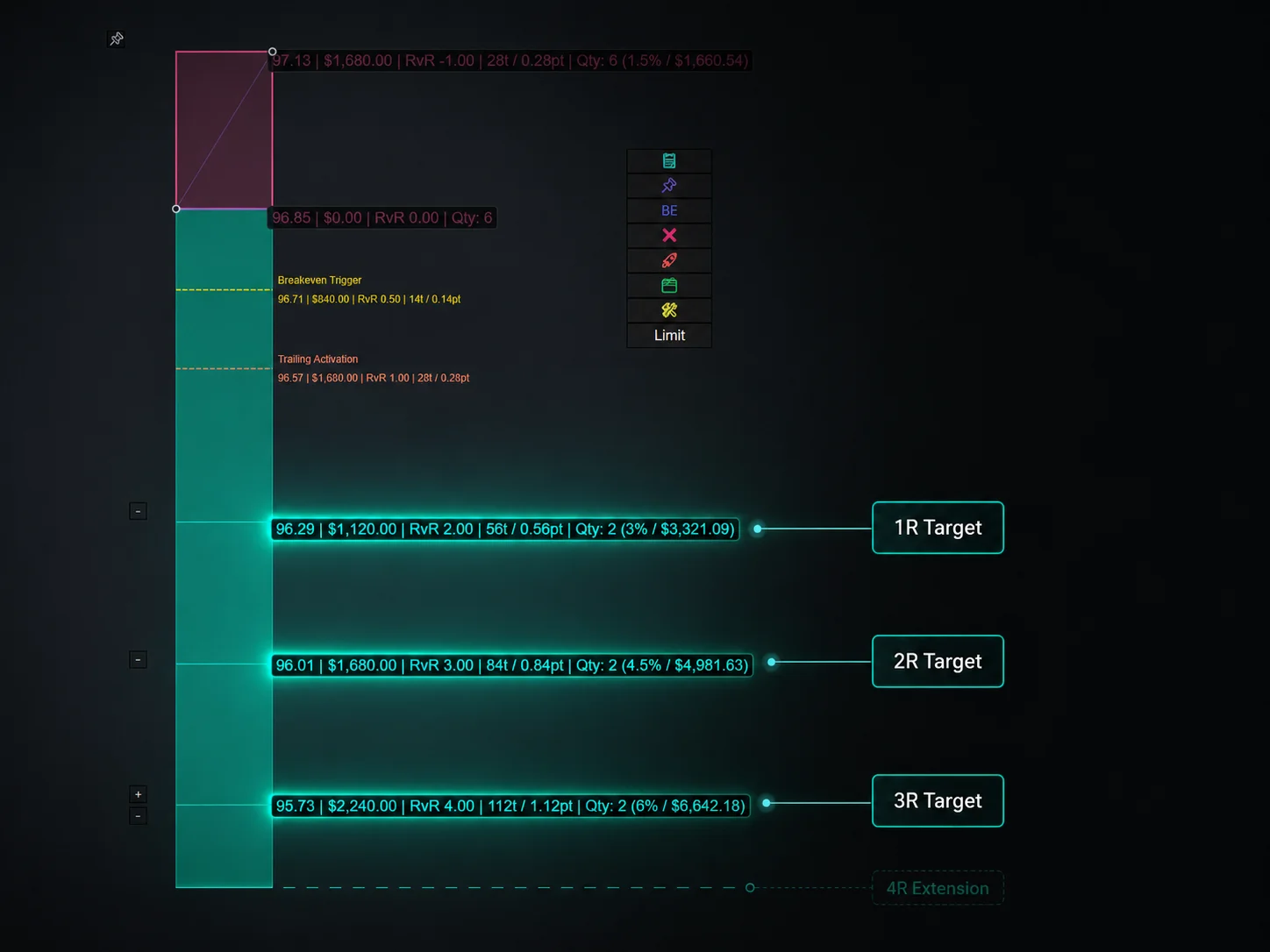
Targets are another area where the Position Tool goes beyond stock NT8.
The tool can set targets based on R-multiples, such as:
- 1R
- 2R
- 3R
This means the target is based on the initial risk of the trade.
If the stop distance changes, the R-based target logic can adjust with it.
That is helpful because many traders plan trades around risk-to-reward, not just fixed tick targets.
A 20-tick target may be good on one setup and poor on another. But a 2R target is always connected to the original risk of the trade.
This makes the trade plan easier to understand visually.
Indicator-Sourced Targets
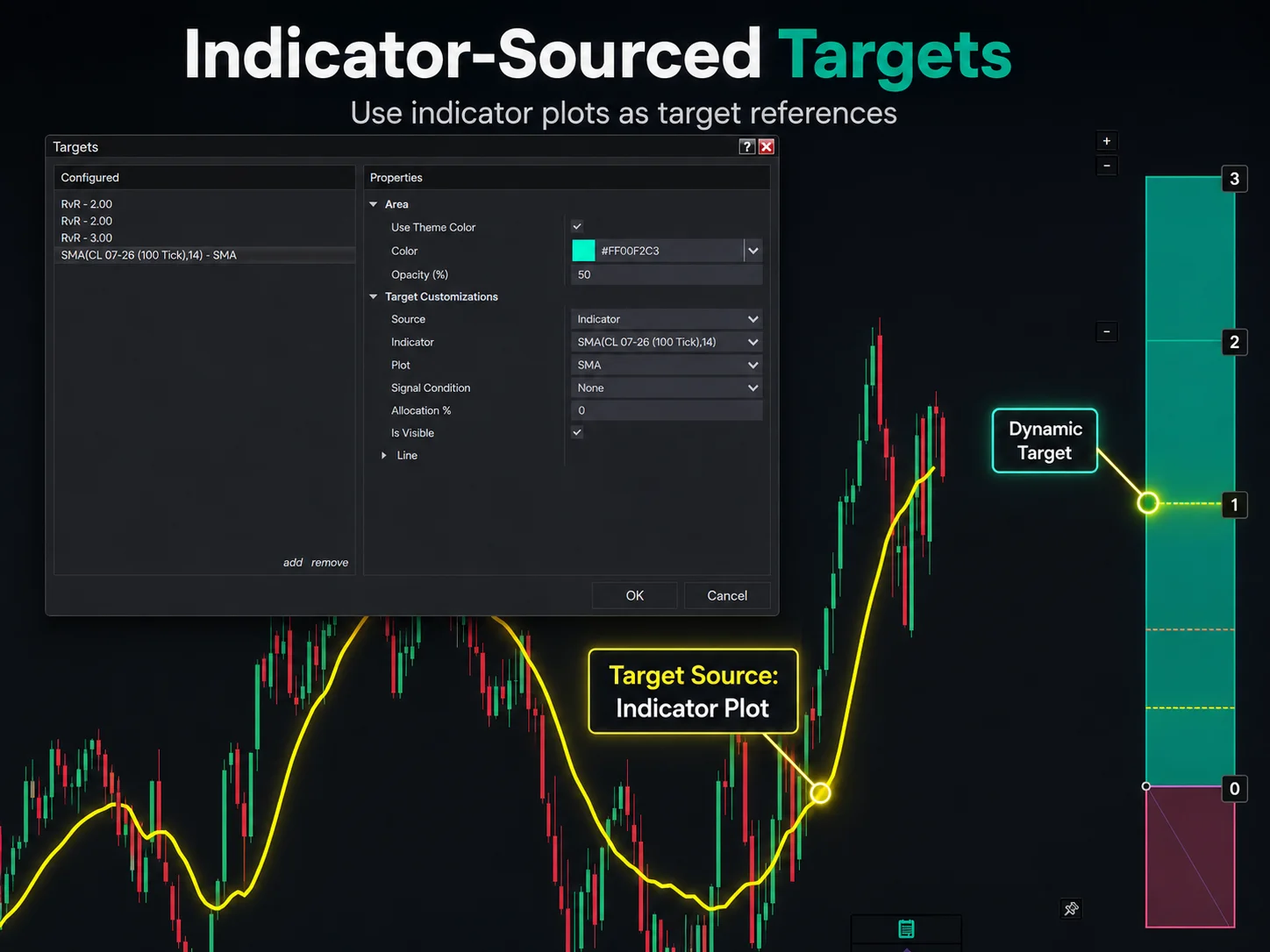
The Position Tool can also read target prices from an indicator plot on the chart.
That means targets can be based on dynamic chart information instead of only manual price levels.
This is useful for traders who use indicators for projected levels, bands, zones, or other chart-based target references.
Rather than copying a value manually, the Position Tool can use the indicator plot as the target source.
Breakeven Management
Breakeven is one of the most common trade management actions, but it is also one of the easiest to mishandle manually.
The XABCD Position Tool includes several breakeven management features:
- Move to breakeven on trigger
- Move to breakeven after first target fill
- Breakeven offset
- Commission coverage
- Multiple breakeven trigger modes
- Dynamic breakeven visual line
Instead of moving the stop to exact entry, the tool can move the stop to a small offset or account for commission coverage.
That is useful because “breakeven” is not always truly breakeven if commissions are ignored.
The dynamic breakeven visual line also helps traders see where the breakeven trigger currently sits on the chart.
This makes the trade easier to manage visually instead of relying only on settings hidden in a menu.
Advanced Trailing Stops
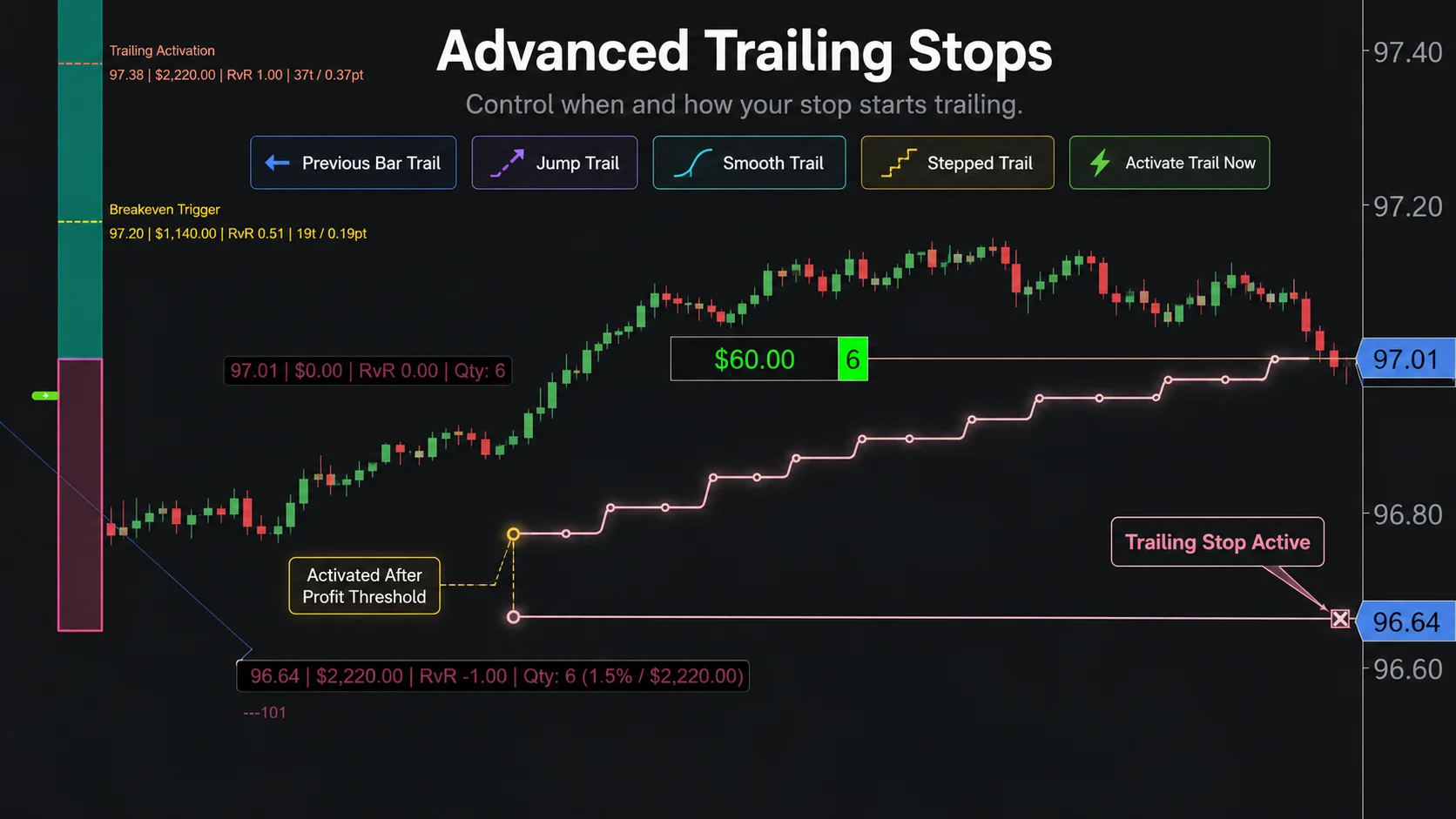
Trailing stops are another area where traders often need more flexibility than a basic trailing stop provides.
The Position Tool includes trailing features such as:
- Previous bar high/low trailing
- Jump trailing
- Smooth trailing
- Stepped trailing
- Profit-based trailing activation
- Activate trailing now hotkey
This allows the trader to decide not only how the stop should trail, but when the trailing logic should begin.
For example, a trader may not want the stop to trail immediately. They may want the trade to reach a profit threshold first, then start trailing.
Or they may want to activate trailing manually after the trade is already open.
That type of control can make a major difference in active trade management.
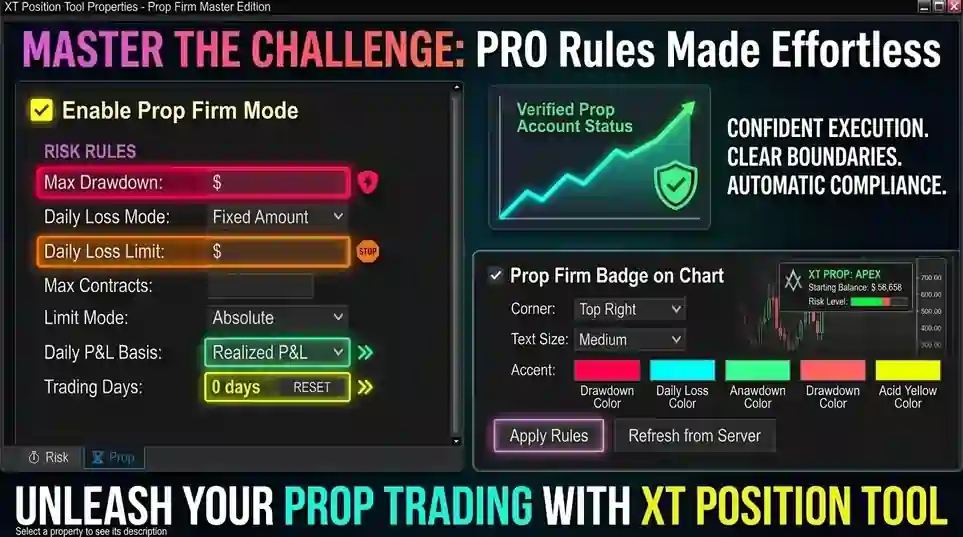
NinjaTrader Prop Firm Risk Management
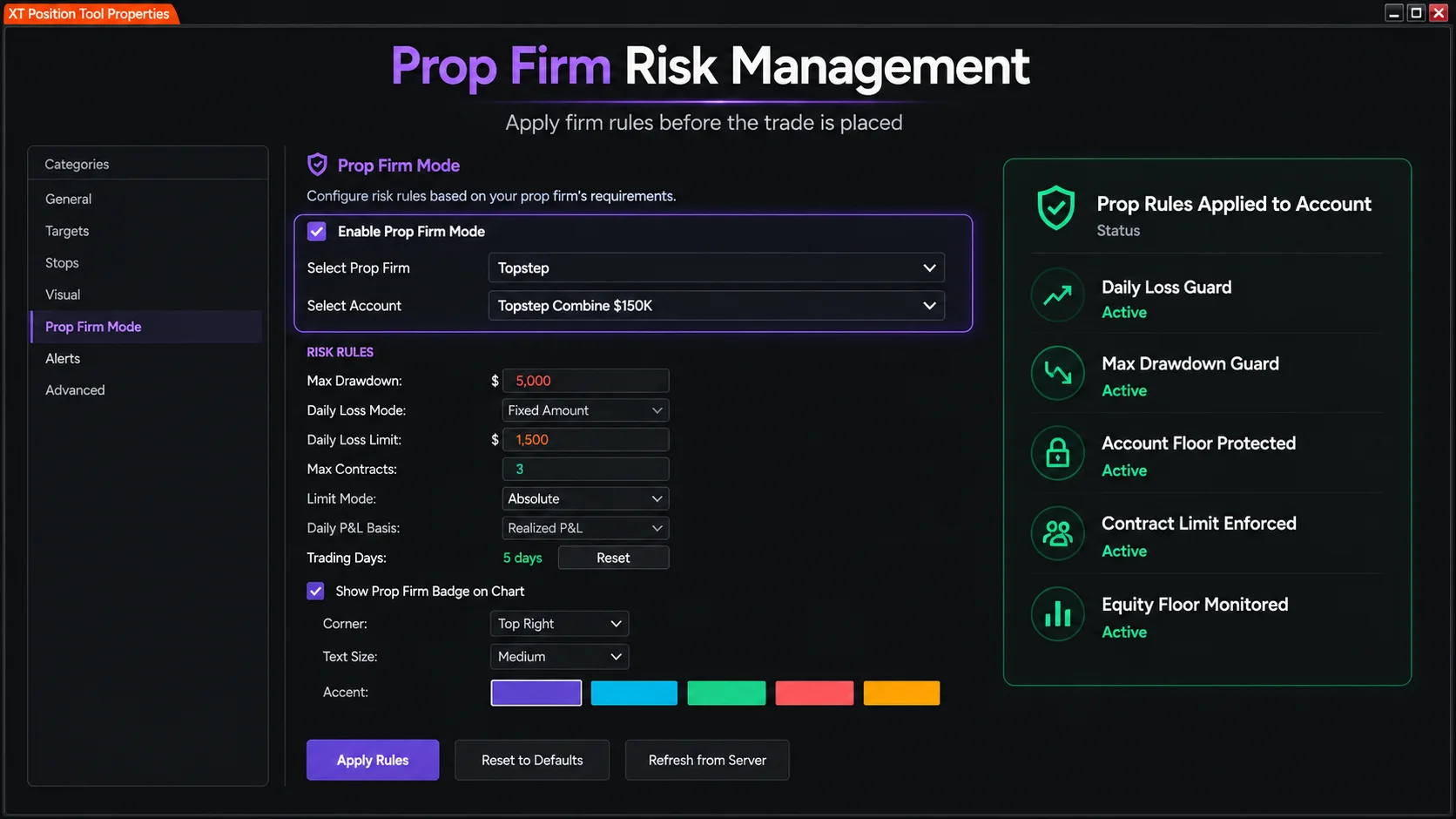
Prop firm traders have a different problem than ordinary retail traders.
They are not just managing trade risk. They are also managing account rules.
Those rules may include:
- Daily loss limits
- Maximum drawdown
- Trailing drawdown
- Account floor limits
- Consistency requirements
- Contract limits
The XABCD Position Tool includes prop firm risk controls designed to help traders stay aware of those limits directly from the chart.
The tool includes:
- Multi-firm prop support
- Daily loss limit enforcement
- Maximum drawdown guard
- Account floor guard
- Dynamic equity-floor protection
This is important because many prop firm failures do not come from one bad trade idea. They come from breaking a rule.
A trader may still have a valid setup, but if the account is too close to a daily loss limit or drawdown threshold, the better decision may be to block the entry, reduce risk, or stop trading for the day.
The Position Tool is designed to make those limits harder to ignore.
News Protection
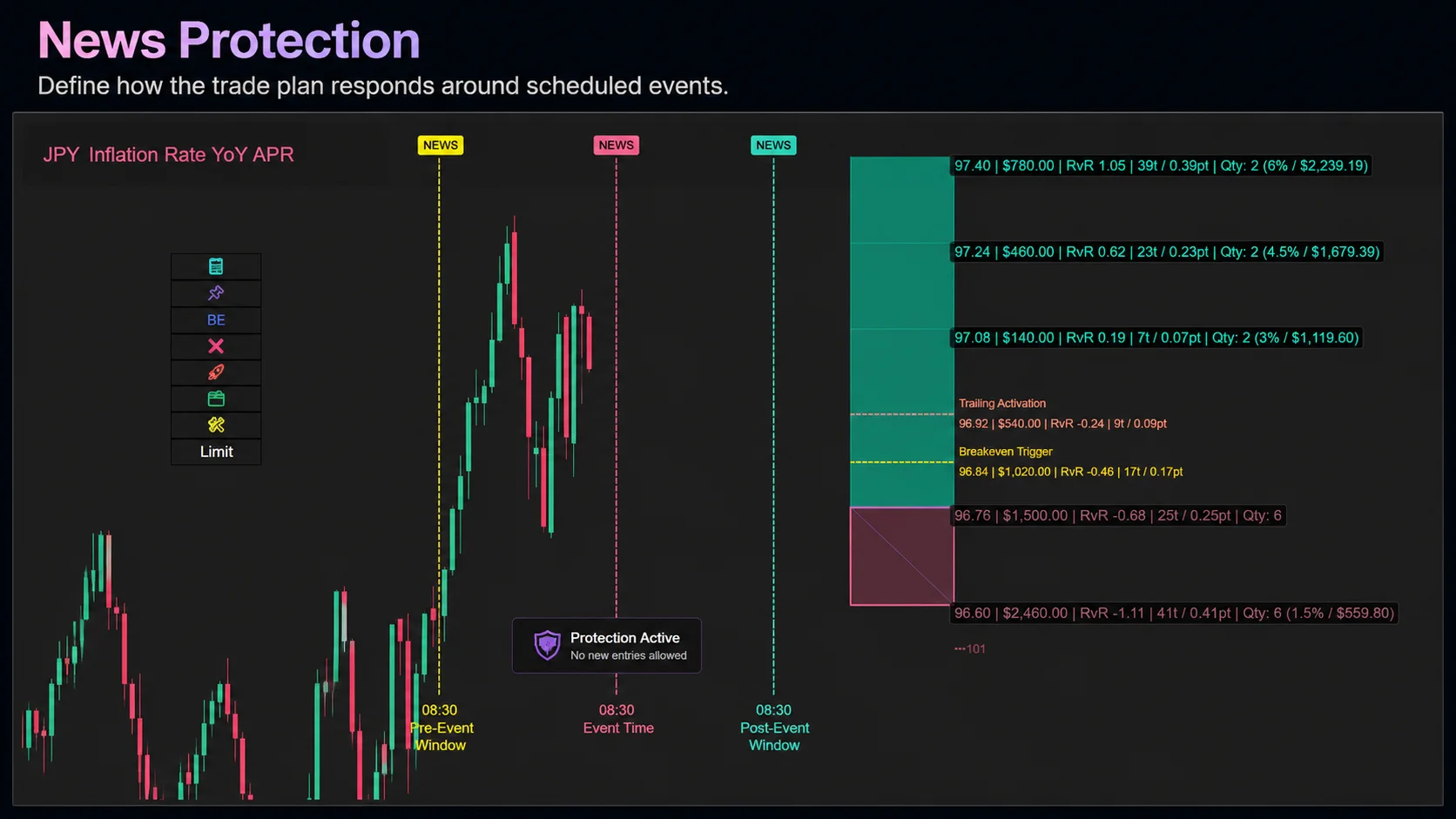
News events can create sudden volatility, slippage, and unexpected fills if you already have (or purchase separately) the XABCD News indicator.
The Position Tool includes news protection features that allow traders to define how the tool should respond around scheduled events.
Possible actions include:
- Blocking new entries
- Canceling pending orders
- Closing positions
- Reducing positions
- Adjusting trailing behavior
The tool can also use pre-event and post-event windows, so protection can begin before the event and continue after the initial release.
Filters can be based on:
- Currency
- Event severity
- Minimum news level
- Time before the event
- Time after the event
This gives traders more control when trading around high-impact events.
Instead of relying on memory or manually canceling orders before news, the tool can help enforce a predefined response.
Warning and Alert System
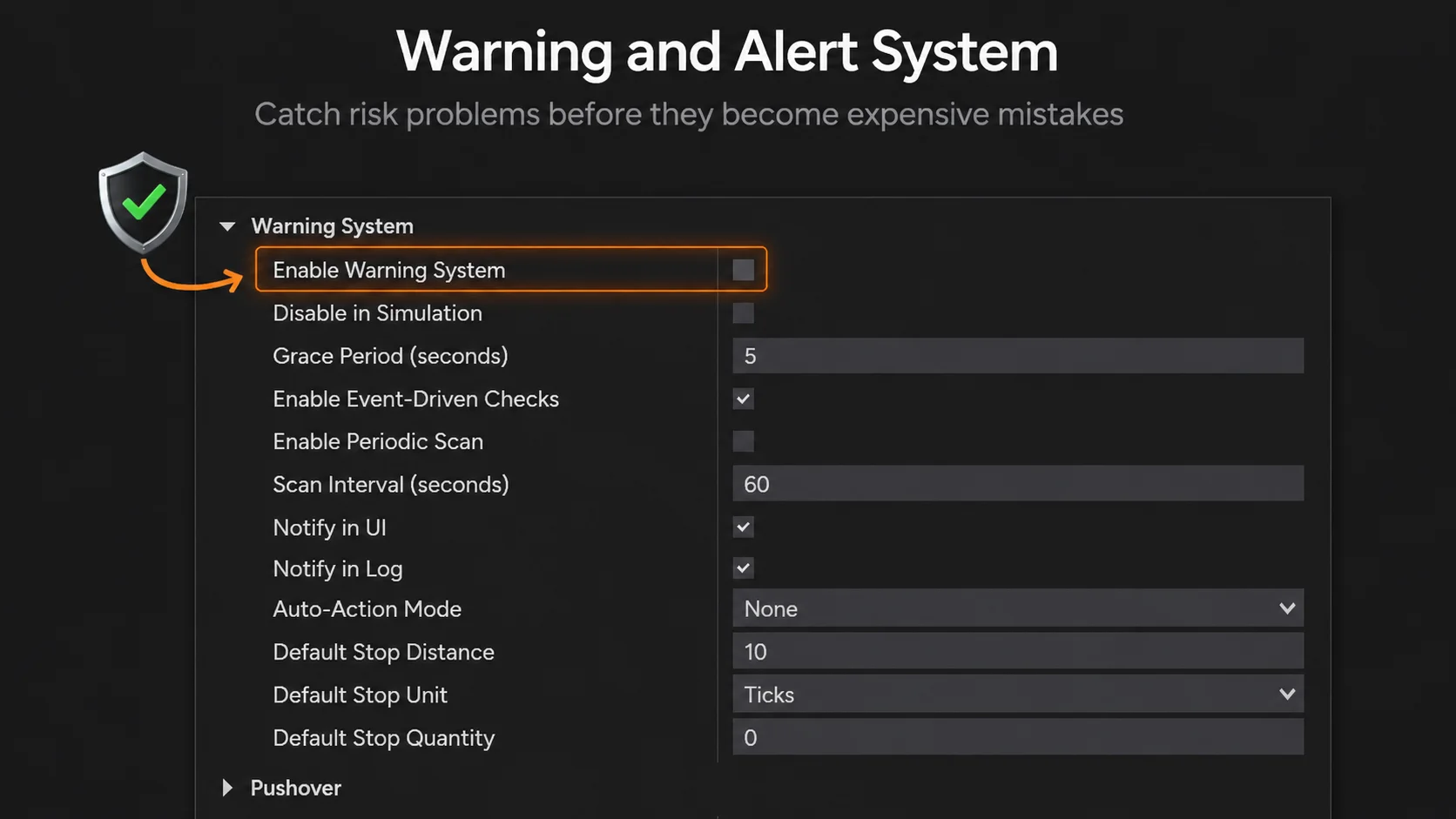
The Position Tool also includes a warning system for detecting risk problems.
This can include warnings for things like:
Possible actions include:
- Under-hedged positions
- Missing stops
- Margin issues
- Account risk problems
- Order state concerns
Notifications can be sent through multiple channels, including:
UI Banners, Logs, Hub notifications, Email, Webhooks, Pushover...
This is useful because not every risk problem is obvious at first glance.
A warning system helps bring attention to issues before they become expensive mistakes.
Automation and Plot-Triggered Entries
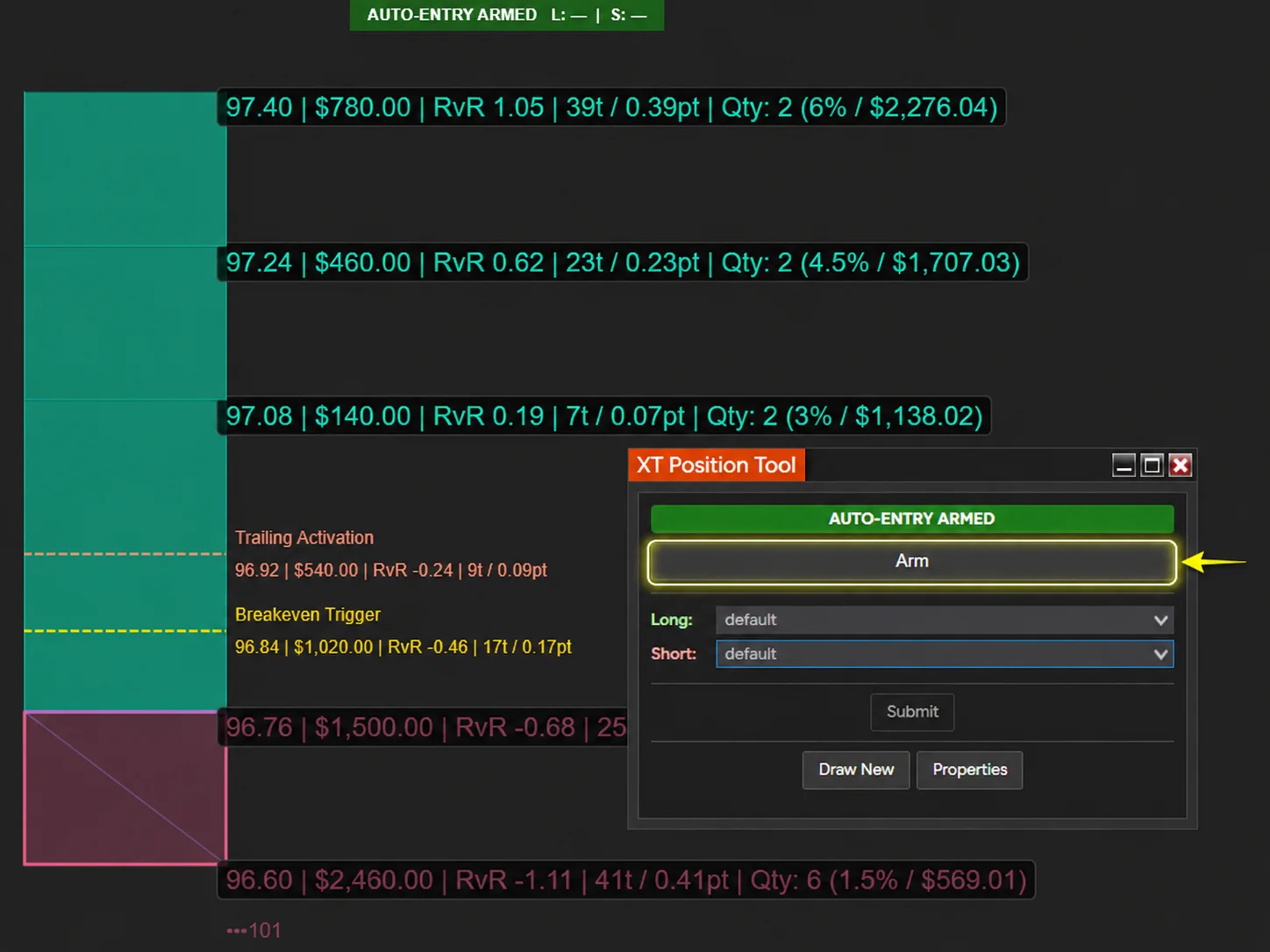
The Position Tool also includes automation features for traders who want to connect trade execution to chart signals.
One example is plot-trigger driven auto-entry.
This allows the tool to respond when an indicator plot crosses or exceeds a configured threshold.
The tool also supports rolling breakout repricing, where pending entry orders can be repositioned when a new bar closes without filling.
This type of automation is not about removing risk control. It is about combining signal-based execution with predefined trade sizing, stop placement, and order management rules.
That is an important distinction.
The trader still defines the plan. The tool helps execute that plan more consistently.
Trade Commentary Overlay
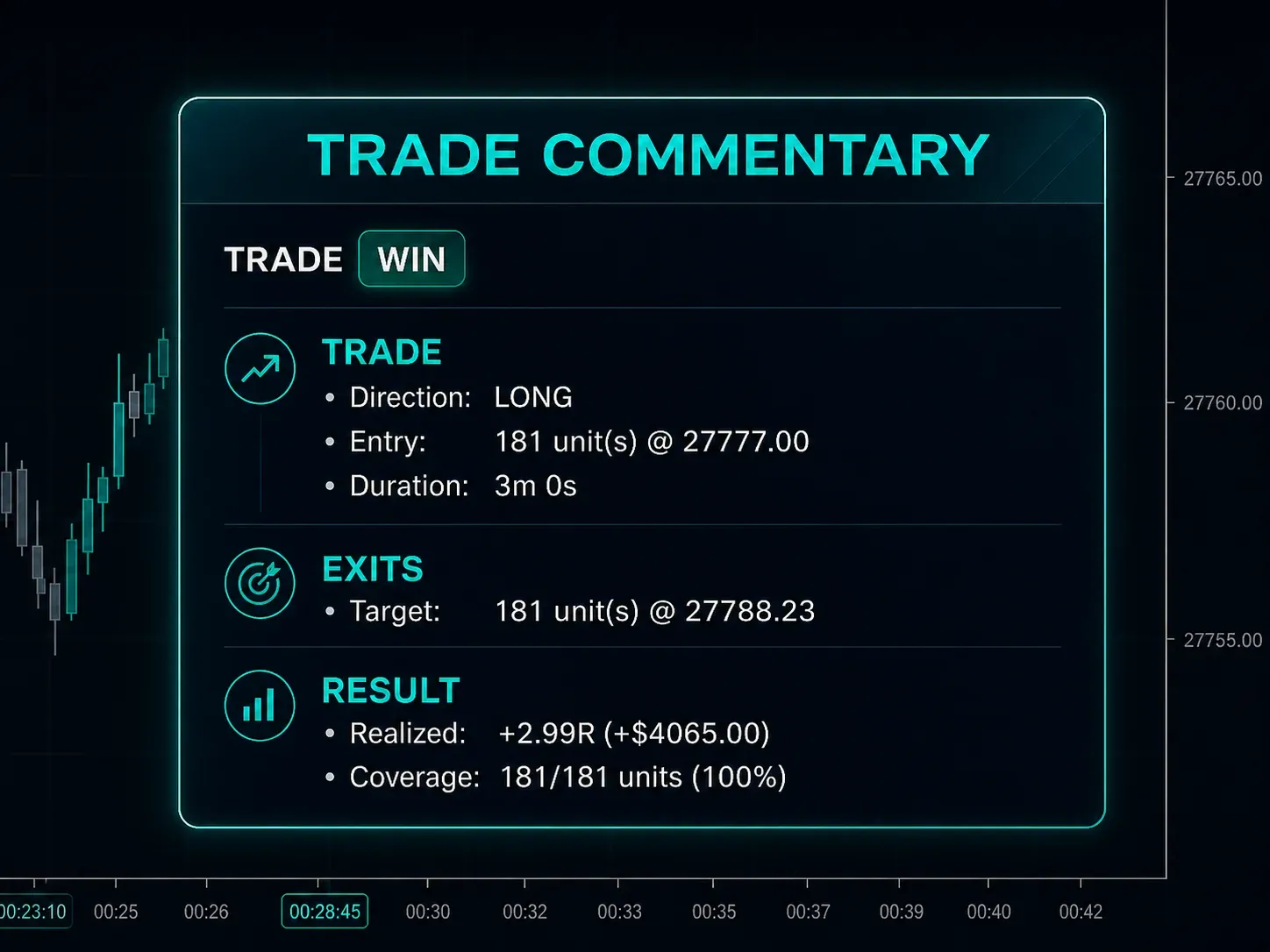
This is my favorite! After a trade is complete, the Position Tool can display trade commentary on the chart.
This can show information such as:
- Win or loss
- P&L
- Risk-to-reward result
- Trade outcome
- Execution context
This helps traders review what happened without needing to dig through multiple windows.
For active traders, seeing the result directly on the chart can make post-trade review faster and more useful.
Visual Customization and Workflow Control
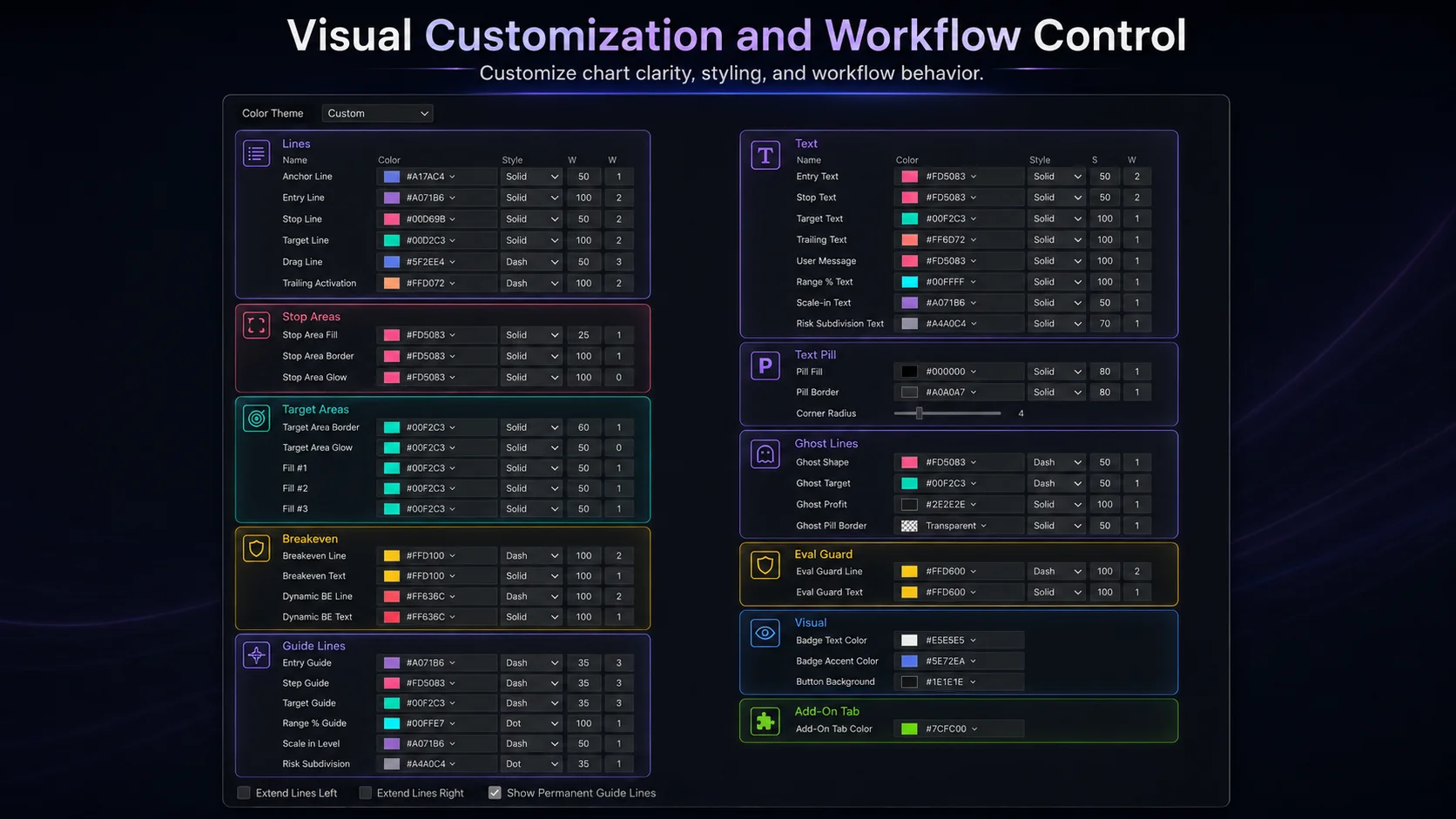
The XABCD Position Tool also includes many visual and workflow customization features.
These include:
- Multi-font customization
- Individual line styling
- Text pill styling
- Text anchor controls
- Tool width in bars
- Box orientation controls
- Permanent guide lines
- Risk subdivision lines
- Ghost quantity placement
- Template presets
- Template cycling
- Position tracker window
- Chart position lock
These features may sound cosmetic at first, but for active traders, chart clarity matters.
A cluttered chart can slow down decision-making. A clear chart can make the trade plan easier to understand instantly.
The Position Tool lets traders customize the display so the risk area, reward area, entry, stop, target, quantity, and management lines are easier to read.
Template Presets and Hotkeys
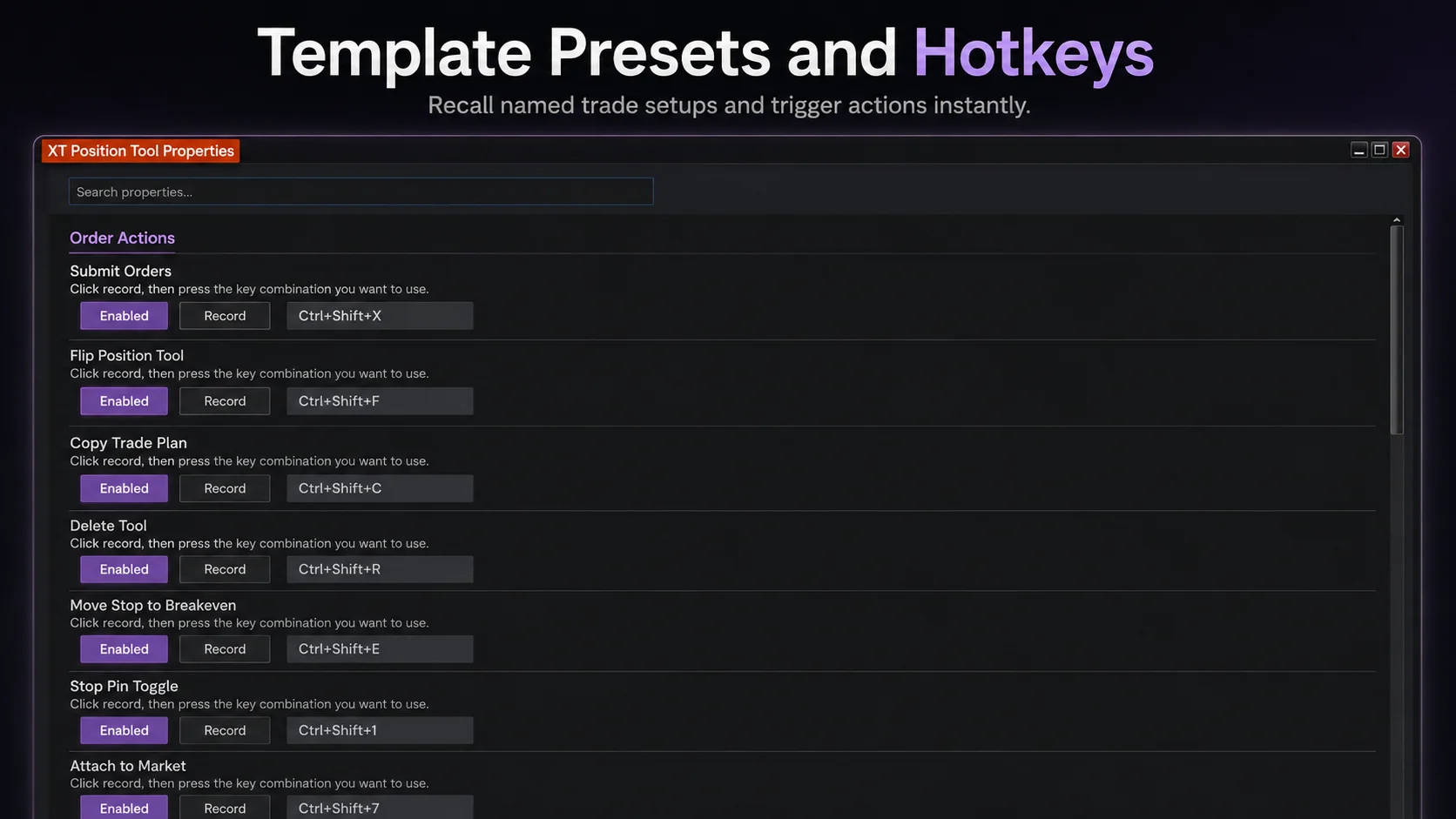
The Position Tool includes a template preset system with multiple named templates.
This allows traders to quickly switch between different trade setups.
For example, a trader could have different templates for:
- Scalping
- Breakout trades
- Pullback trades
- Prop firm conservative mode
- Higher-risk mode
- News-sensitive mode
- Different instruments
The tool also supports hotkey customization, including per-hotkey modifier overrides and per-hotkey enable or disable settings.
This helps traders build a workflow that matches the way they actually trade.
Instead of reconfiguring settings manually each time, the trader can recall the right template quickly.
Lock Chart Position
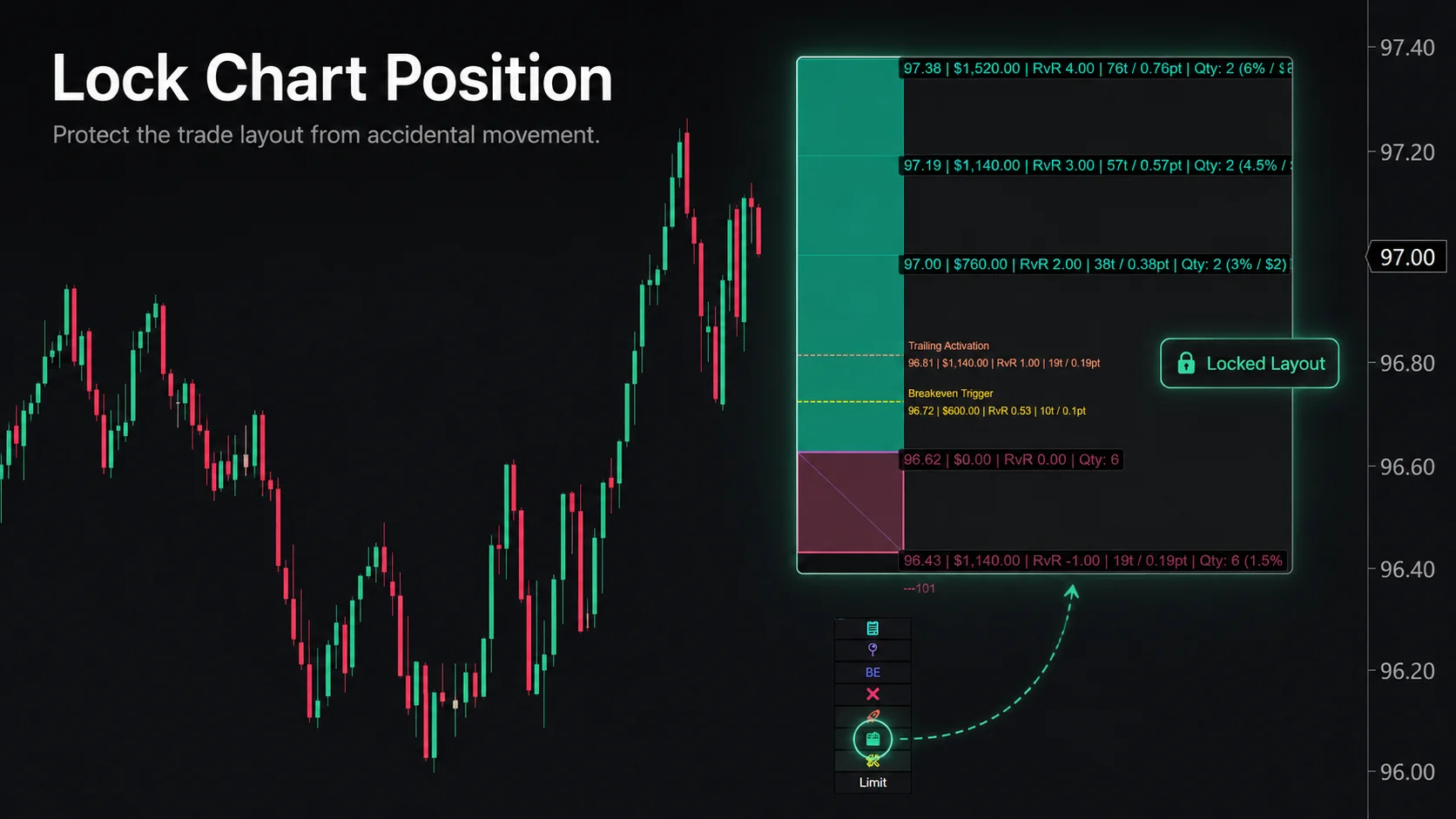
One small chart movement can create a big trading mistake.
When a trade tool is active on the chart, accidentally dragging the drawing can shift the entry, stop, target, or risk area away from the original plan. That can lead to confusion, incorrect sizing, or unintended order adjustments.
The XABCD Position Tool includes a Lock Chart Position feature to help prevent that.
Once the trade is placed where the trader wants it, the tool can be locked so it cannot be moved accidentally. This is especially useful when managing active trades, switching between charts, using touchpads, or working quickly during fast market conditions.
This helps protect the original trade plan.
The trader can still manage the trade intentionally, but the tool is less likely to move because of an accidental click, drag, or chart interaction.
For active NinjaTrader users, this kind of workflow protection matters because execution mistakes often happen when the market is moving quickly.
A good NinjaTrader position sizing tool should not only help calculate the trade. It should also help protect the trade layout once the plan is set.
Stock NinjaTrader vs. XABCD Position Tool
Who Is the XABCD Position Tool For?
The XABCD Position Tool is built for traders who want more control over risk and execution inside NinjaTrader.
It is especially useful for:
- Futures traders
- Prop firm traders
- Scalpers
- Intraday traders
- Traders who use fixed dollar risk
- Traders who use percentage account risk
- Traders who scale into positions
- Traders who manage multiple targets
- Traders who want faster chart-based execution
- Traders who want more advanced stop and breakeven control
It is not just for traders who need a position size calculator.
It is for traders who want the full trade plan connected:
Entry. Stop. Target. Quantity. Risk. Account rules. Trade management.
Final Thoughts
A basic NinjaTrader position sizing calculator can help you decide how many contracts to trade.
But the XABCD Position Tool goes much further.
It helps traders build the full trade directly on the chart, size the position based on risk, submit OCO orders, manage stops and targets, protect against prop firm rule breaches, react to news windows, automate selected workflows, and review trade outcomes after the trade is finished.
That is why the tool is better understood as a complete NinjaTrader risk management and trade execution tool, not just a position sizing add-on.
If you are using NinjaTrader and still calculating size manually, adjusting stops by hand, watching prop firm limits separately, and building brackets one step at a time, the XABCD Position Tool is designed to bring those pieces into one faster, safer, and more visual workflow.
Draw it. Size it. Send it.
What is a NinjaTrader position sizing tool and how does it work?
A NinjaTrader position sizing tool is an add-on or built-in feature that automatically calculates the optimal number of shares, contracts, or lots to trade based on your account size, risk tolerance, and stop-loss distance. It works by applying risk management rules—such as risking a fixed percentage of your account per trade—and dynamically adjusting your position size before each order is placed. This helps traders maintain consistent risk exposure and protect their capital across varying market conditions.
Does NinjaTrader have a built-in position sizing calculator?
NinjaTrader 8 includes basic order quantity tools and ATM (Advanced Trade Management) strategies that allow traders to set predefined position sizes and stop-loss levels. However, for more advanced dynamic position sizing based on account equity percentage or volatility-based models, most traders rely on third-party add-on indicators or custom NinjaScript solutions available through the NinjaTrader ecosystem. These third-party tools provide more flexibility and automation than the platform's native features.
How do I calculate position size based on risk percentage in NinjaTrader?
To calculate position size based on risk percentage in NinjaTrader, divide your total risk amount (account balance × risk percentage) by the dollar risk per contract or share (stop-loss distance × tick value). For example, if you have a $50,000 account risking 1% with a 20-tick stop on ES futures at $12.50 per tick, your position size would be $500 ÷ $250 = 2 contracts. You can automate this calculation using a NinjaTrader position sizing tool or a custom NinjaScript strategy to streamline the process.
What are the best NinjaTrader position sizing tools and add-ons?
Some of the most popular NinjaTrader position sizing tools include Risk Account Manager, Position Size Calculator by trading community developers, and various custom NinjaScript indicators available on the NinjaTrader ecosystem marketplace. Top-rated options typically offer features like automatic lot calculation based on account equity, ATR-based volatility sizing, and real-time risk-to-reward ratio displays on the chart. When choosing an add-on, look for compatibility with NinjaTrader 8, active developer support, and user reviews from verified traders.
Can I automate position sizing in NinjaTrader for algorithmic trading?
Yes, you can fully automate position sizing in NinjaTrader by writing custom NinjaScript strategies that dynamically calculate trade size based on your preferred risk model, such as fixed fractional, Kelly criterion, or volatility-based sizing. Within your automated strategy, you can reference real-time account equity, set maximum position limits, and adjust size based on market conditions before each order is submitted. This makes NinjaTrader a powerful platform for algorithmic traders who want consistent, rule-based risk management without manual intervention.
New NinjaTrader Articles Delivered First
 (opens in a new tab)
Easy Order Tool
The Strategy

Scanning & Alerting

NinjaTrader Release
XABCD News (Free Version)
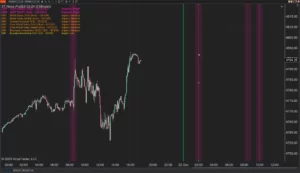
XABCD News (Community Edition) is the best free Indicator for NinjaTrader 8. Don't let news sneak up on you again. Puts economic news events on your charts so you can stay informed and move around positions/stops before the news is released. Works in any market.
XABCD Priceline (Free)
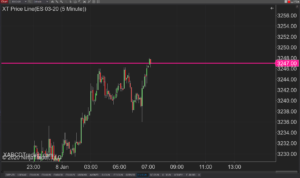
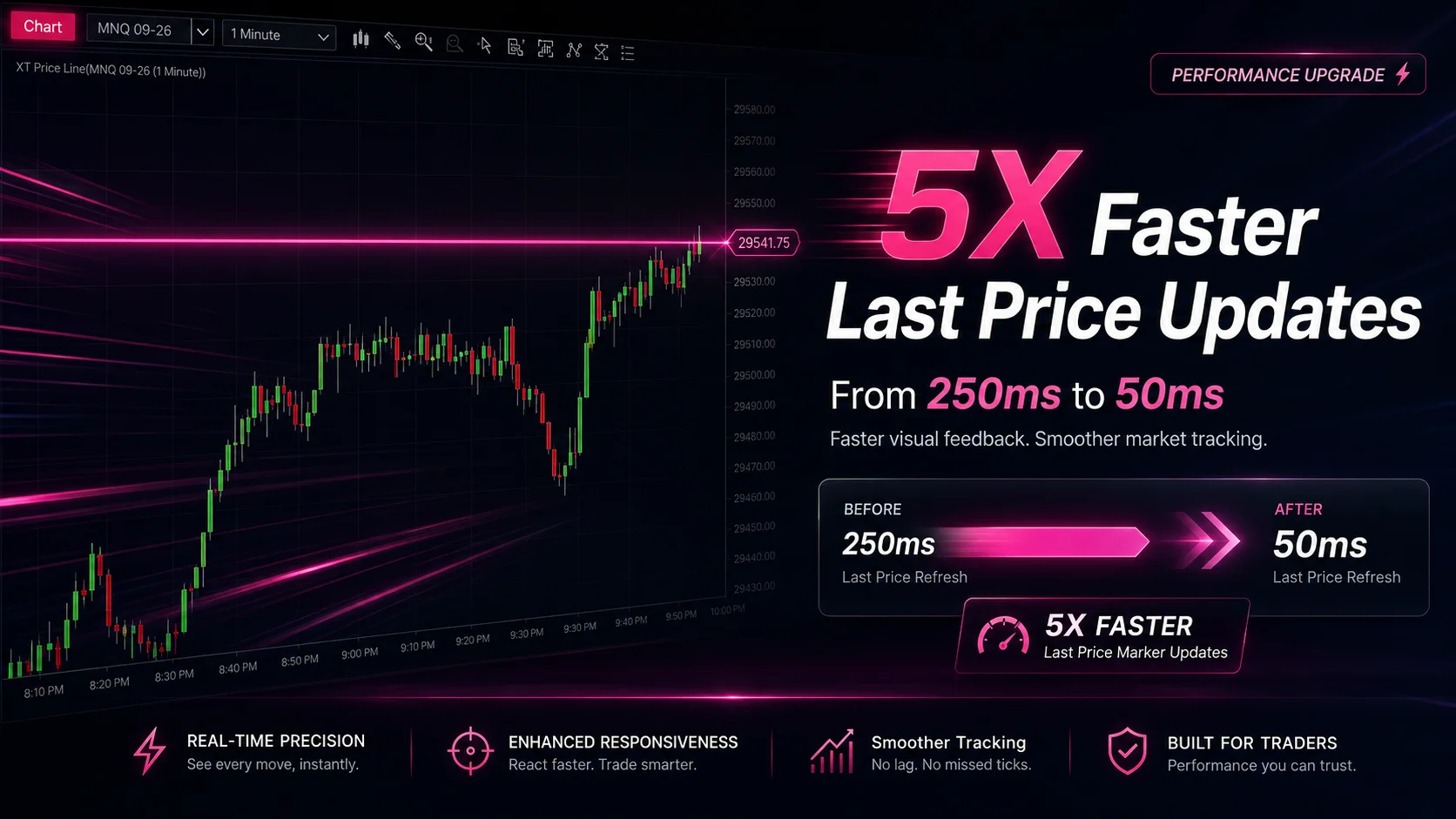
XABCD Price Line tool for NinjaTrader 8 will draw a line at current price and move every time the market changes price. This is useful because it will allow you to easily identify where price is at all times and the exact quoted price.
NinjaTrader Data Feed Not Updating? Quick Fixes
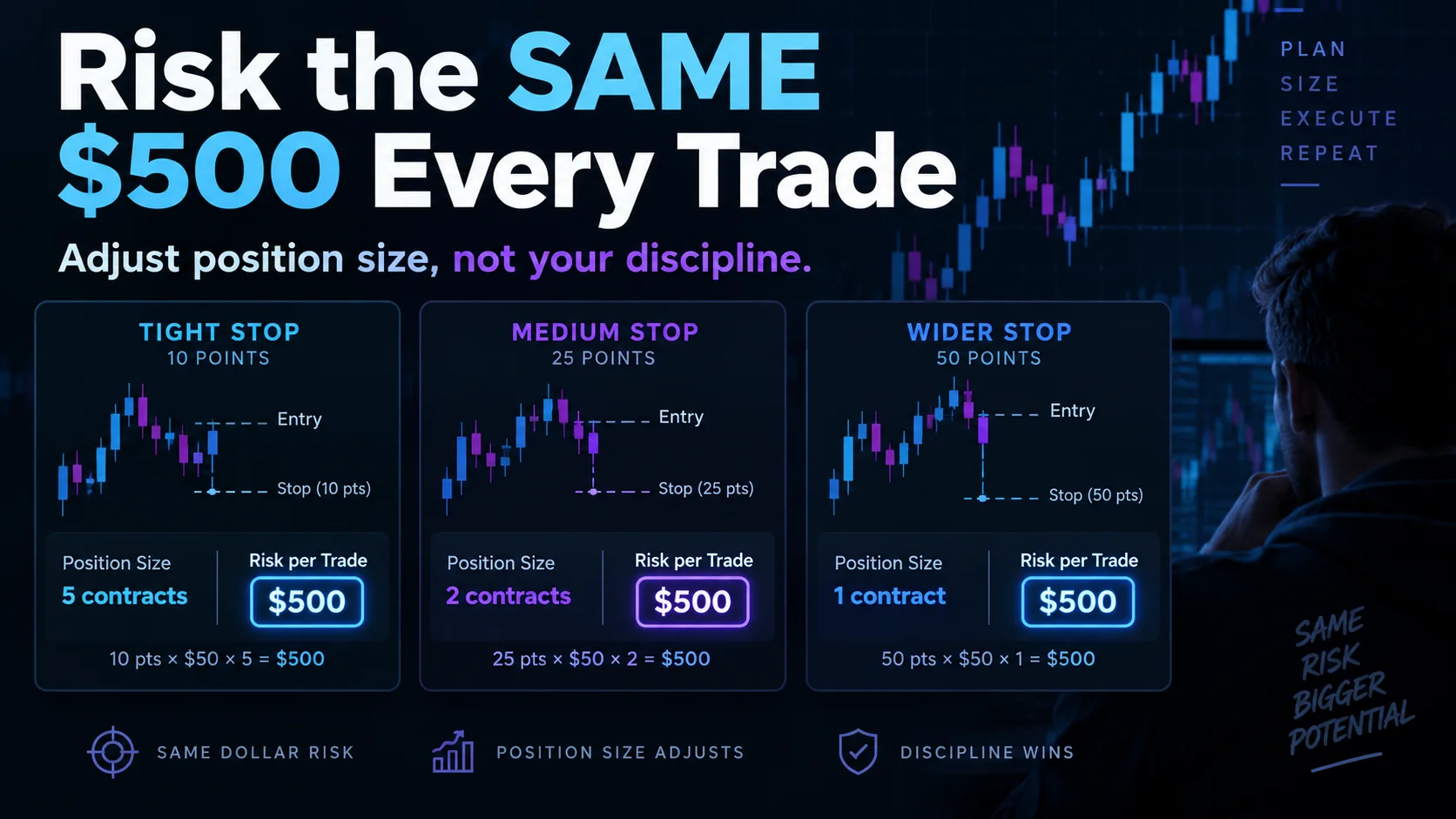
NinjaTrader Risk Per Trade: Risk $500 on Every Trade
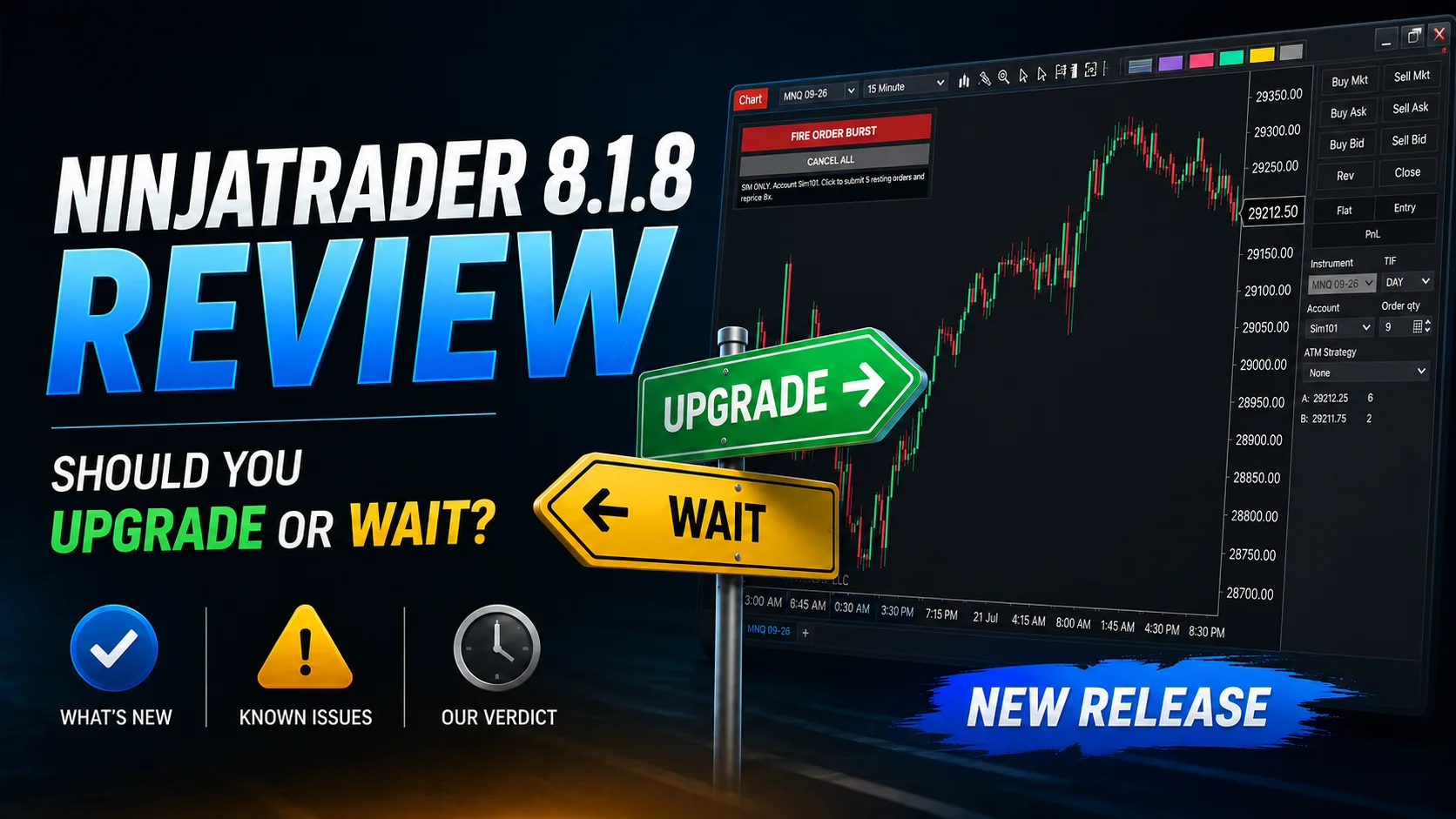
NinjaTrader 8.1.8 Review: Should You Upgrade or Wait?
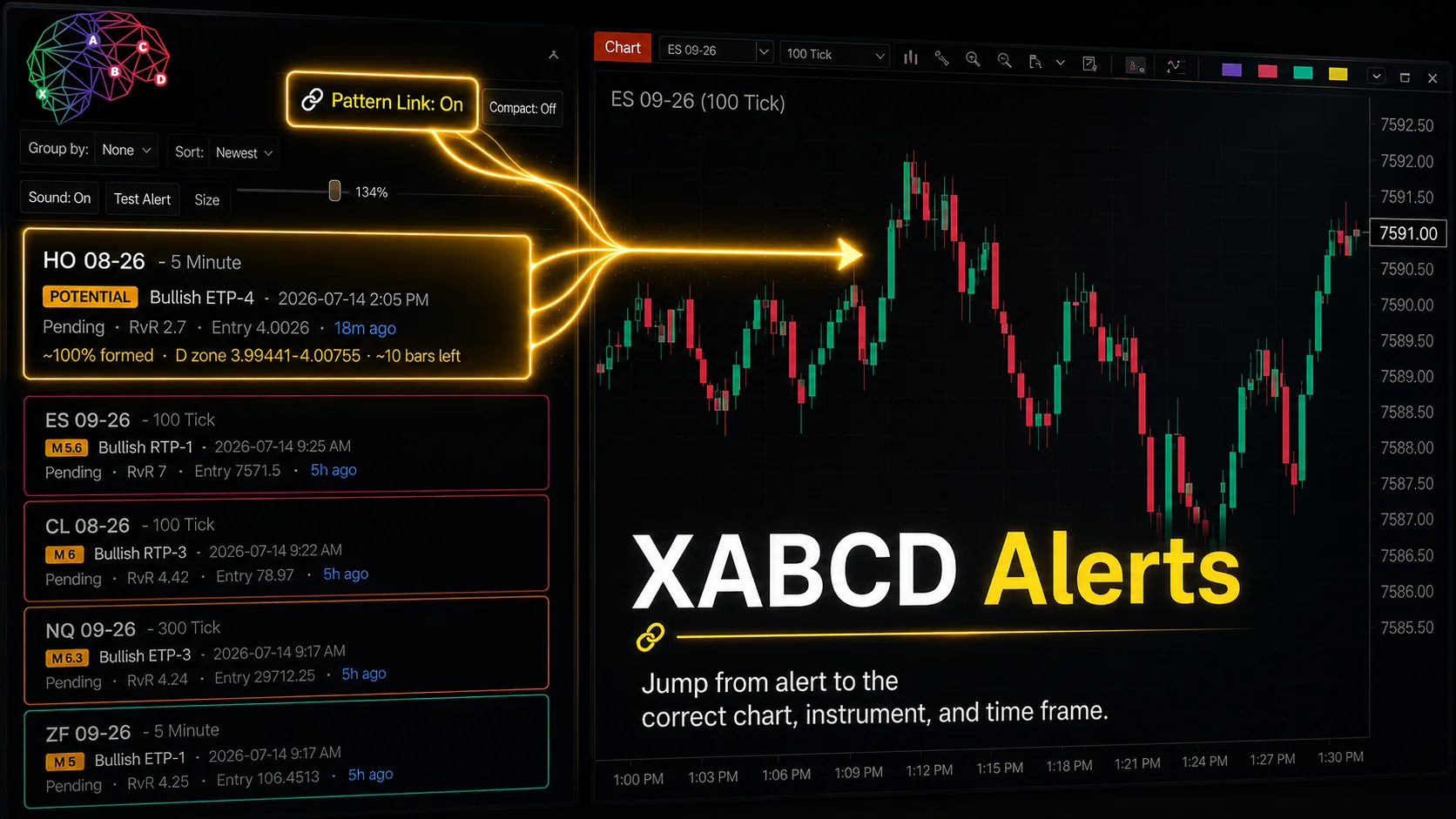
XABCD Pattern Alerts: The Complete Guide for Traders
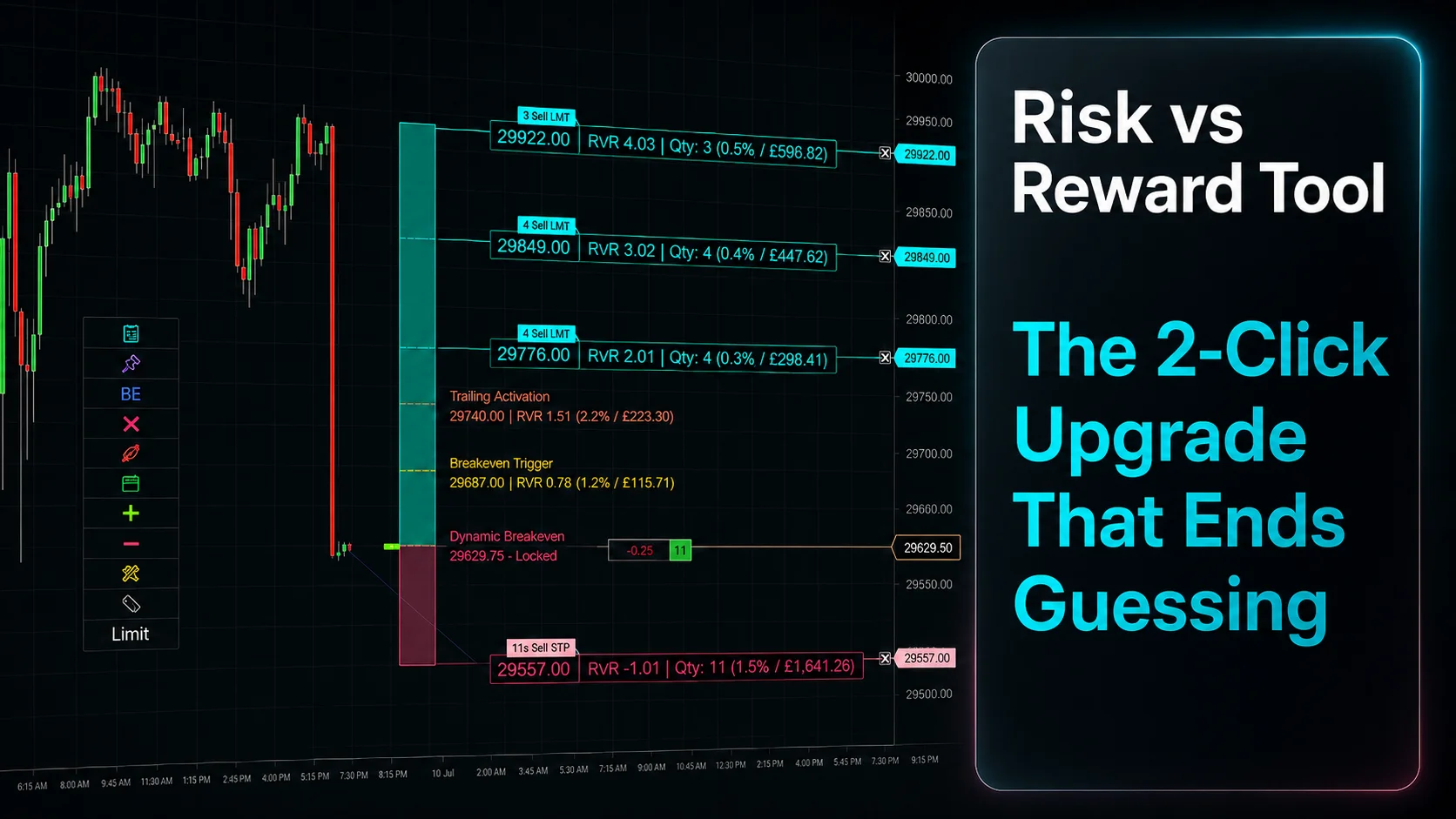
Risk vs Reward Tool: The 2-Click Upgrade That Ends Guessing
NinjaTrader Faster Last Price Updates on Charts Explained
NinjaTrader 8 Hotkeys: Best Shortcuts for Faster Trading
NinjaTrader Position Sizing Tool: 64 Features Stock NT8 Does Not Include
NinjaTrader – Adding to Position: A Field Guide for Active Traders