XABCD TRADING

Trade NQ, Copy MNQ: Copy NQ Trades to MNQ in NinjaTrader 8
Subscribe
to get alerts to our next blog post!
If you trade NQ on one account and run smaller accounts next to it, you've probably run into the same wall: NQ only comes in whole contracts, and your small accounts can't always carry a whole one. The usual answer is the Trade NQ, Copy MNQ workflow — you copy NQ trades to MNQ, so the small accounts trade the micro at a size that fits them. That sounds simple until you look at what rounding does to each account's risk.
This paper takes us through the issue at hand, mathematical formula for the same and how two different XABCD tools address the issue. Firstly, the XABCD Position Tool allocates and executes the order on your main account. Secondly, the OrderFleet replicates the position from the main account to all other accounts at their actual capacity. One can individually use either of the two and only one setting needs to be avoided if both are being used together.
Plan on the minis, execute in micros, and keep every account sized exactly as intended.
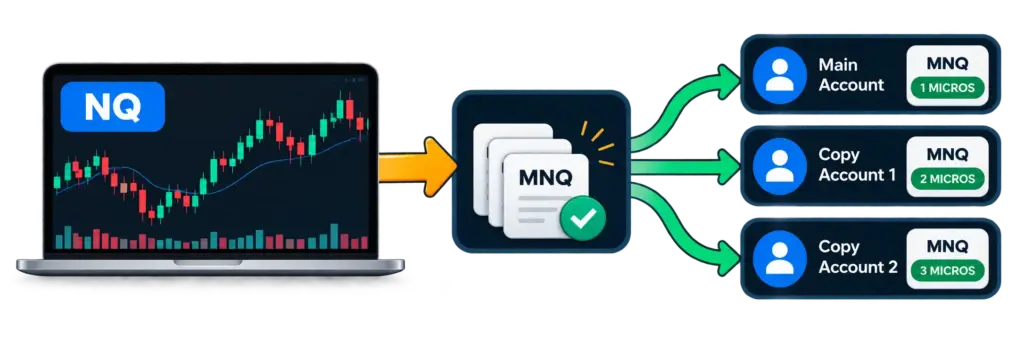
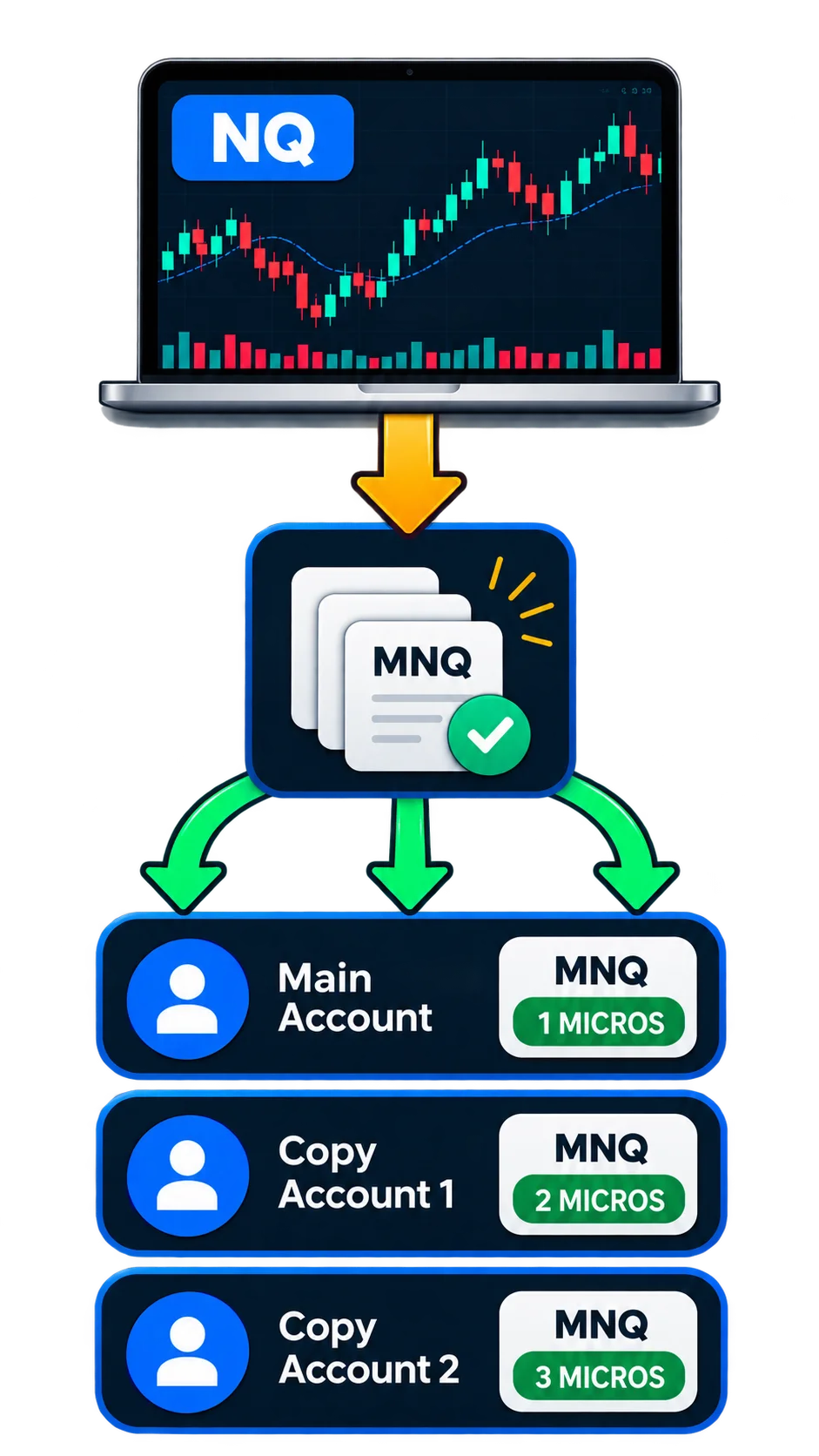
The Trade NQ, Copy MNQ workflow: one NQ chart on the master, micro-sized copies on every other account.
Why Whole Contracts Don't Divide Cleanly
Start with the contract specs. NQ is worth $20 a point and MNQ is worth $2 a point. Both move in quarter-point ticks, so one NQ tick is $5 and one MNQ tick is $0.50. In other words, one NQ is the same exposure as ten MNQ. You can confirm the numbers yourself on the exchange pages for E-mini Nasdaq-100 (NQ) and Micro E-mini Nasdaq-100 (MNQ) at CME Group.
Now copy a trade by percentage. Your main account buys 3 NQ and a smaller account is set to copy 50% of it. Half of 3 is 1.5, and there's no such thing as half an NQ contract, so the copier has to pick 1 or 2. Pick 1 and the account carries a third less risk than you set. Pick 2, however, and it carries a third more.
Small percentages are where it really goes wrong. For example, put an account at 25% behind a one-lot trade and its share is a quarter of a contract. A copier can either round that up to a full contract, which is four times the risk you asked for, or skip the trade entirely. OrderFleet's own documentation calls this out: by default, a share under one contract takes one contract, and the Skip < 1 setting is there for any account that can't carry a full one. Neither choice gives you a quarter of the trade.
The problem isn't really the copier. Instead, it's the size of the contract. When an account rounds in NQ, its risk moves in steps of $20 a point. When it rounds in MNQ, by contrast, the steps are $2 a point, ten times finer. That's the whole case for trading the micro on small accounts, and it's the reason the Trade NQ, Copy MNQ idea exists in the first place.
The Rounding Problem At A Glance
| Account share of a 1 NQ trade | Rounded in NQ | Rounded in MNQ |
|---|---|---|
| 25% | 1 NQ (4× too much) or nothing | 3 MNQ (close to 2.5) |
| 50% | 1 NQ (2× too much) or nothing | 5 MNQ (exact) |
| 80% | 1 NQ (25% too much) | 8 MNQ (exact) |
Look at the right-hand column. Because the micro is a tenth of the size, the worst rounding error any account can suffer is half a micro, or $1 a point. Therefore the Trade NQ, Copy MNQ approach doesn't just make small accounts possible — it makes their risk predictable.
Step One: Size The Trade On Your Main Account
The same rounding problem shows up before you copy anything, on your main account.
Say you want to risk $300 on a trade with a 20-point stop. One NQ contract risks 20 × $20 = $400 on that stop, so you can't take even one without going over your number. As a result, a position sizer working in NQ sizes that trade to zero.
On MNQ, meanwhile, the same 20-point stop risks 20 × $2 = $40 per contract. Seven MNQ is $280, which fits inside $300. Same chart, same stop, same idea, and now the trade can actually happen at the risk you chose.
So most traders end up wanting to read the NQ chart and place their orders on MNQ. NinjaTrader doesn't do that for you. The common workarounds are keeping an MNQ chart open just to place orders, or rebuilding a strategy so it runs on MNQ with NQ added as a data series. Both work, and both mean doing it by hand every time. That manual step is exactly what the Trade NQ, Copy MNQ setup removes.
Execution Routing: Plan On NQ, Place The Orders On MNQ
The XABCD Position Tool has a setting for exactly this, called Execution Routing. It lets a chart trade a different contract from the one it shows, which is the cleanest way to run Trade NQ, Copy MNQ on the master itself.
To set it up:
- Click the yellow icon in the floating menu to open Properties, and switch on Advanced Mode at the bottom of the window.
- Next, on the Risk tab, find Execution Routing in the Execution Instrument section and click Add Route....
- Set "When the chart is" to NQ and "Trade this instead" to MNQ. It shows in the list as NQ → MNQ.
- Finally, click OK.
From then on, the tool places its orders on MNQ whenever it's on an NQ chart. Routes use root symbols only, and the contract month is read from the chart every time, so a route keeps working through a rollover. Charts you haven't named trade their own contract, and routes are saved with the workspace and with templates.
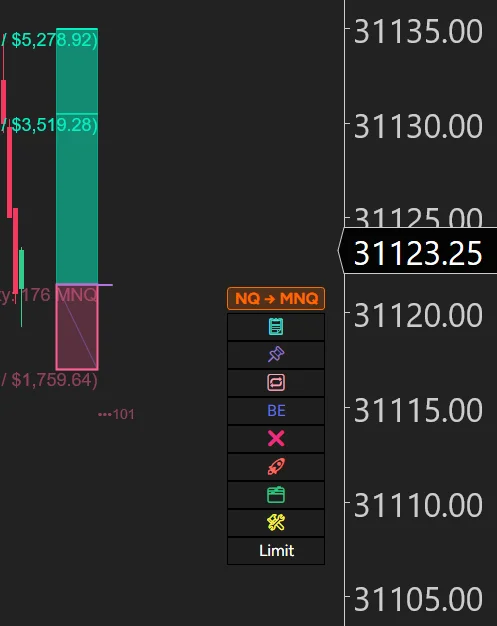
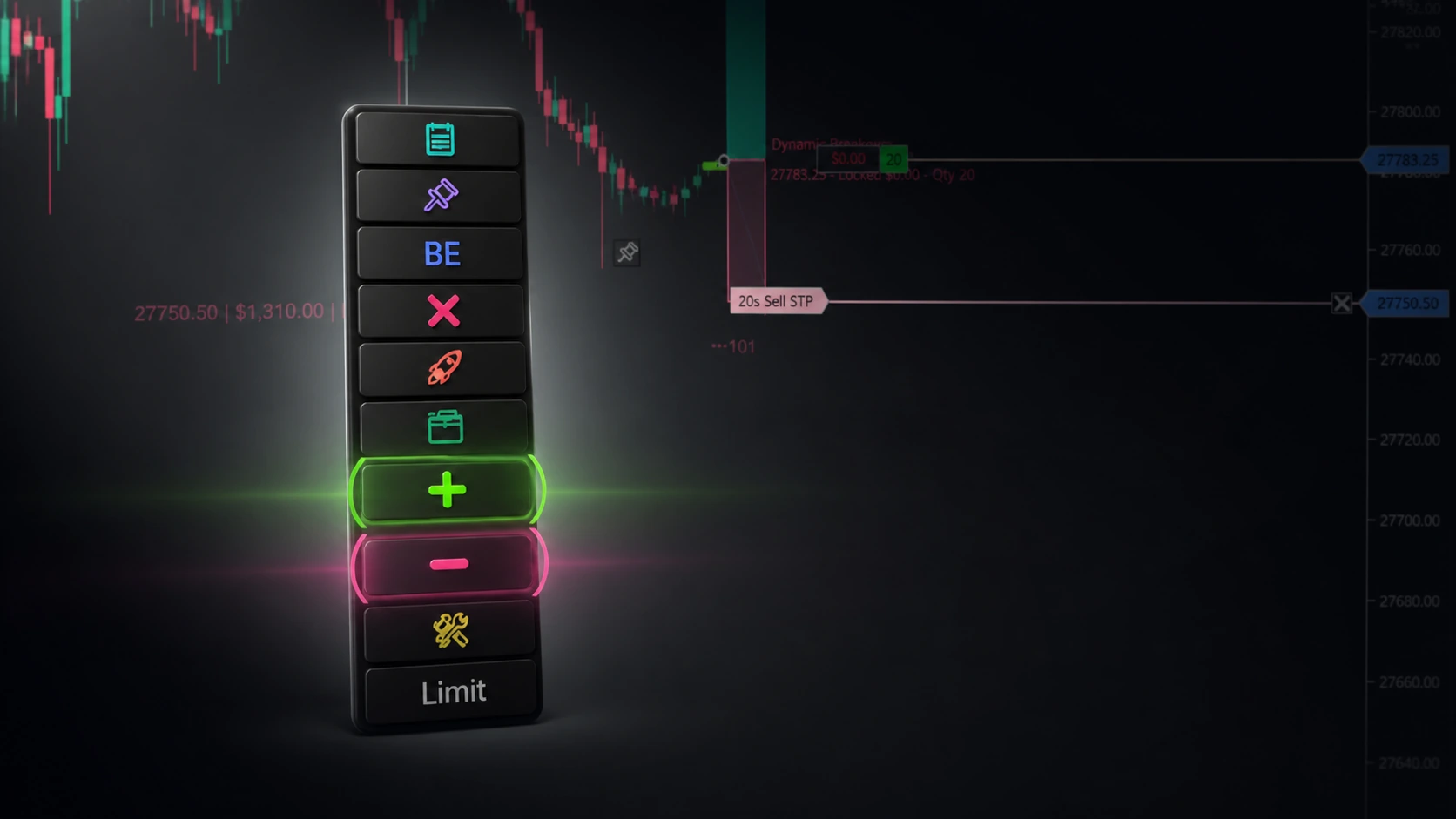
The floating menu with the NQ → MNQ badge.
While the route is in force, a badge in the floating menu reads NQ → MNQ, so you can always see where your orders are going. If you drive your entries from the keyboard, it pairs well with NinjaTrader hotkeys, because the route is applied no matter how the order is triggered.
The important part is how it sizes. A percent or dollar risk works out the MNQ quantity from MNQ's point value, so the risk you set holds. The labels name the contract, for example Qty: 6 MNQ, and the dollar figures next to them are MNQ money. Prices, ticks, points and risk/reward stay the chart's, and for NQ and MNQ those are the same numbers, so nothing else on the tool changes. A fixed quantity, or a quantity typed into Chart Trader, means that many of the contract you trade.
A few safety details are worth knowing:
- It doesn't guess. If the route can't be used, the badge adds a second line saying why: NOT FOUND, TICK MISMATCH or NO DATA. Until you fix it, orders go to the chart's own contract.
- Routing to a bigger contract asks first. An MNQ chart routed to NQ shows both point values and asks you to confirm before it trades NQ.
- You can see the fills. NinjaTrader only plots executions on a chart of the contract that was traded, so an NQ chart trading MNQ normally shows nothing. Tick Plot Routed Executions and the tool marks each MNQ fill where it happened, with a label like Buy 6 MNQ · Open. It's off by default.
Smart Contracts: the same size, for less commission
Routing everything to the micro solves the sizing problem, but it can cost you in commission. A trade sized at 23 MNQ is 23 micro commissions, even though 20 of those micros are the same exposure as 2 NQ.
The Position Tool's Contract Mix setting handles this. Left on All Contracts, the default, every contract goes on the micro: 23 MNQ. Switch it to Smart Contracts, however, and the tool places the same exposure as the mix of standard and micro contracts that costs the least commission: 2 NQ + 3 MNQ.
Your size doesn't change. The trade is still sized in micros, and 2 NQ + 3 MNQ is the same 23 MNQ of exposure, so the stop costs the same amount. "Least commission" is measured against your commission template, either the one chosen in Commission Settings or your account's own. If your template makes ten micros cheaper than one NQ, then the trade goes in as micros.
Each target keeps exactly its planned size and is split on its own. A target of 10 MNQ goes in as 1 NQ, a target of 13 as 1 NQ + 3 MNQ, and a target of 7 stays 7 MNQ. Each contract gets its own stop and target, so an NQ target is always protected by an NQ stop. Breakeven, trailing, Reduce and every flatten act on both contracts. When the trade closes, its Trade Commentary shows what it filled on and the commission Smart Contracts saved against placing the whole trade on the micro.
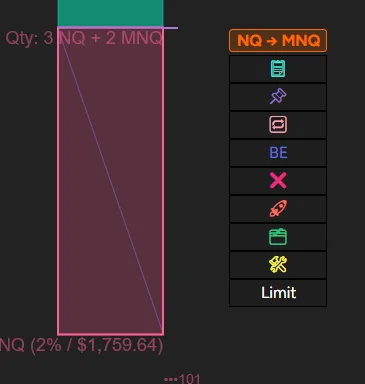
The entry and stop lines reading Qty: 2 NQ + 3 MNQ.
Two things to know before you switch it on. First, Smart Contracts applies to trades that start with a single entry; a DCA or scaled entry ladder, an add-on, or a trade too small to hold one NQ in any target goes in on the micro. Second, NinjaTrader's Close button only closes the contract of the chart it's on, so Close on your NQ chart closes the NQ part and leaves the MNQ part working. The X on the Position Tool's position chip, by contrast, closes both.
Contract limits that count micros properly
If you trade prop firm accounts, your contract limit probably counts micros differently from minis. The Position Tool's Max Unit Qty caps how many contracts you can hold, and its Limit Mode decides how that's counted:
- Absolute counts every contract as one, so a limit of 5 means 5 contracts of anything.
- Equivalent counts micros at a tenth, so a limit of 5 on NQ allows 50 MNQ.
Per-Instrument Limits let you set a different cap for particular contracts, such as NQ 5 and MNQ 50. In addition, if you use Prop Firm Mode, choosing your firm and account and clicking Apply Rules sets Max Unit Qty to the firm's contract limit, and the Limit Mode to how the firm counts it. Because a Trade NQ, Copy MNQ setup multiplies your contract count by ten, Equivalent mode is usually what you want.
Step two: copy NQ trades to MNQ on every other account
Once the trade on your main account is right, the next job is getting it onto your other accounts. That's what OrderFleet does. You set the account you trade as the master, set the others to copy it, and OrderFleet copies each trade onto them, sized for each account.
Each copy account has its own sizing (Copy %, Fixed, Risk budget and Max position) and its own Instrument setting. The Instrument setting is what lets you copy NQ trades to MNQ, and it has three choices:
- Master's own, the default: the account trades the same contract you do.
- Straight crossover: the account trades a different contract instead of yours.
- Smart routing: the account trades your contract for the whole contracts its share reaches, and the smaller contract for the fraction rounding would drop.
Straight crossover: the whole account trades MNQ
Straight crossover swaps your contract for the micro at the same dollars per point. You buy 1 NQ, the account buys 10 MNQ. Moreover, it works with Copy %, Fixed and Risk budget, and the result is converted to the nearest whole micro, with a half rounding up.
This is the one for accounts that should never hold an NQ contract at all — the purest form of Trade NQ, Copy MNQ.
Smart routing: whole contracts in NQ, the rest in MNQ
Smart routing is the answer to the 1.5 contract problem from the start of this article. The account keeps your own contract for the whole contracts its Copy % share reaches, and puts the leftover fraction in the micro.
Back to the example: you buy 3 NQ and the account copies 50%. Its share is 1.5 NQ. Copy % on its own rounds that down to 1 NQ. With Smart routing, however, the account takes 1 NQ + 5 MNQ, which is exactly half your trade.
A fraction close enough to a whole contract becomes one. At 33% behind 6 NQ, for instance, the share is 1.98, and the account takes 2 NQ rather than 1 NQ and a pile of micros. Smart routing works with Copy % only. Under Fixed or Risk budget there's no fraction to route, so it isn't used.
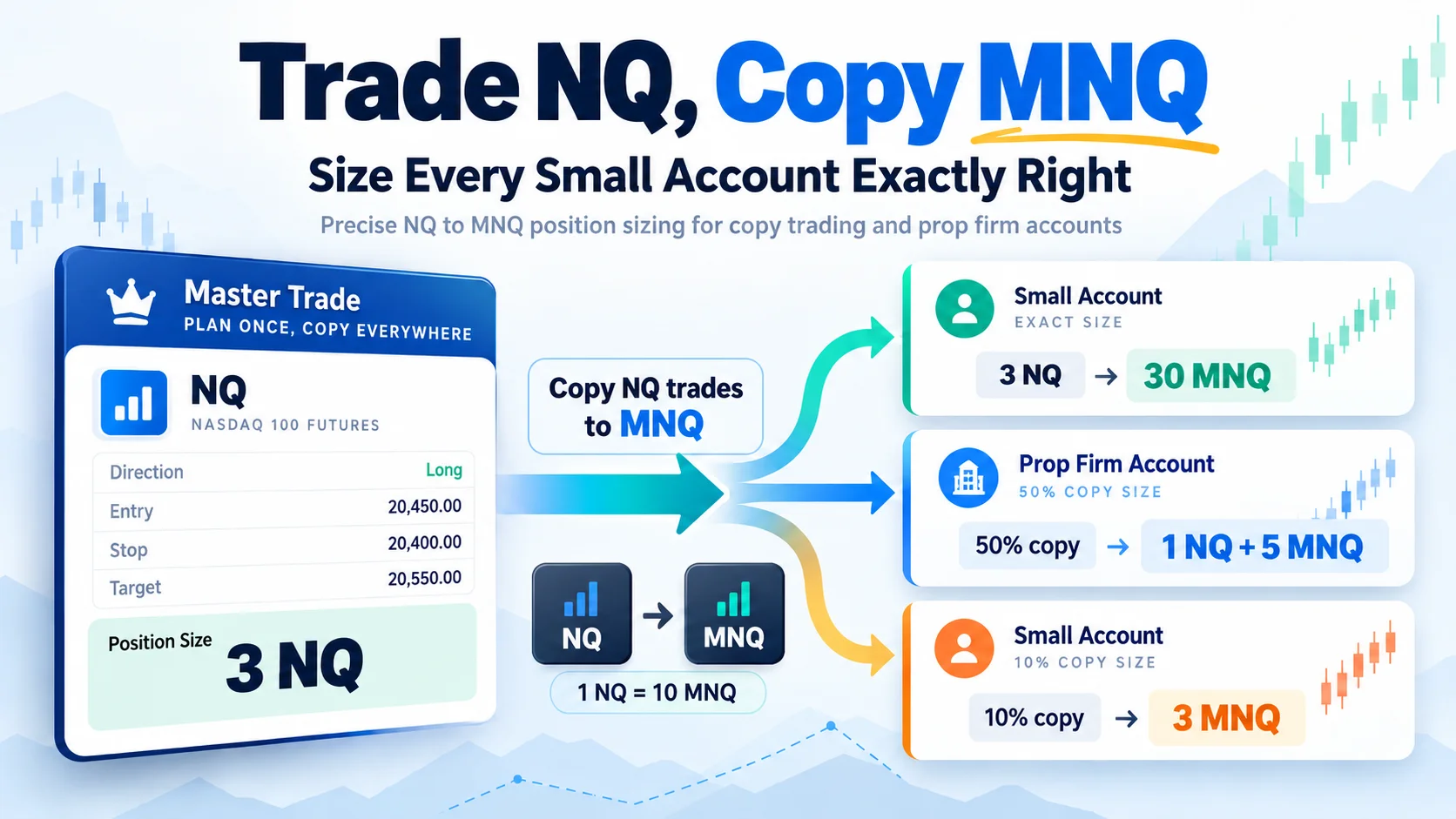
Here's how one 3 NQ trade lands on accounts copying it at different percentages:
| Copy % | Copy % on its own | With Smart routing |
|---|---|---|
| 100% | 3 NQ | 3 NQ |
| 50% | 1 NQ (1.5, rounded down) | 1 NQ + 5 MNQ |
| 20% | 1 NQ (0.6, so it takes one) | 6 MNQ |
| 10% | 1 NQ (0.3, so it takes one) | 3 MNQ |
Look at the middle column. Without a mapping, the 50%, 20% and 10% accounts all hold the same single NQ, so the 10% account is carrying more than three times its share. With Skip < 1 ticked, the 20% and 10% accounts would sit the trade out instead. With Smart routing, finally, every account carries the share you gave it.
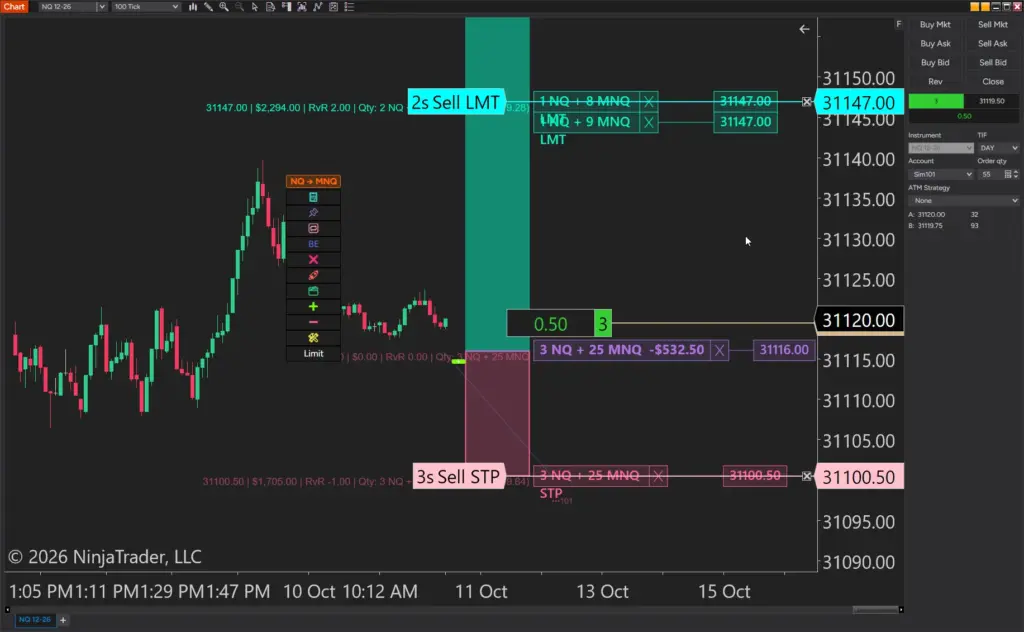
One 3 NQ trade landing on four copy accounts at different percentages.
Setting it up in OrderFleet
- In the account table, select the copy account.
- Under Instrument, pick Straight crossover or Smart routing.
- Type MNQ in the first box and press Enter.
- Next, check the "instead of" box. Set up while you're flat, it's empty and edged in red: type NQ and press Enter.
- Finally, read the line under the boxes. It should say "Instrument: MNQ instead of NQ, sized to the same dollars per point." or "Instrument: Smart routing, whole contracts in NQ and the rest in MNQ."
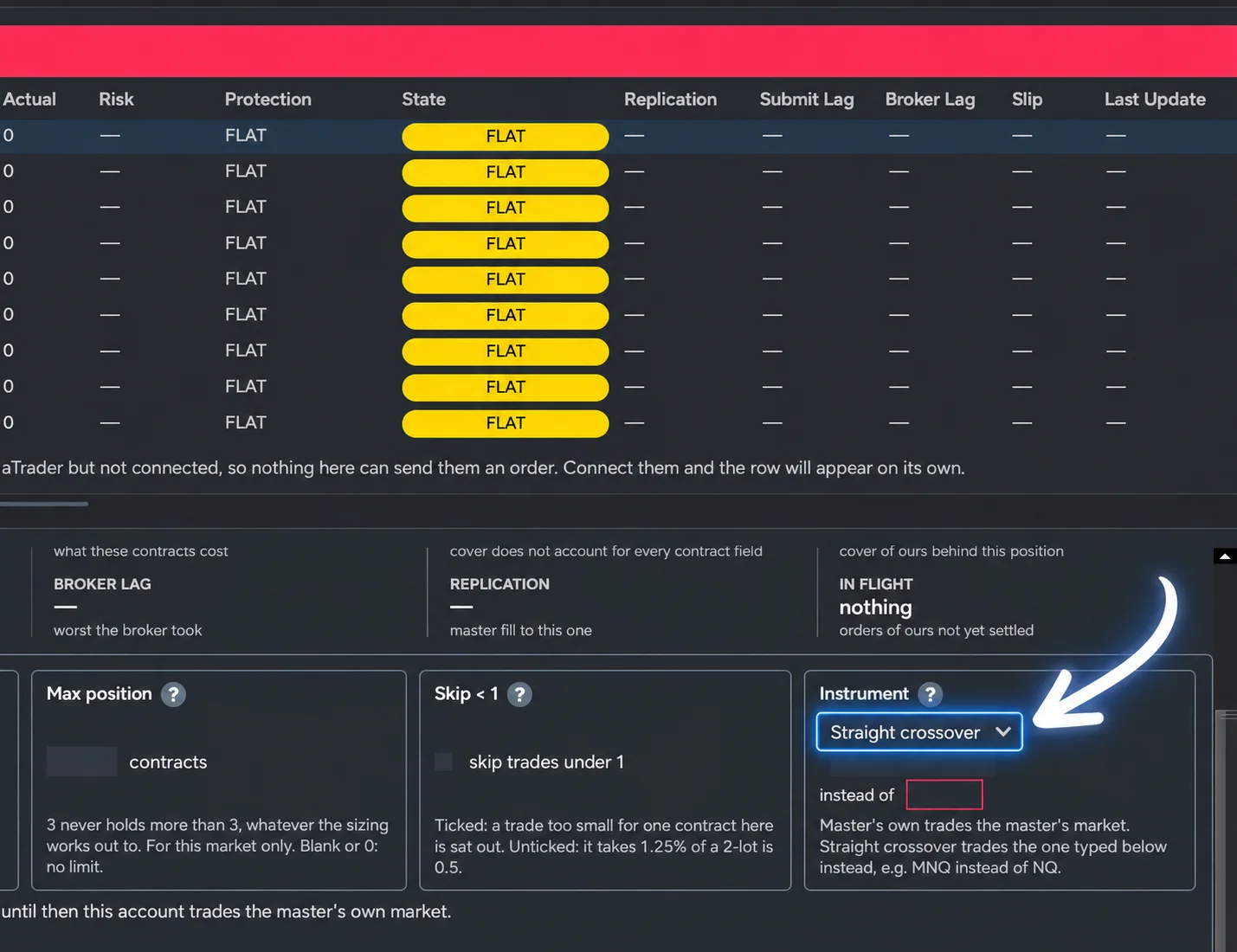
The Instrument drop-down and the confirmation line under it.
A few details matter here:
- The mapping applies only to the market you name. NQ → MNQ changes only the NQ copies. If you trade ES on the same master, that account copies ES as ES.
- The pairs have to match. NQ and MNQ, ES and MES, YM and MYM, and RTY and M2K all qualify. The mapped contract always uses your contract month.
- It doesn't fail silently. If a mapping can't be used, for example because MNQ has no market data yet, the account is still copied in your contract, and the line under the boxes says Not in use, with the reason and the fix.
- Max position counts your contracts. On a mapped account, Max position 2 allows 20 MNQ. Under Smart routing it caps the NQ part, and once that cap is reached nothing more is added in MNQ.
In OrderFleet's default ORDERS mode, your stop and targets are copied as distances from each copy's own fill, so an account that fills a tick worse than you keeps the same stop distance rather than a tick more risk. Consequently, the Trade NQ, Copy MNQ result holds even when fills differ slightly across brokers.
Using the Position Tool and OrderFleet together
Both products can do the NQ and MNQ split, so the main decision is where the split happens. There's one rule to plan around:
If your master holds NQ and MNQ at the same time, OrderFleet doesn't use a copy account's mapping. That account copies your MNQ and sits out the NQ for the rest of that NQ trade, because two copies would otherwise fight over one MNQ position. That's exactly the position Smart Contracts on the Position Tool puts you in: 2 NQ + 3 MNQ on the master.
So pick one of these:
Setup A: the master trades NQ, the copies do the splitting. Use the Position Tool on your NQ chart without a route, so it sizes your NQ trade from your risk. Then give each copy account the Instrument setting that fits it: Smart routing for accounts that should carry part of the trade in NQ, Straight crossover for accounts that should only ever hold micros. This is the setup the title of this article describes, and it's the classic Trade NQ, Copy MNQ arrangement.
Setup B: everything trades MNQ. Route your NQ chart to MNQ in the Position Tool, with Contract Mix on All Contracts, so your master holds only MNQ. The copies then trade MNQ as your own contract, and Copy % already moves in micro-sized steps. A 23 MNQ trade at 30% is 6.9, which rounds down to 6 MNQ. The tradeoff is commission: every contract on every account is a micro.
What to avoid: Smart Contracts on the master with mapped copies. The mapped copies would trade only the MNQ part of your trade. Copies left on Master's own still work in this case, because OrderFleet copies each market on its own, but each one sizes its NQ and its MNQ separately, so each part is rounded on its own.
One more tradeoff with any mapping: while a mapping is in use, OrderFleet doesn't rest copies of your entry orders. If you work a limit entry on the master, therefore, a mapped account follows once your entry fills rather than resting its own limit order alongside yours.
Keep an eye on platform load
Running a fleet of accounts means more orders, more connections and more drawing objects than a single chart ever generates. Before you scale a Trade NQ, Copy MNQ fleet past a handful of accounts, check that NinjaTrader itself is keeping up with the free NinjaTrader performance and lag monitor. Similarly, if your routine involves pre-set brackets, the free ATM strategy templates are worth loading so each account starts from the same protective structure. For the full list of platform requirements and supported connections, NinjaTrader's own NinjaTrader 8 help guide is the authoritative reference.
Before you go live
A short checklist, because the details are where small accounts get hurt:
- Test it in Sim first. Run a few trades with the exact mix of accounts and percentages you plan to use, and check the account table matches the table above for your own numbers.
- Prop firm accounts are real accounts to OrderFleet. Anything that isn't on NinjaTrader's own simulator counts as funded, evaluation accounts included. You switch the fleet to LIVE and confirm before the first copy each session.
- Set Max position on every copy account to its firm's contract limit, remembering it counts your contracts on a mapped account.
- Pick a commission template if you use Smart Contracts, or the Properties window won't let you save it.
- Make sure MNQ has data. Both a Position Tool route and an OrderFleet mapping need MNQ priced. If MNQ has no data, the route or mapping isn't used and orders go to NQ until it's fixed, and both tools say so.
- Know when the news hits. A fleet of accounts all entering at once into a scheduled release is avoidable; the free news indicator for NinjaTrader puts the calendar on the chart.
- Check your firms' rules. Copy trading rules and contract limits are set by each firm, and they still apply to every account. Risk disclosures from the CFTC are a good reminder of what futures leverage actually means.
Frequently asked questions
Does Trade NQ, Copy MNQ change my analysis?
No. The chart, the levels and the patterns stay exactly as they were, because NQ and MNQ print the same prices. If you mark levels by hand, tools such as the XABCD chart annotation marker and XABCD pattern alerts work on the NQ chart just the same while the orders go to the micro.
Is Trade NQ, Copy MNQ only for prop firm accounts?
Not at all. Any trader running more than one account benefits, because the rounding problem is caused by contract size rather than by who funds the account. That said, prop traders feel it most, since evaluation accounts are usually the smallest ones in the fleet.
What if I trade ES instead?
Everything above applies with MES in place of MNQ. Similarly, YM maps to MYM and RTY maps to M2K, and the ten-to-one ratio is the same in each pair.
The short version
Whole NQ contracts don't divide, so a small account copying a percentage of an NQ trade either carries more risk than you set or sits the trade out. Trading the micro fixes that, because MNQ moves in steps ten times finer. In short, Trade NQ, Copy MNQ turns a rounding problem into a sizing decision you control.
On your main account, the XABCD Position Tool's Execution Routing lets you plan on NQ and place the orders on MNQ, sized from MNQ's point value, and Smart Contracts can place the same size as a cheaper mix of NQ and MNQ. On your other accounts, OrderFleet lets each one copy NQ trades to MNQ with Straight crossover, or keep the whole contracts in NQ and the fraction in MNQ with Smart routing.
Pick one place for the split, test it in Sim, and every account can carry the share of the trade you meant it to. Ultimately, that is all the Trade NQ, Copy MNQ workflow is trying to protect.
Ready to set it up?
→ Get the XABCD Position Tool and start your Trade NQ, Copy MNQ setup today, or see OrderFleet to copy NQ trades to MNQ across your whole fleet. If you want the news calendar on the same charts, grab XABCD News Pro for NinjaTrader 8 as well.
New NinjaTrader Articles Delivered First
 (opens in a new tab)
Easy Order Tool
The Strategy

Scanning & Alerting
NinjaTrader Release
XABCD News (Free Version)
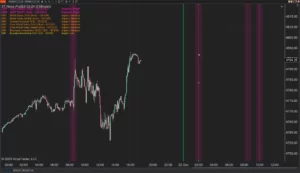
XABCD News (Community Edition) is the best free Indicator for NinjaTrader 8. Don't let news sneak up on you again. Puts economic news events on your charts so you can stay informed and move around positions/stops before the news is released. Works in any market.
XABCD Priceline (Free)
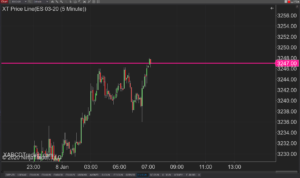
XABCD Price Line tool for NinjaTrader 8 will draw a line at current price and move every time the market changes price. This is useful because it will allow you to easily identify where price is at all times and the exact quoted price.
Trade NQ, Copy MNQ: Copy NQ Trades to MNQ in NinjaTrader 8
NinjaTrader Data Feed Not Updating? Quick Fixes
NinjaTrader Risk Per Trade: Risk $500 on Every Trade
NinjaTrader 8.1.8 Review: Should You Upgrade or Wait?
XABCD Pattern Alerts: The Complete Guide for Traders
Risk vs Reward Tool: The 2-Click Upgrade That Ends Guessing
NinjaTrader Faster Last Price Updates on Charts Explained
NinjaTrader 8 Hotkeys: Best Shortcuts for Faster Trading
NinjaTrader Position Sizing Tool: 64 Features Stock NT8 Does Not Include